Brand: HUAWEI
Category: Mobile Phone
Document Type:
Language: EN
Brand: HUAWEI
Category: Mobile Phone
Document Type:
Language: EN
Uploaded: Aug. 10, 2025, 12:05 a.m.
This guide is for reference only. All statements do not constitute a warranty.
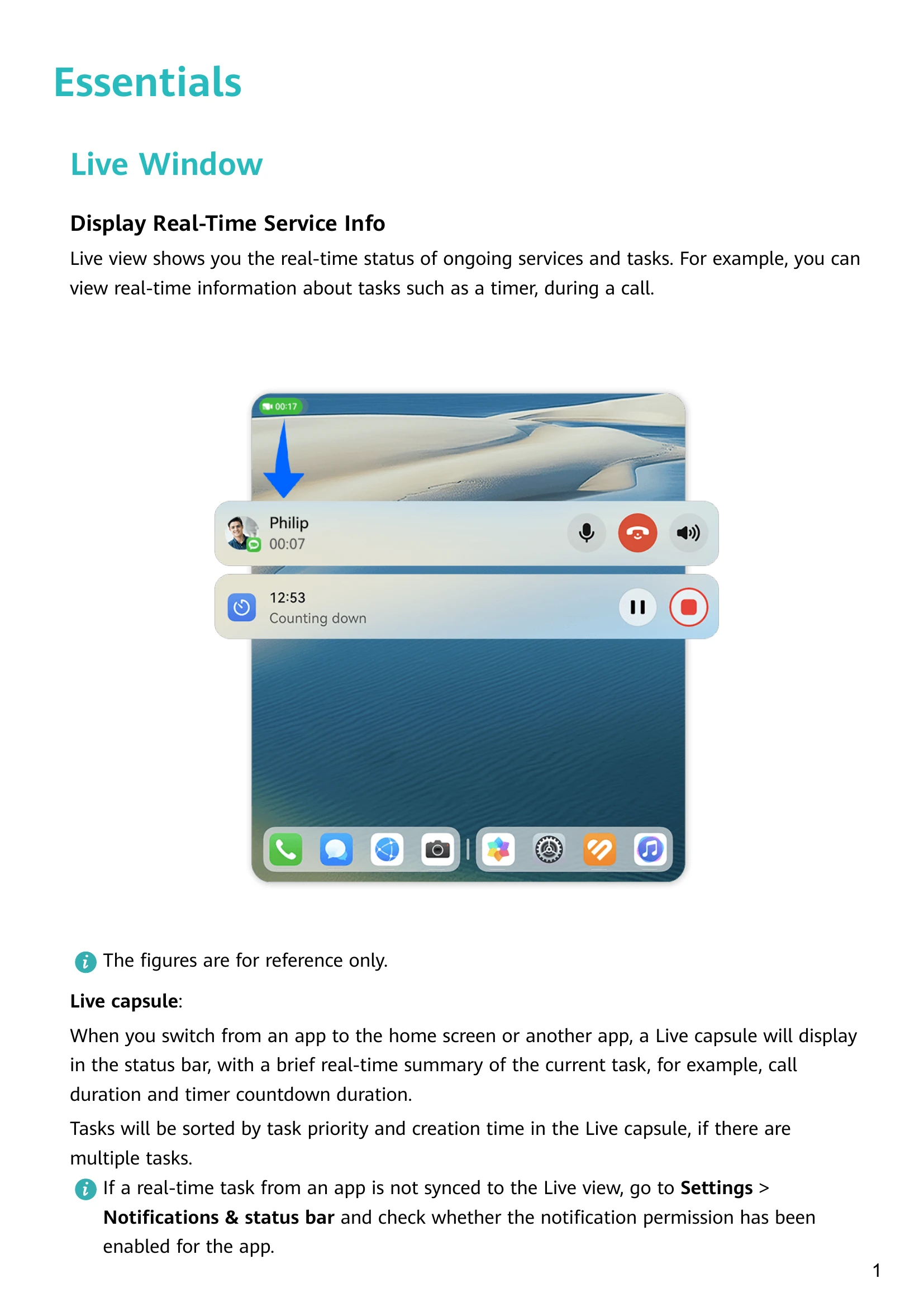
| Live task not synced to Live view | Go to Settings > Notifications & status bar > Status bar > Live view and enable the notification permission for the app. |
| Air scroll or Grabshot not supported | If your device does not have the Air scroll or Grabshot switch, the corresponding feature is not supported. |
| Slide across bottom to switch apps not supported | If your device does not have the Slide across bottom to switch apps switch, the corresponding feature is not supported. |
| Raise to wake and Double-tap to wake not supported | If your device does not have this option, the corresponding feature is not supported. |
| SuperHub floating window not appearing | Go to Settings > Accessibility features > SuperHub and enable Show on drag. |
| Cannot transfer content to PC via SuperHub | Ensure SuperHub on this device is updated to version 3.0.0.440 or later, and PC Manager is updated to the most recent available version. |
| Cannot transfer content to tablet/phone via SuperHub | Ensure both devices run EMUI 13.0 or later. If the SuperHub option is not available, it indicates the feature is not supported by that device. |