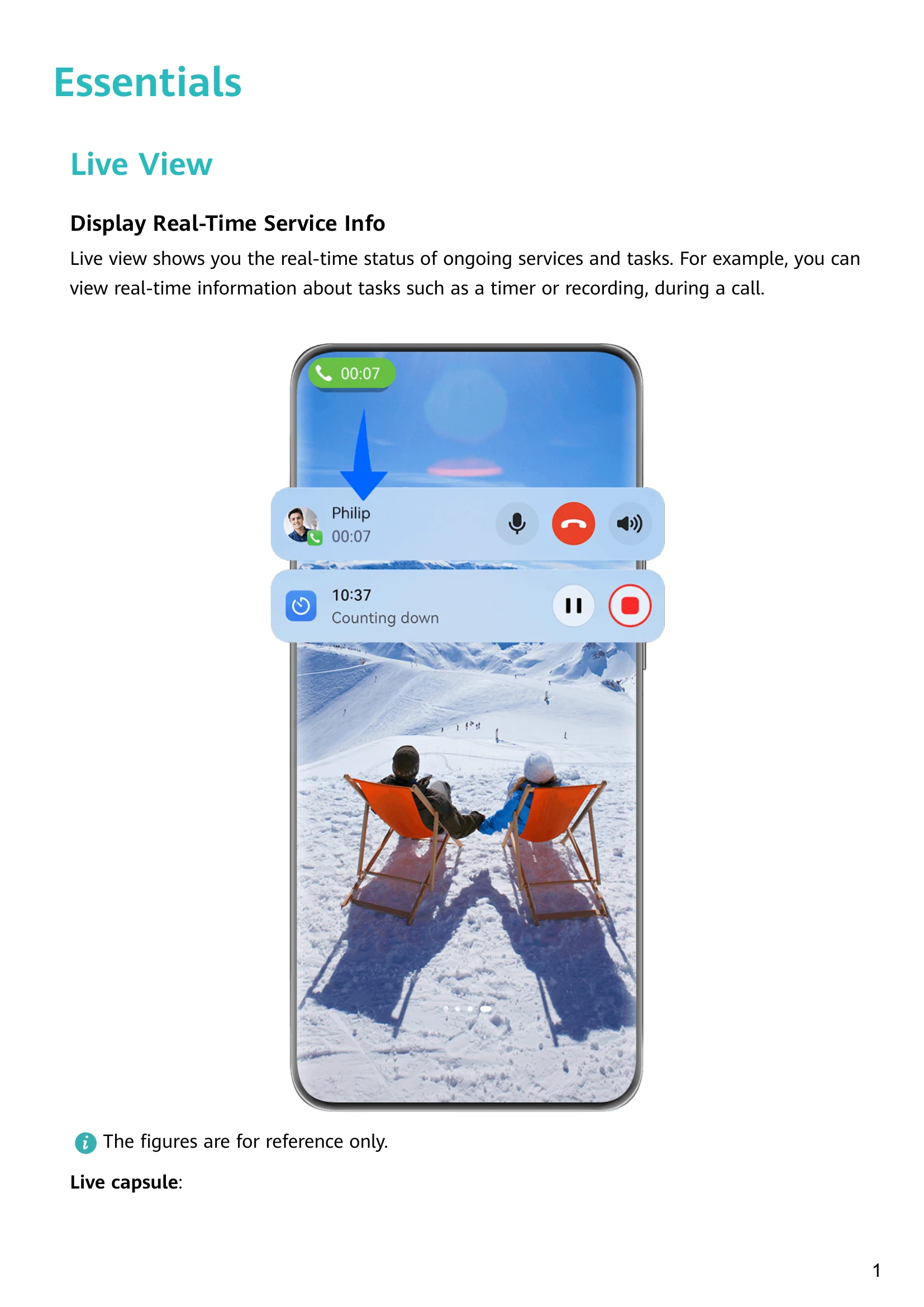
Live View: Displays real-time status of ongoing services and tasks in the status bar and as a Live capsule.
Basic Gestures: Includes system navigation gestures (return, home, recent tasks, close app, switch apps) and knuckle gestures (screenshot, scrollshot, capture part of screen, record screen).
Phone Clone: Allows seamless migration of data (contacts, calendar, images, videos) from an old phone to a new HUAWEI device, supporting Huawei/Android and iPhone/iPad transfers.
Lock and Unlock Your Screen: Covers auto-lock, manual locking via power button or screen lock icon, and various screen turn-on methods. Unlocking options include password, face, and fingerprint.
Home Screen: Explains the customizable home screen with service widgets, large folders, status bar, screen navigation bar, and shortcut bar. Includes adding, stacking, and managing service widgets.
Control Panel: Accessible by swiping down from the upper right, it manages media playback, shortcuts, Super Device, and smart devices. Features can be edited and customized.
Smart Features:
AI Voice, AI Touch, Super Device, Easy Projection, Huawei Share: These features enhance device interaction and connectivity.
Camera and Gallery:
Includes various camera modes like Portrait, Night, Aperture, AI Camera, and Pro Mode. Supports video recording, Dual-View Mode, and Multi-cam. Gallery management and editing tools are also covered.
Apps:
MeeTime, Notepad, Optimizer: Basic productivity and utility applications.
Settings:
Connections, Home Screen & style, Display & Brightness, Notifications & status bar, Biometrics & Password, Storage, Security, Privacy, Accessibility Features, About Phone: Comprehensive settings for device management, personalization, and security. Includes face recognition, fingerprint payment, storage cleanup, security center features, privacy management, and accessibility options.