Essential Operations:
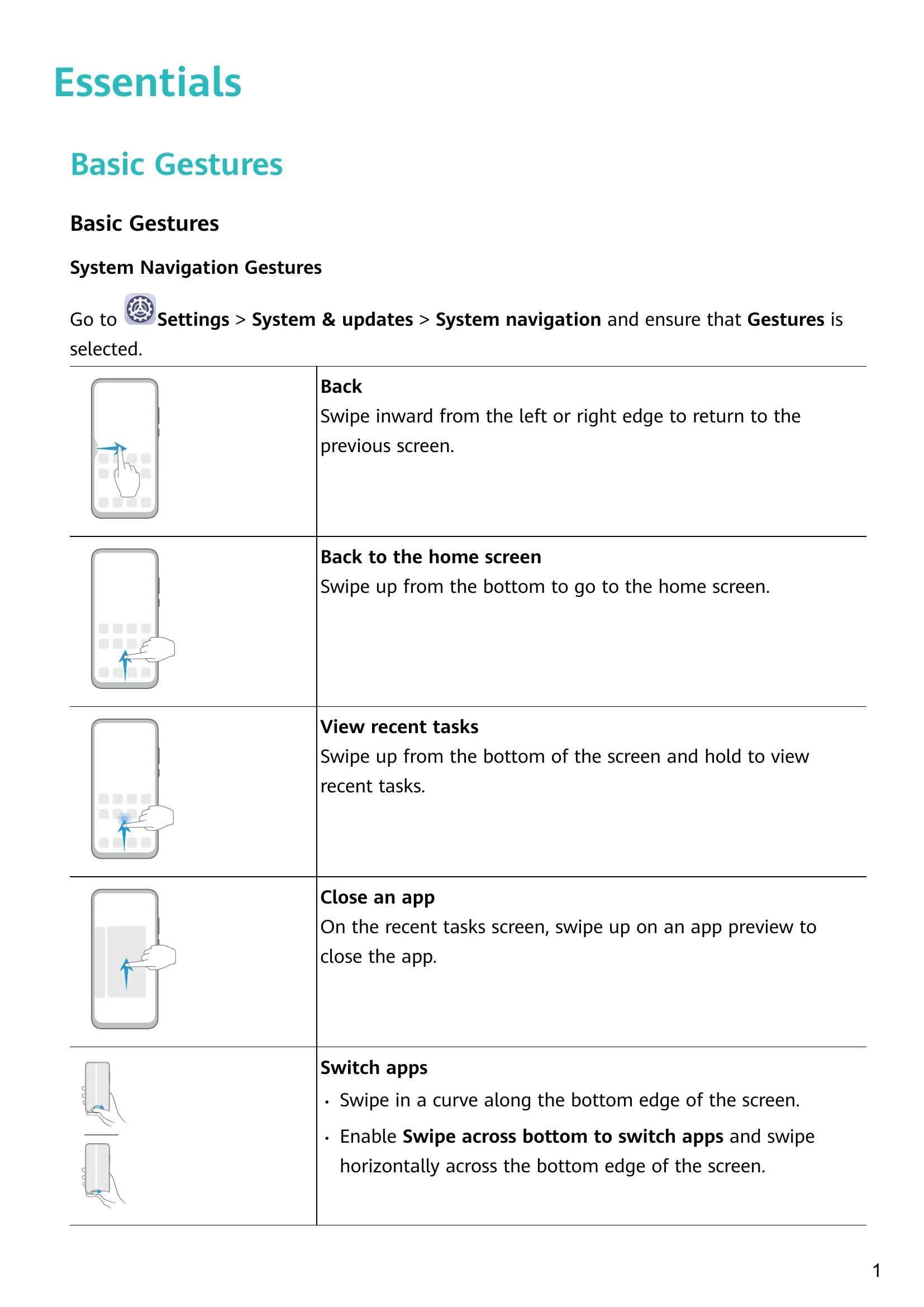
- Basic Gestures: Learn swipe and touch gestures for navigation and app control.
- System Navigation: Choose between gesture or three-key navigation.
- Lock/Unlock Screen: Use power button, PIN, face unlock, or fingerprint.
- Notifications: View and manage alerts from the status bar.
- Shortcuts: Access frequently used functions via swipe gestures.
- Widgets: Add and manage home screen widgets for quick access.
- Wallpaper: Set preset or gallery images as wallpapers.
- Sound Settings: Adjust volume, ringtones, and vibration modes.
- Multi-Window: Use split-screen or floating windows for multitasking.
- Power Management: Turn on/off, restart, and charge your device.
- Screenshots/Recording: Capture screen content and record videos.
- Phone Clone: Transfer data to a new phone.
- Enter Text: Select, copy, cut, and paste text.
- Smart Features: Utilize AI Lens for scanning and translation.
- Huawei Share: Wirelessly share files with devices and computers.
- Settings: Configure Wi-Fi, Bluetooth, mobile data, display, and more.
- Security: Manage passwords, App Lock, and fingerprint settings.
- Privacy: Control location services and app permissions.
- Accessibility: Use features like One-Handed mode and color correction.
- Users & Accounts: Manage user profiles and permissions.
- System & Updates: Adjust language, date/time, and update software.
- Battery: Monitor power consumption and enable saving modes.
- Performance Mode: Optimize settings for maximum performance.