Manual for P50 Pro

Manual for P50 Pro

Brand: HUAWEI

Category: Mobile Phone

Document Type: Manual

Language: EN

Uploaded: Nov. 21, 2025, 6:21 p.m.
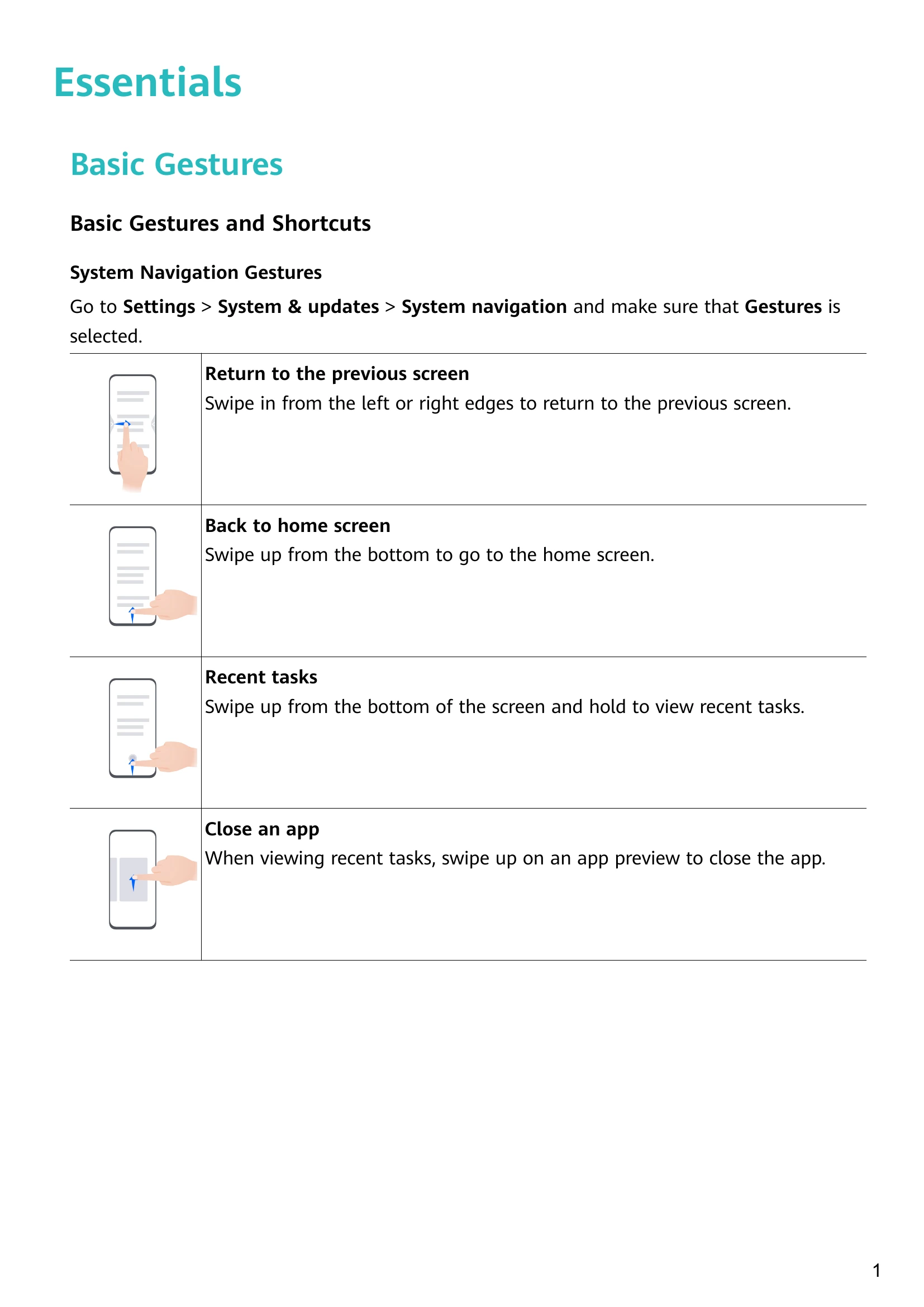
Basic Gestures

  • Return to previous screen: Swipe in from left/right edge.
  • Back to home screen: Swipe up from bottom.
  • Recent tasks: Swipe up from bottom and hold.
  • Close app: Swipe up on app preview in Recent tasks.
  • Take screenshot: Knock twice with knuckle.
  • Scrollshot: Knock and draw 'S'.
  • Partial screenshot: Knock and draw outline.
  • Record screen: Knock twice with two knuckles.

Control Panel

  • Swipe down from upper right to access Media Controller, Shortcuts, and Device+.
  • Media Controls: Manage playback and switch devices.
  • Shortcut Controls: Enable/disable features.
  • Device+: Connect and control nearby Huawei devices.
Privacy Policy