1 Overview
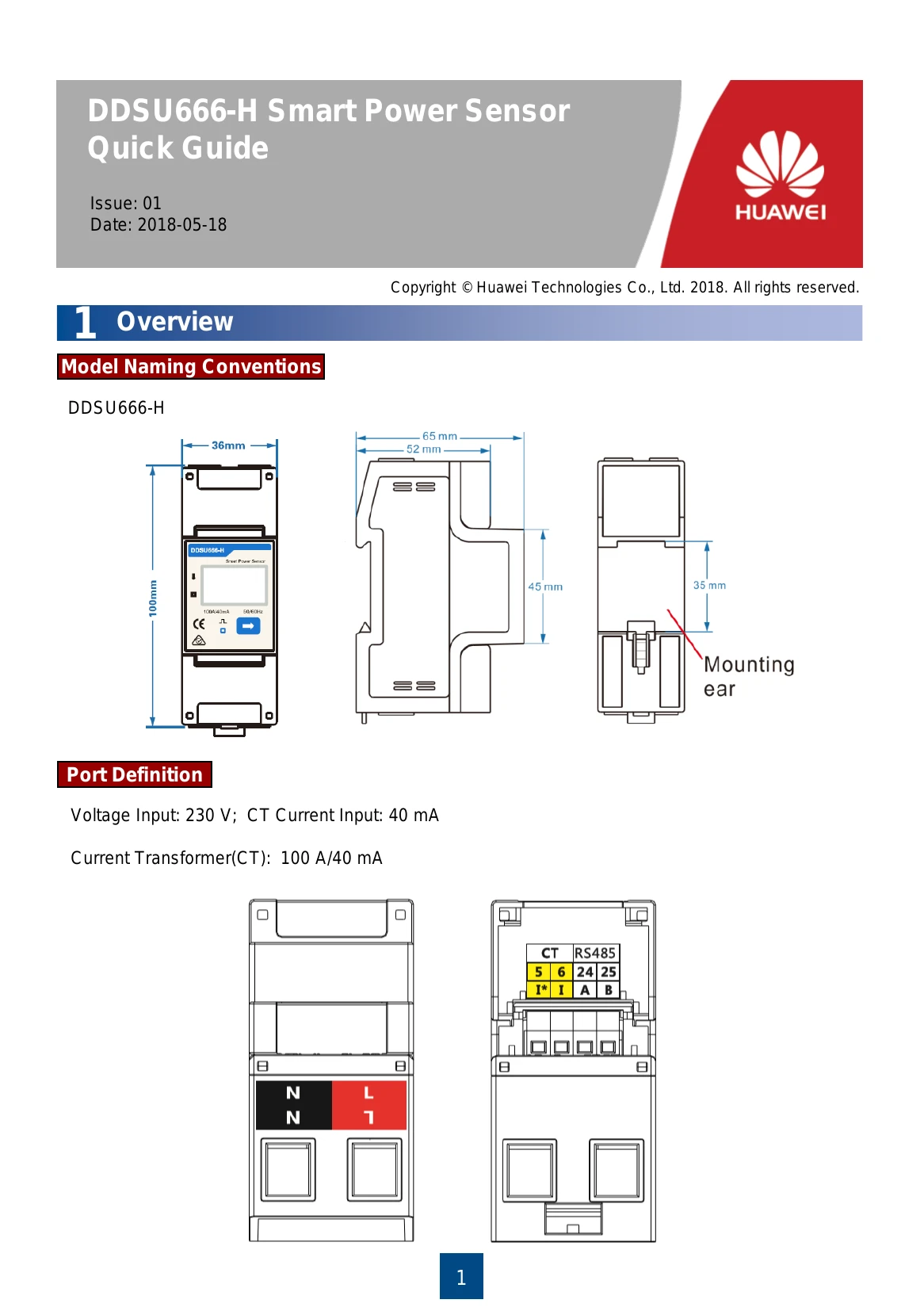
This section introduces the model naming conventions and physical dimensions of the DDSU666-H Smart Power Sensor.
2 Installing the DDSU666-H
Instructions for installing the instrument onto a standard 35mm DIN rail.
3 Installing the DDSU666-H Cable
Details on preparing and connecting the AC power cable, CT cable, and communication cable.
4 User Interface
Describes the display interface and values shown during auto loop and manual key presses, including active energy, power, voltage, frequency, and communication settings.
5 Setup
Explains how to set the communication address and baud rate using the device's buttons.
6 Troubleshooting
Provides a table of common fault phenomena, their factor analysis, and elimination methods for issues like no display, abnormal RS485 communication, and power metering inaccuracy.
7 Verifying the Installation
Checkpoints for ensuring secure installation and correct cable connections.
8 Powering On the System
References for further details on powering on the system.