Manual for ETS2055

Manual for ETS2055

Brand: HUAWEI

Category: Other

Document Type: Manual

Language: EN
Uploaded: Nov. 21, 2025, 8:14 p.m.

Manual Publish Date: null

Warranty Information

No warranty information is provided in this manual section.

\n

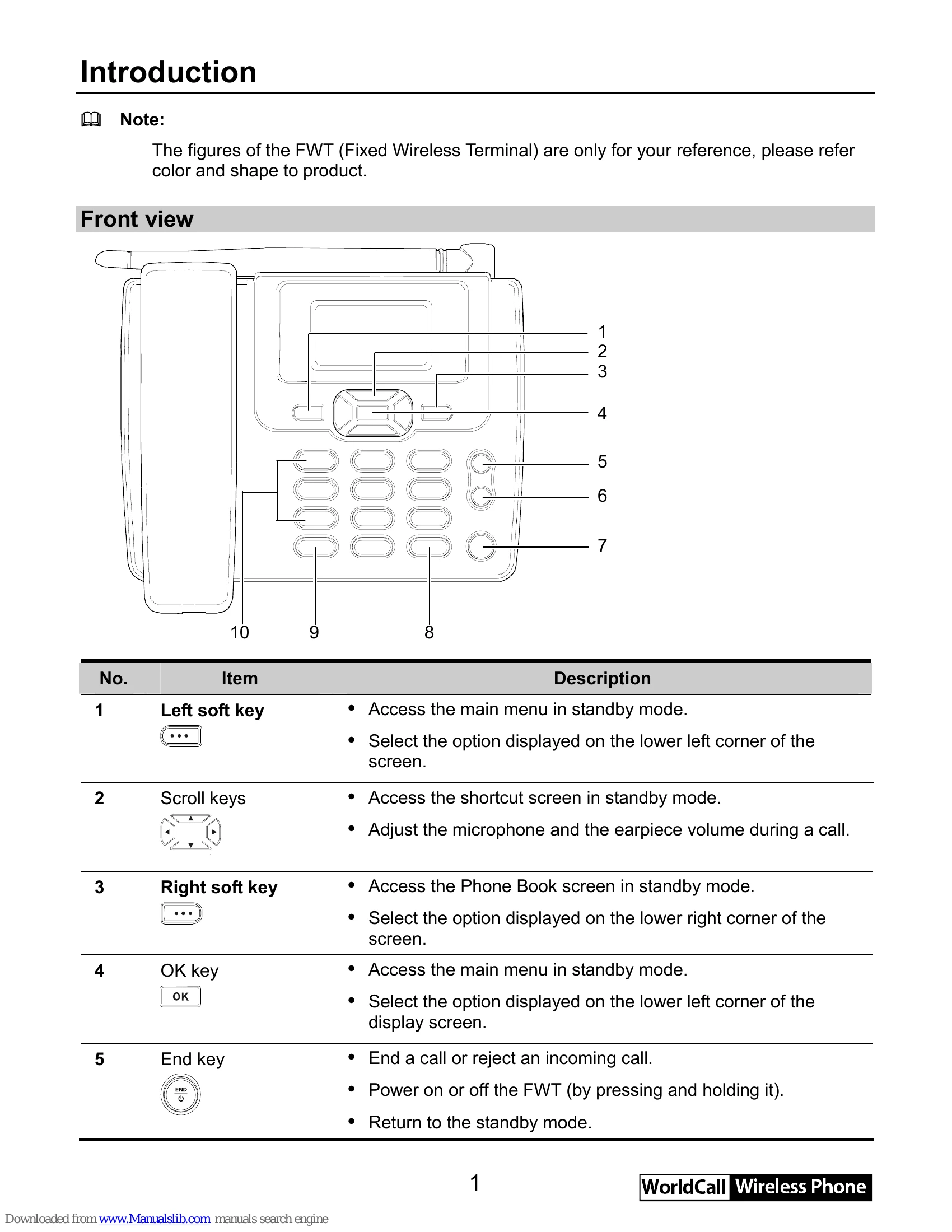
Front View Buttons:

\n
    \n
  • Left soft key: Access main menu/select option.
  • \n
  • Scroll keys: Access shortcut screen/adjust volume.
  • \n
  • Right soft key: Access Phone Book/select option.
  • \n
  • OK key: Access main menu/select option.
  • \n
  • End key: End call, reject call, power on/off, return to standby.
  • \n
  • Hands-free key: Make/answer calls without handset, cancel dialing, end hands-free call.
  • \n
  • Call/Redial key: Make/answer call, view call history.
  • \n
  • # key: Lock keypad, switch input modes.
  • \n
  • \* key: Activate quiet profile, access symbol screen.
  • \n
  • Number keys: Enter numbers/characters, speed dial.
  • \n
\n

Installation:

\n
    \n
  1. Install battery, ensuring correct connection.
  2. \n
  3. Connect power adapter to FWT and power socket. Battery charging icon appears.
  4. \n
\n

Making a Call:

\n
    \n
  1. In standby mode, enter phone number.
  2. \n
  3. Press dial key.
  4. \n
  5. Press end key to end call.
  6. \n
\n

Answering a Call:

\n
    \n
  • Press dial key or pick up handset.
  • \n
  • Press end key to reject.
  • \n
\n
Privacy Policy