Brand: HUAWEI
Category: Other
Document Type: Manual
Language: EN
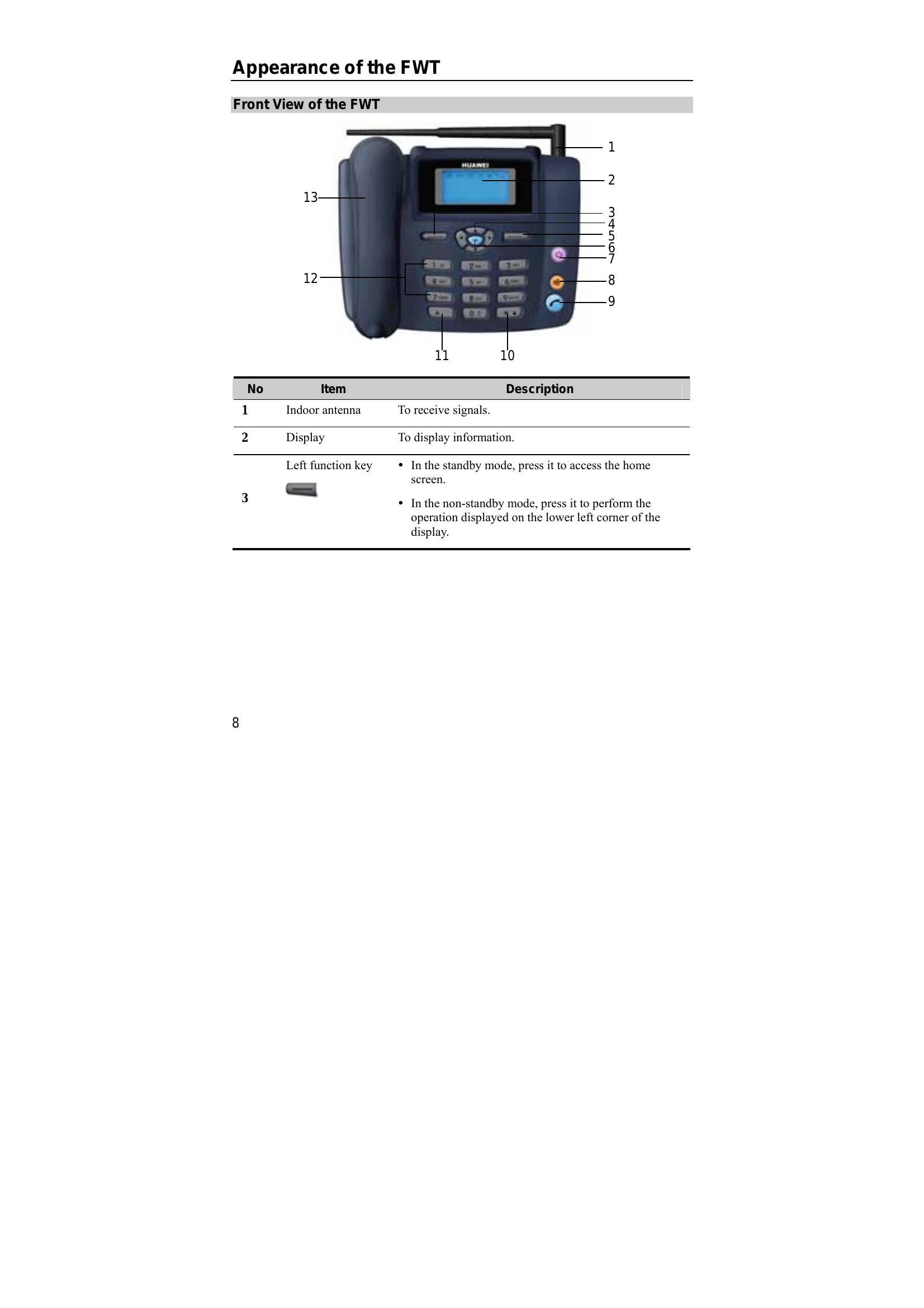
Brand: HUAWEI
Category: Other
Document Type: Manual
Language: EN
Uploaded: Nov. 21, 2025, 8:46 p.m.
No explicit warranty period mentioned in the provided pages.
| Problem | Possible Cause | Solution |
|---|---|---|
| The display does not turn on after the FWT is powered on (the FWT is not connected to the power adapter). | Make sure that the spare battery is installed. | |
| The battery level is low. | Connect the FWT to the power adapter. | |
| The display does not turn on after the FWT is powered on (the FWT is connected to the power adapter). | The voltage output of the power adapter does not meet the FWT requirement, or the power adapter is not approved. | Check if the AC input is normal and the power adapter is approved. |
| The external voltage of the power adapter is low or unstable. | Check if the external voltage is normal. Alternatively, install the spare battery. | |
| There is no signal icon on the display. | The antenna is not installed properly. | Make sure that the antenna is installed properly. |
| The FWT is not in the signal coverage area. | Contact your service provider. | |
| Time is not displayed. | The antenna is not installed properly. | Make sure that the antenna is installed properly. |
| Poor signal strength. | Adjust the antenna direction or move the FWT to a place with better signal strength. | |
| The FWT is not in the signal coverage area. | Contact your service provider. |