Manual for F617

Manual for F617

Brand: HUAWEI

Category: Other

Document Type: Manual

Language: EN
Uploaded: Nov. 21, 2025, 6:40 p.m.

1 Getting to know your F617

Front view

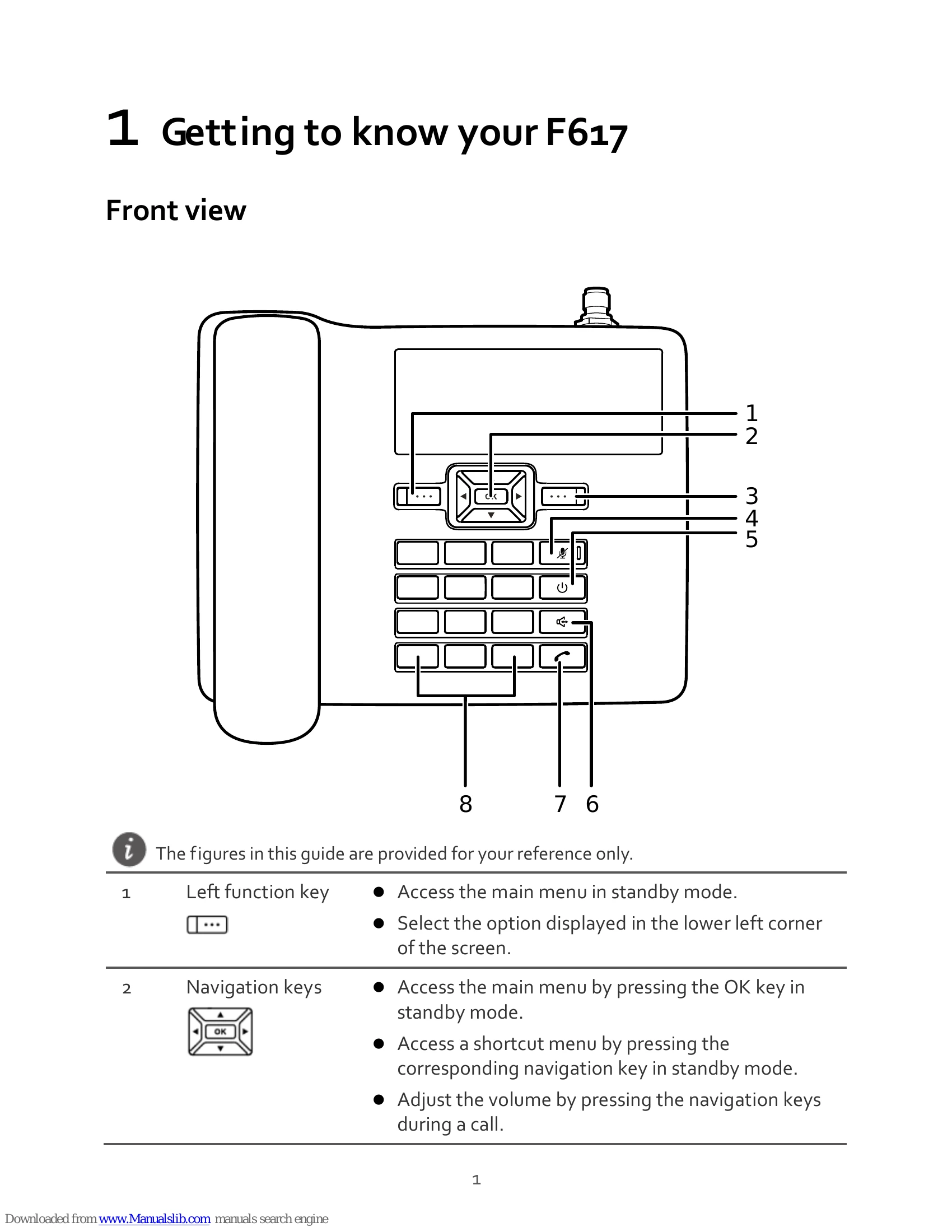
  1. Left function key: Access the main menu in standby mode. Select the option displayed in the lower left corner of the screen.
  2. Navigation keys: Access the main menu by pressing the OK key in standby mode. Access a shortcut menu by pressing the corresponding navigation key in standby mode. Adjust the volume by pressing the navigation keys during a call.
  3. Right function key: Select the option displayed in the lower right corner of the screen.
  4. Mute key: Press this key to mute or unmute an ongoing call.
  5. End key: End or reject a call. Press and hold this key to power the phone on or off. Return to the standby mode.
  6. Hands-free key: Make or answer a call without lifting the handset in standby mode. In the hands-free mode, cancel the dialing when dialing a number or end the current call.
  7. Call key: Make or answer a call. View the dialed calls in standby mode.
  8. Number and symbol keys: Enter numbers, letters, and symbols. Speed-dial a user-assigned phone number by pressing and holding 2~9 key in standby mode. Press # key to switch between text input methods in editing mode. Press * key to display the symbol list in editing mode.

2 Screen icons

Full receptionCalling
No serviceAlarm clock
Hands-free modeUnread message
Unopened voicemail messagePowered by the power adapter
Full batteryUpdate available
2G network3G network
In silent profile
Privacy Policy