Manual for FC312E

Manual for FC312E

Brand: HUAWEI

Category: Other

Document Type: Manual

Language: EN
Uploaded: Nov. 21, 2025, 8:28 p.m.

Manual Publish Date: 2012-01-01

Warranty Information

This manual contains information about warranty and disclaimer, no specific period is mentioned.

\n

Your Cordless Phone

\n

Identify keys and their functions: Earpiece, Screen, Right Soft Key, End Key, # Key, Microphone, Charger Interface, * Key, Number Keys, Call/Redial Key, Left Soft Key, Scroll Keys.

\n

Key Functions:

\n
    \n
  • Right Soft Key: Access Contacts, select lower right option.
  • \n
  • End Key: Power on/off, end call, reject call, return to standby.
  • \n
  • # Key: Switch input modes.
  • \n
  • \* Key: Access symbol screen.
  • \n
  • Number Keys: Enter numbers, letters, symbols; speed dial.
  • \n
  • Call/Redial Key: Make/answer calls, view call history.
  • \n
  • Left Soft Key: Access main menu, select lower left option.
  • \n
  • Scroll Keys: Access shortcut screen, main menu, adjust volume during call.
  • \n
\n

Screen Icons

\n

Understand icons for signal strength, battery level, calling, message received, alarm clock, keypad locked, and remind by sound.

\n

Menu Tree

\n

Navigate through SMS, Contacts, Call History, Tools, FM Radio, and Settings.

\n

Basic Operations

\n
    \n
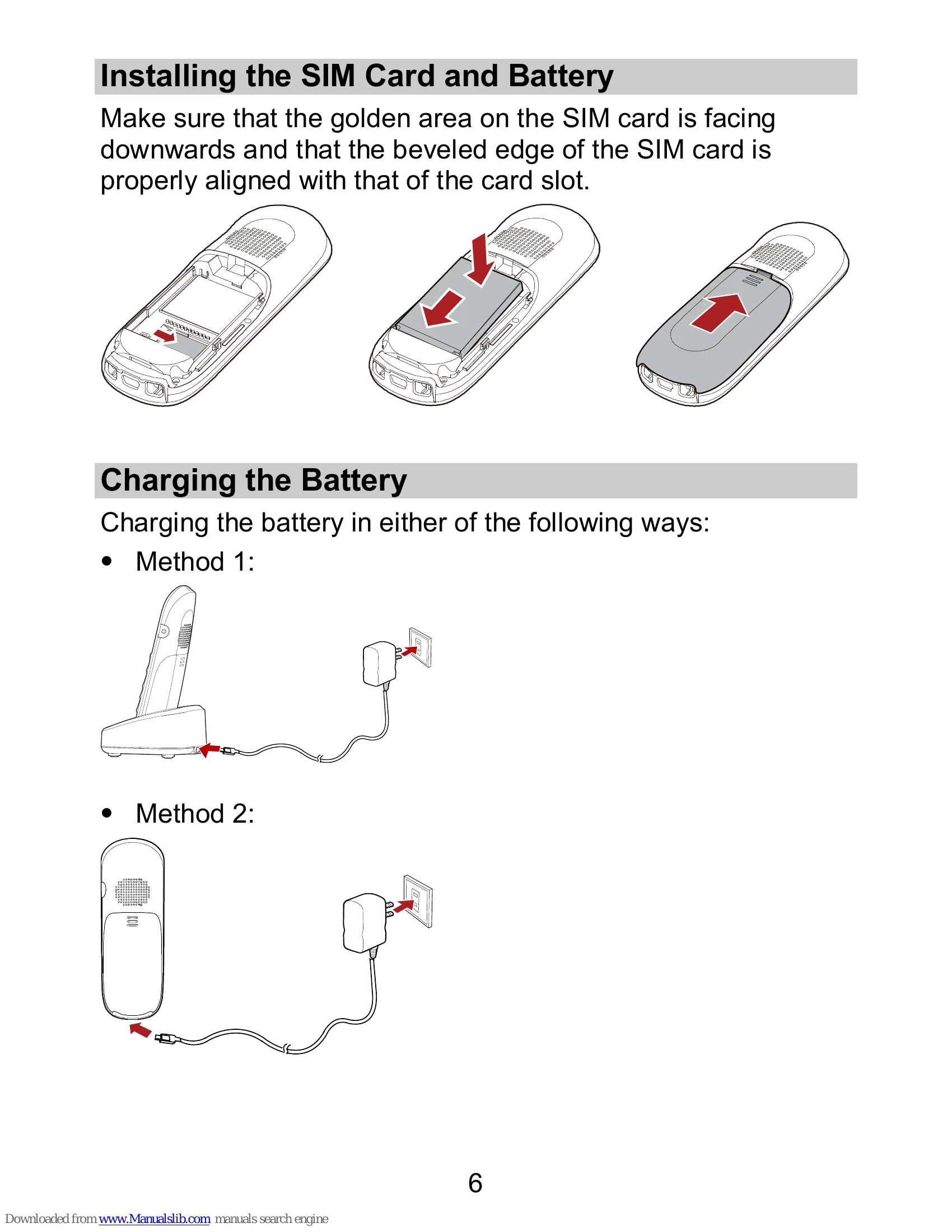
  • Installing SIM and Battery: Follow alignment guides.
  • \n
  • Charging: Use provided methods.
  • \n
  • Making a Call: Enter number, press dial key, press end call key.
  • \n
  • Answering a Call: Press answer key or reject key.
  • \n
  • Locking Keypad: Press and hold #. Unlock with specific key combinations.
  • \n
  • Changing Text Input Modes: Use # key.
  • \n
\n
Privacy Policy