Brand: Huawei
Category: Other
Document Type: Manual
Language: EN
Brand: Huawei
Category: Other
Document Type: Manual
Language: EN
Uploaded: Nov. 21, 2025, 9:25 p.m.
Manual Publish Date: 2016-04-06
You can login or logout the IPC web client using a web browser.
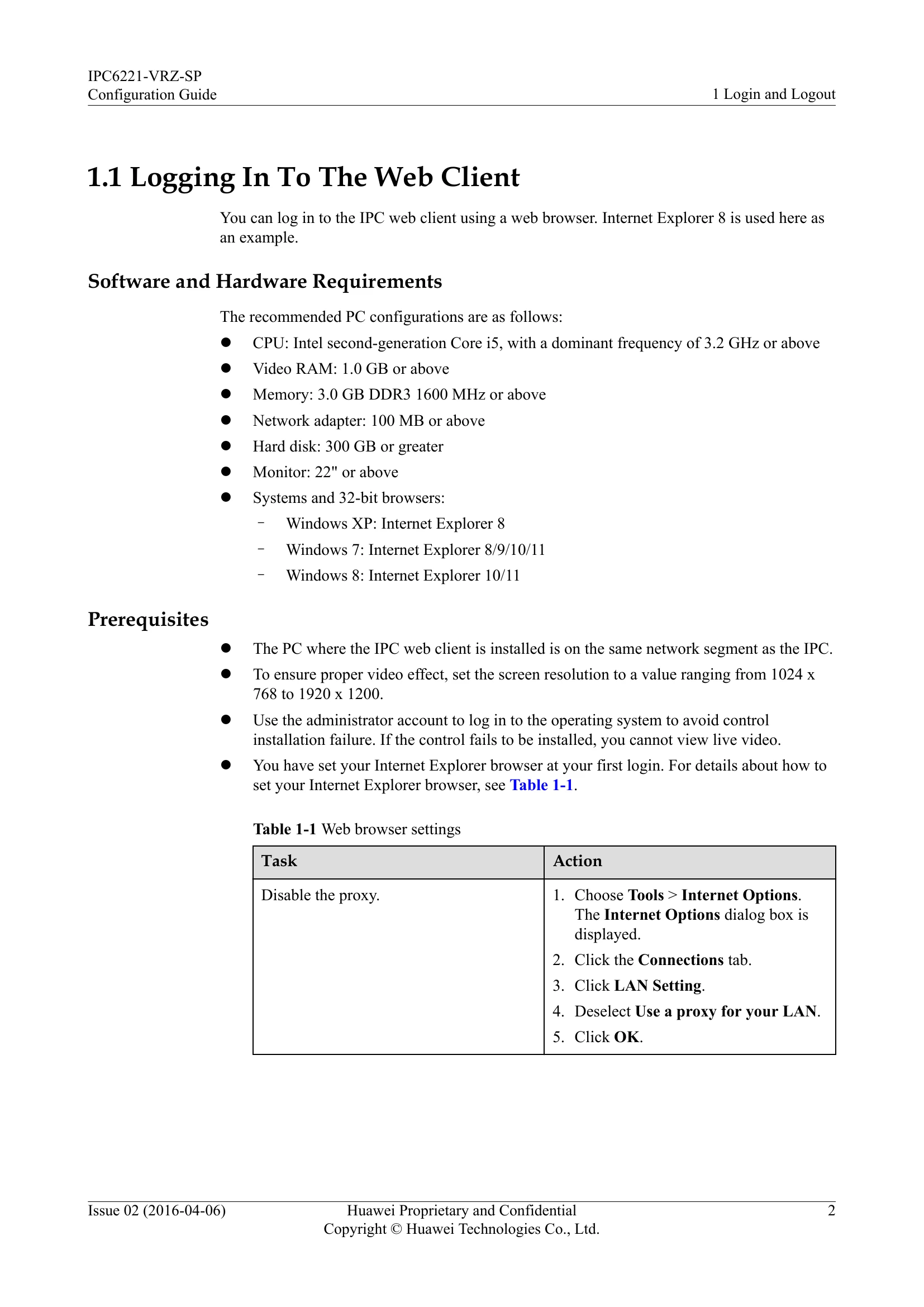
You can log in to the IPC web client using a web browser. Internet Explorer 8 is used here as an example.
You can log out of the IPC web client using a web browser.
On the IPC web client, you can perform tasks such as viewing video, performing pan-tilt-zoom (PTZ) control, configuring and maintaining the IPC, and querying logs.
Illustrates the main page of the IPC web client.
Describes the main page layout, including the menu bar and control panel.
Details operations like controlling PTZ, invoking preset positions, and starting/stopping tour tracks.
| No. | Name | Description |
|---|---|---|
| 1 | Menu bar | Includes Preview, Settings, Logs, Device model, SW-V(Software Vision), Current user, Change password, Logout, and IPC Online Help menus. |
| 2 | Control panel | Enables you to control the IPC, including controlling PTZ rotation directions and speeds, invoking a preset position, and enabling or disabling a tour track. |
| 3 | Video pane | Enables you to perform a variety of tasks, for example, viewing video, taking snapshots, and enabling local recording, and view the encoding protocol, frame rate, resolution, bit rate, and packet loss rate of the live video. |