Brand: HUAWEI
Category: Other
Document Type: Manual
Language: EN
Brand: HUAWEI
Category: Other
Document Type: Manual
Language: EN
Uploaded: Nov. 21, 2025, 6:54 p.m.
No warranty information provided in this section.
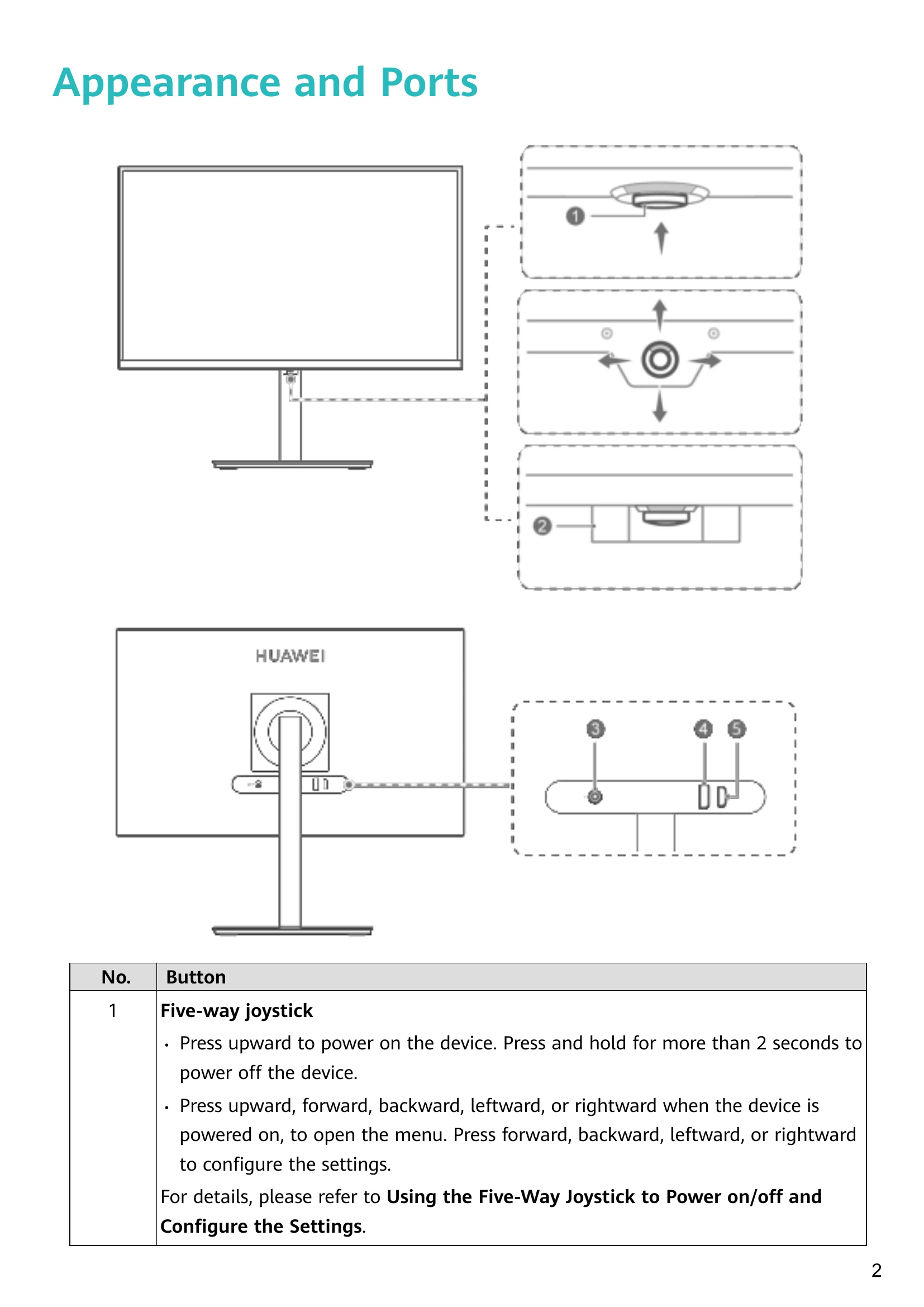
Press the five-way joystick upward to power on the device. Press and hold for more than 2 seconds to power off.
With the monitor powered on, press the joystick upward to open the menu. Use the joystick to navigate and change settings:
| Issue | Solution |
|---|---|
| Unable to power on the display | Check if the display is powered on. Check power adapter connection. |
| No images on the display | Check cable connections, power status of display and computer. Check DP/HDMI cable damage. Restart devices. |
| Screen too dark or too bright | Adjust brightness and contrast in the settings menu. |
| Screen color is abnormal | Check DP/HDMI cable for damage. Adjust color temperature in the settings menu. |