Manual for MateView GT

Manual for MateView GT

Brand: HUAWEI

Category: Other

Document Type: Manual

Language: EN
Uploaded: Nov. 21, 2025, 6:05 p.m.

Warranty Information

Huawei reserves the right to change specifications without notice; liability is limited to the purchase price.

Setting Up the Monitor

  1. Unpack the monitor and its base support.
  2. Attach the base support to the monitor until it clicks.
  3. Place the monitor on a flat desk, avoiding pressure on the screen.

Connecting the Monitor

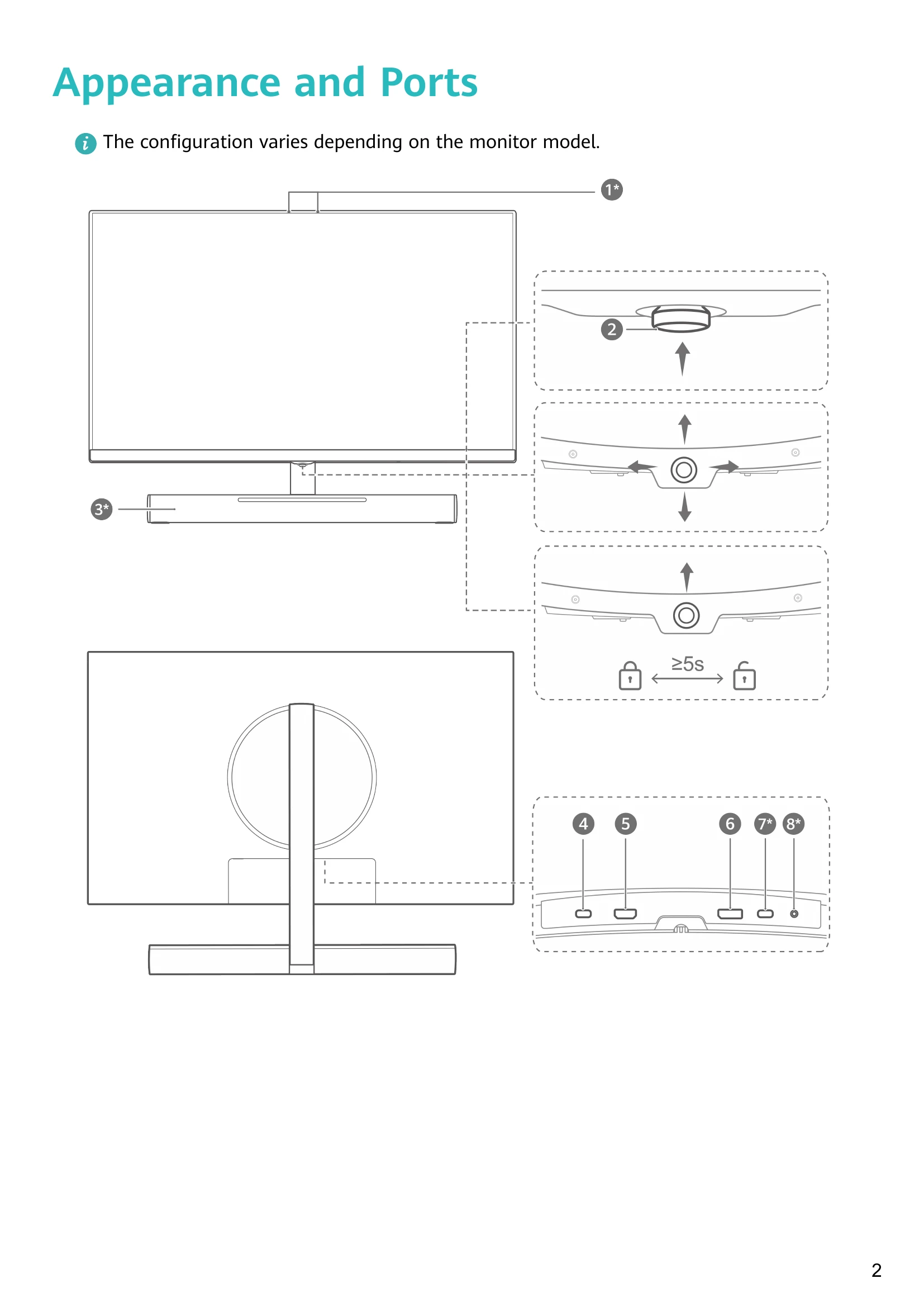
  • Connect the monitor to a device using a DP or HDMI cable.
  • For XWU-CAA monitors, use a USB-C to USB-A cable to connect the monitor's microphone to the computer.
  • Alternatively, for XWU-CAA monitors, a USB-C to USB-C cable can be used for display, data, and charging.

Using the Five-Way Joystick

  • Press upwards to power on. Press and hold upwards for >3 seconds to power off.
  • Press upwards to open the OSD menu. Navigate with directional presses.
  • Press forwards to confirm.
  • Press and hold forwards for >5 seconds to lock/unlock the joystick.

SoundBar Operation

  • Tap or slide the touch area to adjust volume.
  • Double-tap to mute/unmute.
  • Lighting effects can be set in the OSD menu.
Privacy Policy