Brand: HUAWEI
Category: Other
Document Type: Installation Guide
Language: EN
Brand: HUAWEI
Category: Other
Document Type: Installation Guide
Language: EN
Uploaded: Nov. 21, 2025, 8:51 p.m.
Manual Publish Date: 2021-04-20
Warranty information is not explicitly provided in this section of the manual.
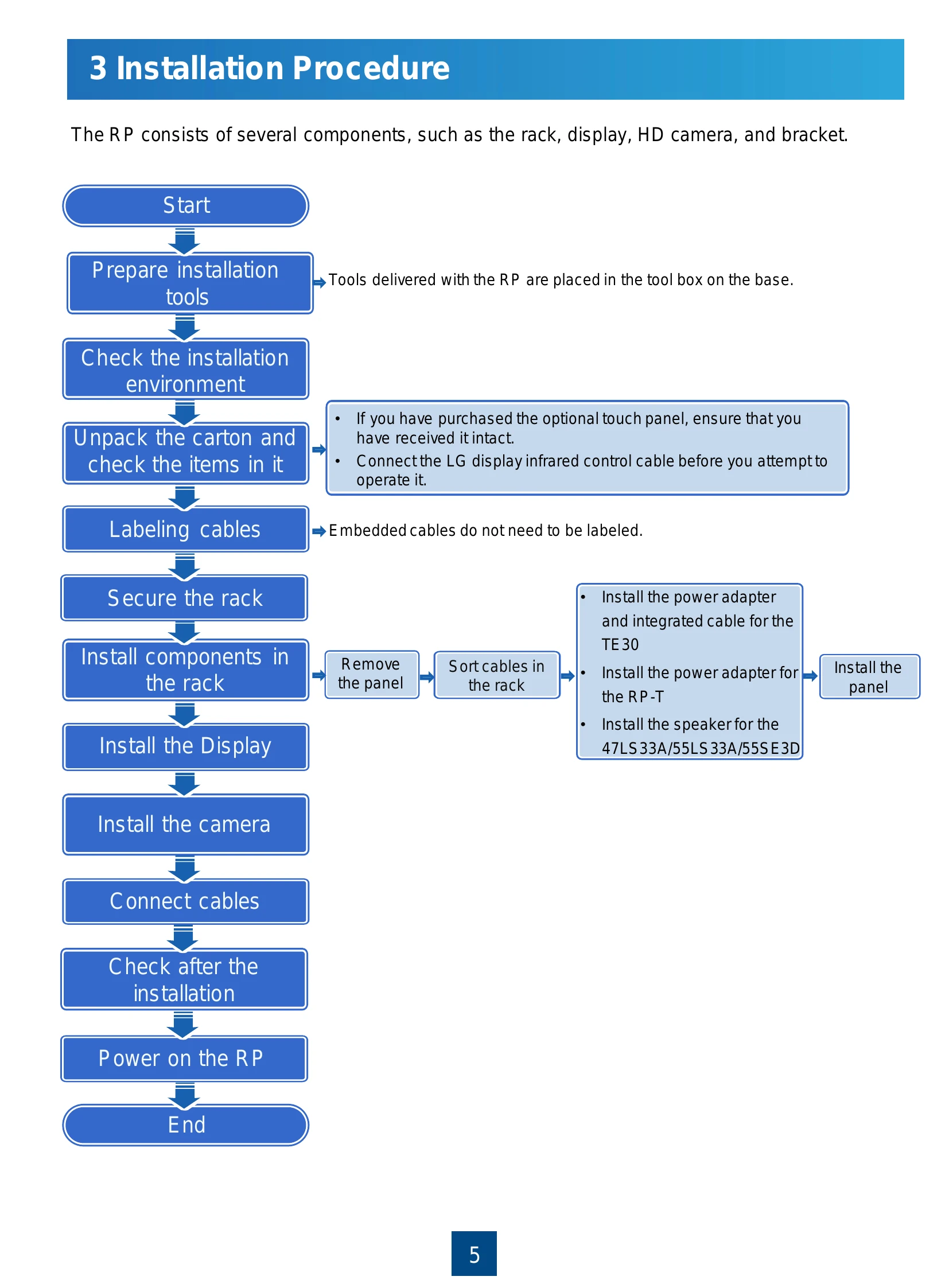
1. Unpacking: Check the box before unpacking and verify all components against the packing list. Ensure the box is upright and undamaged.
2. Installation: Secure the rack, install components like the display, camera, and power adapter. Connect all necessary cables according to the diagrams provided.
3. Powering On: Press the power button to turn on the system. Observe the status indicators for TE30/VPC600/VPT300 and the display.
4. Cable Management: Secure excess cables using cable ties to the mounting bracket.
5. Post-Installation Check: Refer to the Acceptance Test Guide for detailed checks.
| Model Name | Status | Troubleshooting |
|---|---|---|
| TE30 | The status indicator blinks green for several seconds. The LCD displays a message indicating that the system is starting. After the system has started, the camera rotates for several seconds and then stops rotating. | Power off the RP and check cable connections by referring to "Room Presence Hardware and Cable Connections" in the RP100 and RP200 Acceptance Test Guide. |
| RP-S Display | The status indicator is steady red and the display says that the system is being started up. After a few seconds, the indicator is off. A boot animation plays. | |
| RP-A VPC600 | The status indicator blinks green for several seconds. The LCD displays a message indicating that the system is starting. After the system has started, the camera rotates for several seconds and then stops rotating. | |
| RP-A Display | The status indicator is steady red and the display says that the system is being started up. After a few seconds, the indicator is off. A boot animation plays. | |
| RP-T VPT30 | The status indicator blinks green for several seconds. The LCD displays a message indicating that the system is starting. After the system has started, the camera rotates for several seconds and then stops rotating. | |
| RP-T Display | The status indicator is steady red and the display says that the system is being started up. After a few seconds, the indicator is off. A boot animation plays. |