Brand: ILFORD
Category: Cameras
Document Type:
Language: EN
Brand: ILFORD
Category: Cameras
Document Type:
Language: EN
Uploaded: Aug. 9, 2025, 11:59 p.m.
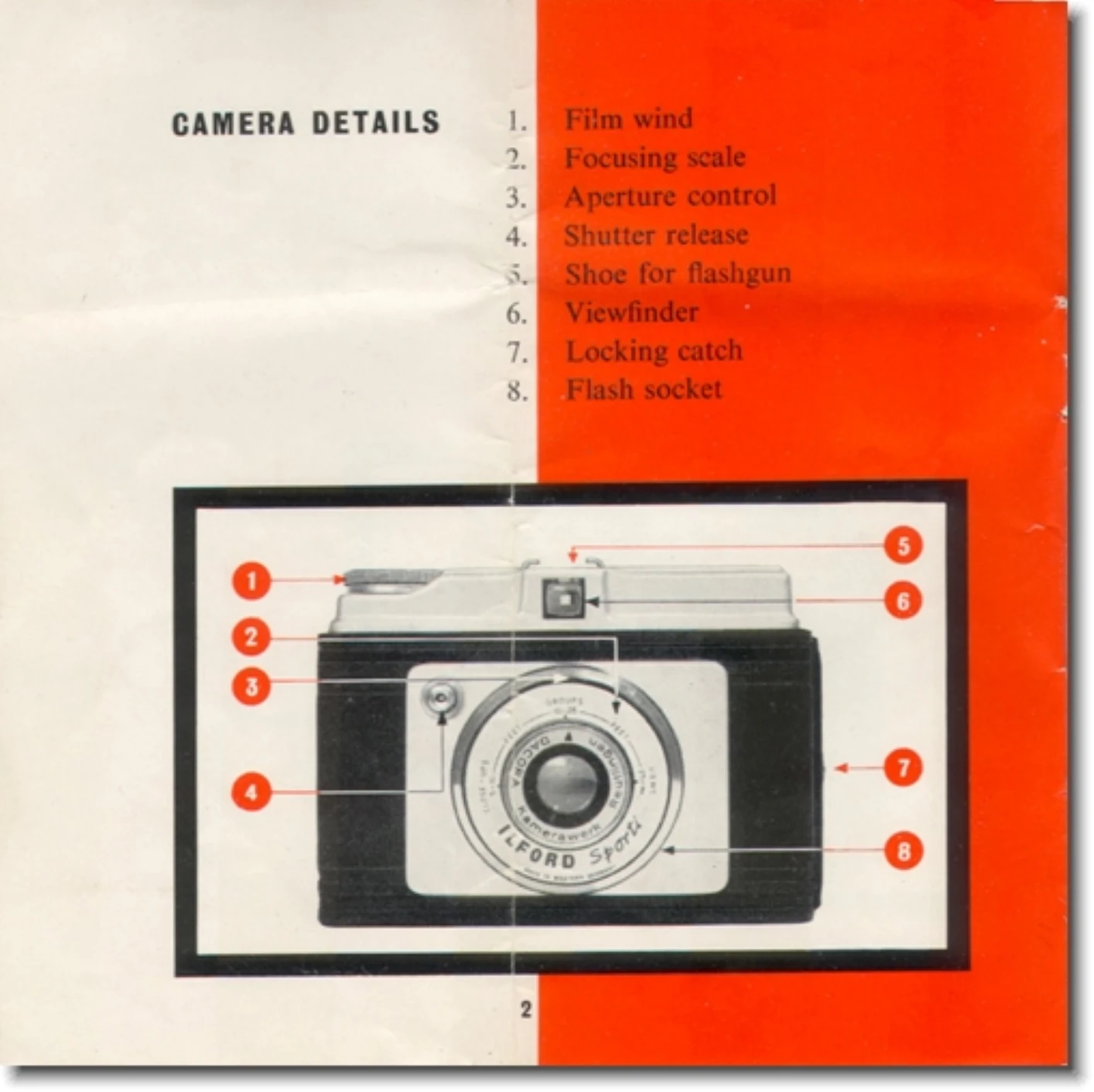
1. Open the camera back by pushing the locking button.
2. Ensure the take-up spool is in the right chamber. If not, remove the empty spool from the left chamber.
3. Pull up the wind-on knob, engage the film spool's hole with the stud, and secure it.
4. Place the new film spool in the left chamber, ensuring the colored side is outermost.
5. Pull out about 6 inches of backing paper and thread the film's pointed end into the take-up spool's wide slot.
6. Turn the wind-on knob to attach the film securely.
7. Close the camera back and wind on until 'No. 1' appears in the red window.
1. Adjust the lever above the lens to 'SUNNY' or 'CLOUDY' based on weather.
2. For summer, use Ilford Selochrome or FP3 film. For winter, use Ilford HP3.
3. Focus by rotating the lens mount to align the red index mark with 'CLOSE-UPS' (5-10 ft), 'GROUPS' (10-25 ft), or 'VIEWS' (25+ ft).
1. Hold the camera firmly, compose your shot through the viewfinder.
2. Gently squeeze the shutter release button.
3. After taking a picture, wind the film to the next number immediately to avoid overlap.
1. Wind the film until the colored paper disappears from the red window.
2. Open the camera and carefully remove the film, sealing the end with the adhesive strip.