Brand: ImportAppliances
Category: Kitchen Appliance
Document Type: Manual
Language: EN
Brand: ImportAppliances
Category: Kitchen Appliance
Document Type: Manual
Language: EN
Uploaded: Nov. 21, 2025, 7:03 p.m.
Refer to the warranty information provided with your appliance for specific details.
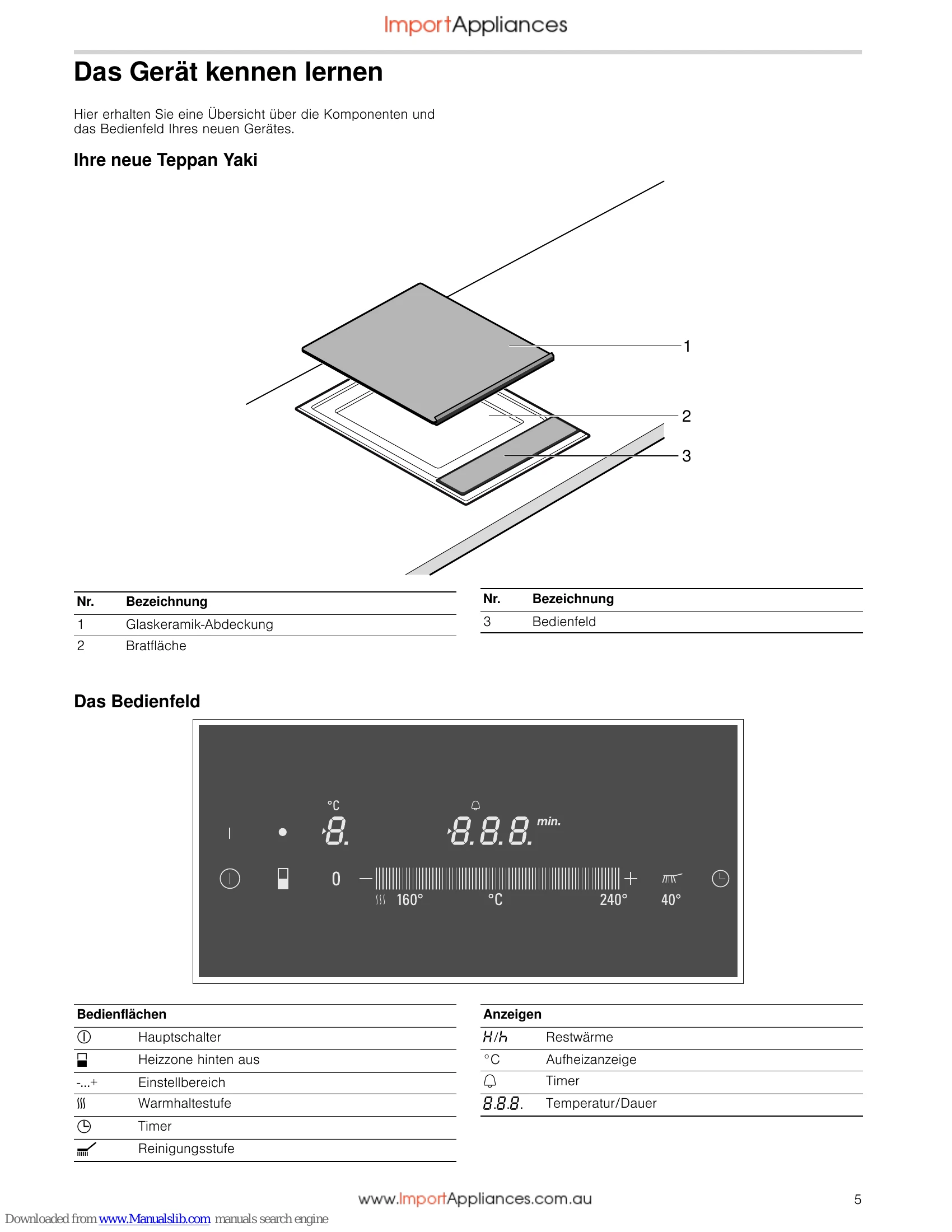
Powering On/Off: Touch the power symbol to turn the appliance on or off. The indicator above the symbol will light up when on.
Setting Temperature: After switching on, use the settings range to slide to your desired temperature. A signal will sound when the temperature is reached.
Keep Warm: Select the keep warm setting from the settings range. Ensure food is in contact with the grilling surface.
Cleaning Level: This setting heats the appliance to 40°C for soaking dirt. Add water and detergent, then let it sit for up to an hour.
Rear Heating Zone: You can deactivate the rear heating zone for smaller quantities.
Timer: The timer can be used as a kitchen timer up to 99 minutes and functions even when the appliance is off.
| Display | Fault | Measure |
|---|---|---|
| Blank | There is no power supply. | Check the household fuse for the appliance. Check whether there is a power cut by trying other electronic appliances. |
| E is flashing | The control panel is damp or an object is resting on it. | Dry the control panel or remove the object. Then touch any control. |
| Er + number | Appliance fault | Switch the appliance off and on again. Contact the after-sales service if this appears in the display again. |
| F4 | The electronics have overheated and have switched off the appliance. | Wait until the electronics have cooled down sufficiently. Then touch any control. |
| F8 | The appliance was in operation for too long and has switched itself off. | You can switch the appliance back on again immediately. |