Brand: Infinix
Category: Smartphone
Document Type:
Language: EN
Brand: Infinix
Category: Smartphone
Document Type:
Language: EN
Uploaded: Aug. 10, 2025, 12:03 a.m.
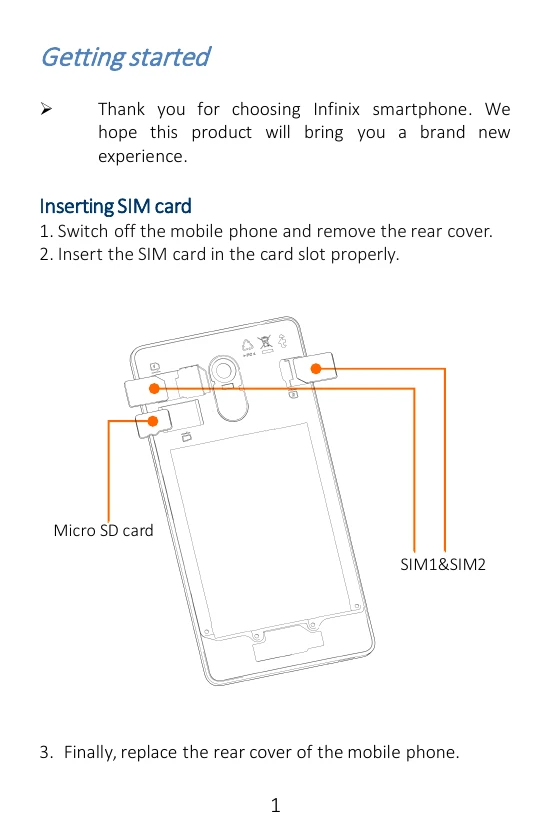
Thank you for choosing Infinix smartphone. We hope this product will bring you a brand new experience.
You can charge your device using a charger or by connecting it to the computer using a USB cable (comes with the phone).
The phone can be restarted by holding the power button for 10 seconds.
On the Home Screen, tap the phone icon and dial a complete phone number to make a call.
In the call log, you can make a call, add new contact or send a message.
Enter Messaging, and then compose new message. You can open the keyboard by tapping on a text field.
| Header 1 | Header 2 | Header 3 | Header 4 | Header 5 |
|---|---|---|---|---|
| Row 1, Col 1 | Row 1, Col 2 | Row 1, Col 3 | Row 1, Col 4 | Row 1, Col 5 |
| Row 2, Col 1 | Row 2, Col 2 | Row 2, Col 3 | Row 2, Col 4 | Row 2, Col 5 |
| Row 3, Col 1 | Row 3, Col 2 | Row 3, Col 3 | Row 3, Col 4 | Row 3, Col 5 |