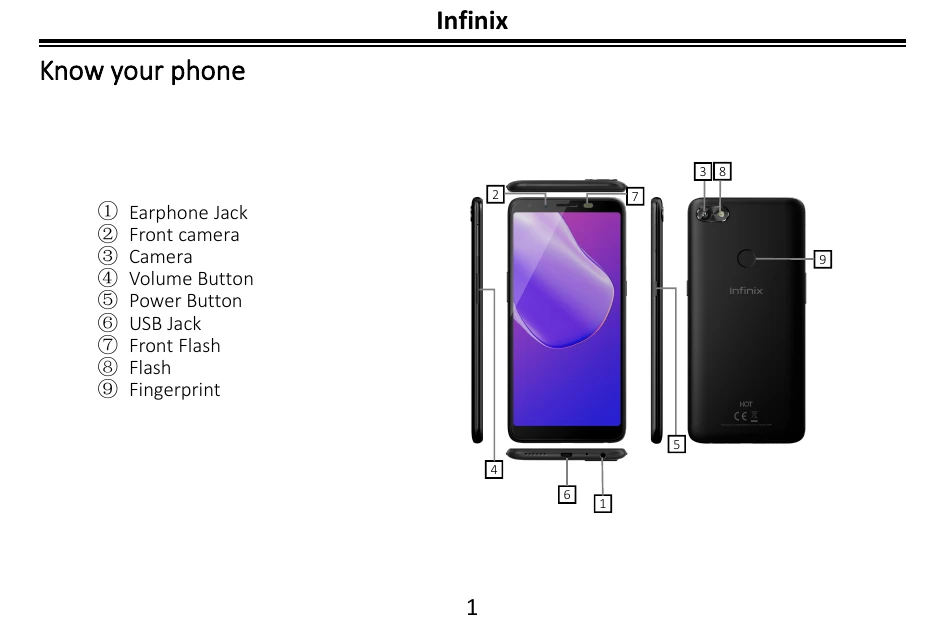
Know your phone
This section identifies the different parts of your phone: earphone jack, front camera, camera, volume button, power button, USB jack, front flash, flash, and fingerprint sensor.
Getting started
This section guides you on how to insert your SIM card and memory card into the phone. It involves pushing out the SIM card tray, placing the cards, and inserting them back into the phone.
Charging the phone
Instructions on how to charge your device using a charger or a USB cable connected to a computer. It also notes that the phone can be restarted by holding the power button for 10 seconds.