Brand: Infinix
Category: Smartphone
Document Type:
Language: EN
Brand: Infinix
Category: Smartphone
Document Type:
Language: EN
Uploaded: Aug. 10, 2025, 12:03 a.m.
None
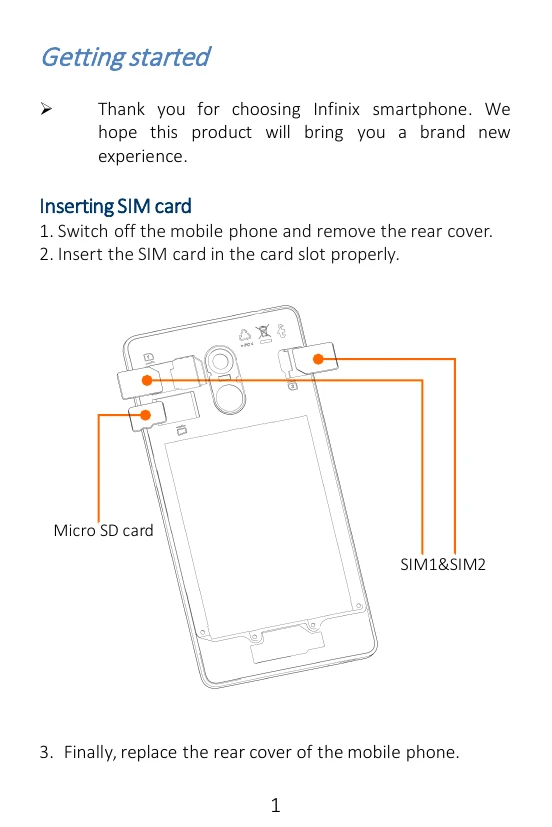
Thank you for choosing Infinix smartphone.
Note: Use only compatible memory cards with the device.
You can charge your device using a charger or by connecting it to the computer using a USB cable.
The phone can be restarted by holding the power button for 10 seconds.
The phone supports 3G SIM cards and its camera, video recorder, FM radio, and music and sound recorder offer amazing experiences.
On the Home Screen, tap the phone icon and dial a complete phone number to make a call.
In the call log, you can make a call, add new contact or send a message.
Enter Messaging, and then compose new message. You can open the keyboard by tapping on a text field.