Manual for 9903

Manual for 9903

Brand: JAKD

Category: Action Camera

Document Type: Manual

Language: EN

Uploaded: Aug. 10, 2025, 12:39 a.m.
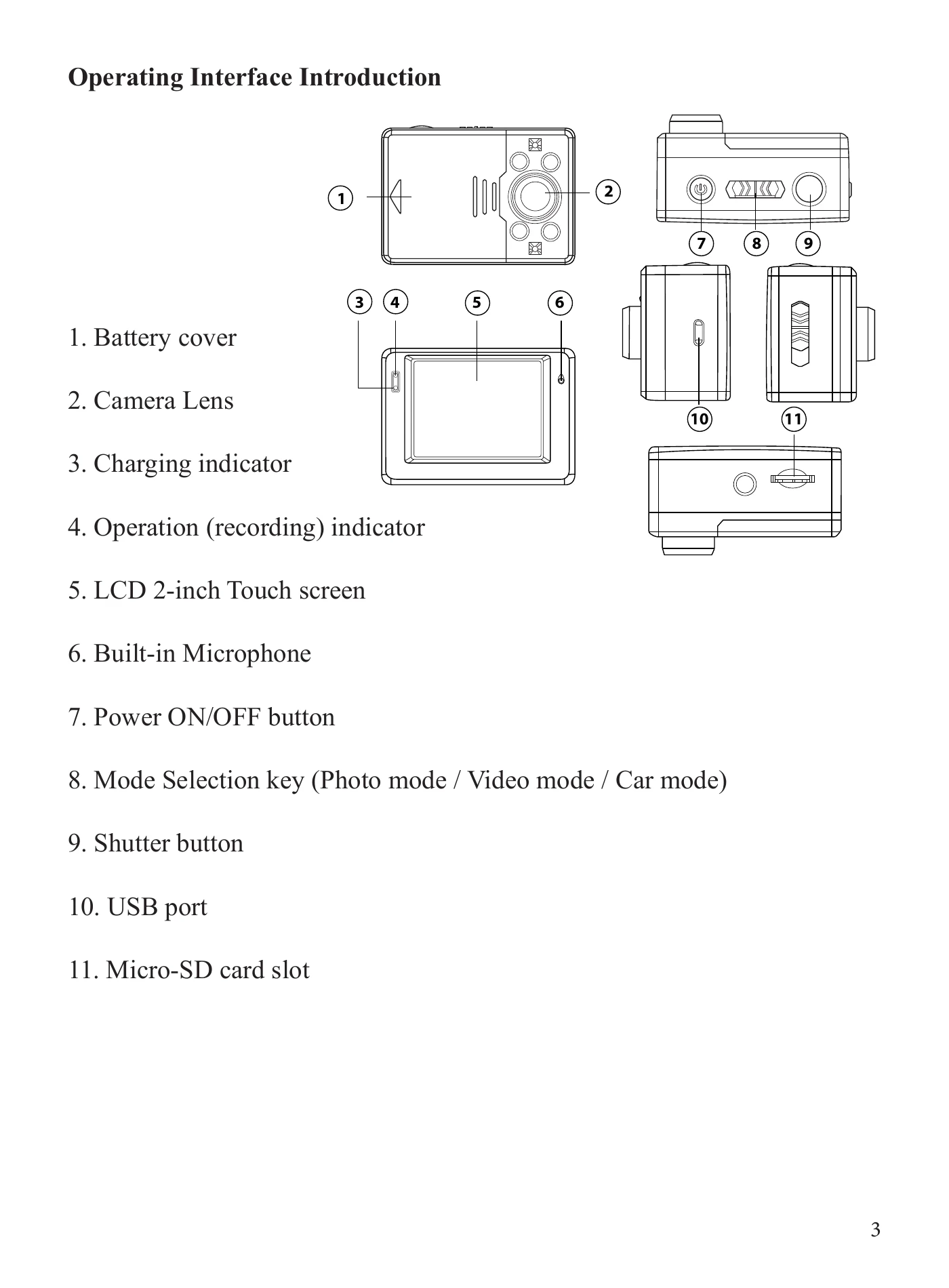
  • Turning ON/OFF: Press and hold the Power button for 3 seconds.
  • Recording Video: Switch to Video Mode, press the Shutter button to start/stop.
  • Taking Photos: Switch to Photo Mode, press the Shutter button.
  • Playback: Click the 'Play' icon on the LCD screen to enter playback mode.
  • Connecting to PC: Use the USB cable. Choose 'Mass Storage' to browse files or 'PC Camera' to use as a webcam.
Privacy Policy