1. Delete the unit's registration from your BLUETOOTH device.
2. Charge the charging case.
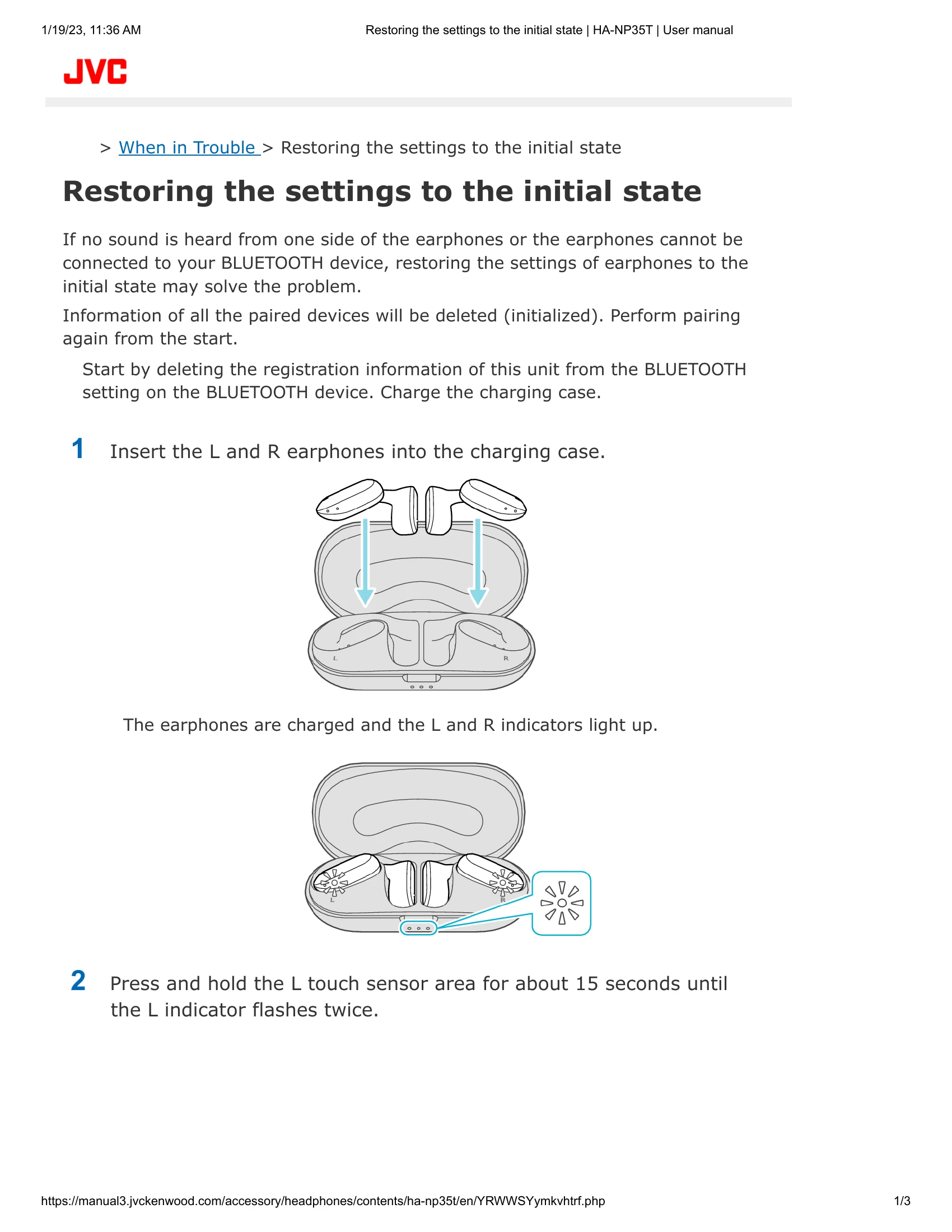
3. Insert L and R earphones into the charging case.
4. Press and hold the L touch sensor for about 15 seconds until the L indicator flashes twice. The earphone charges and the indicator lights up. If it doesn't flash, repeat step 2.
5. Press and hold the R touch sensor for about 15 seconds until the R indicator flashes twice. The earphone charges and the indicator lights up. If it doesn't flash, repeat step 3.
6. Remove earphones from the charging case and place them side by side.
7. The L and R indicators light up, and the power turns on.
8. The earphones connect to each other. The R indicator flashes slowly, and the L indicator flashes quickly and repeatedly.
9. The settings are restored to factory default. Pair the earphones with a device.