Manual for thd131b

Manual for thd131b

Brand: JVC

Category: Audio System

Document Type: Manual

Language: EN
Uploaded: Nov. 21, 2025, 7:27 p.m.

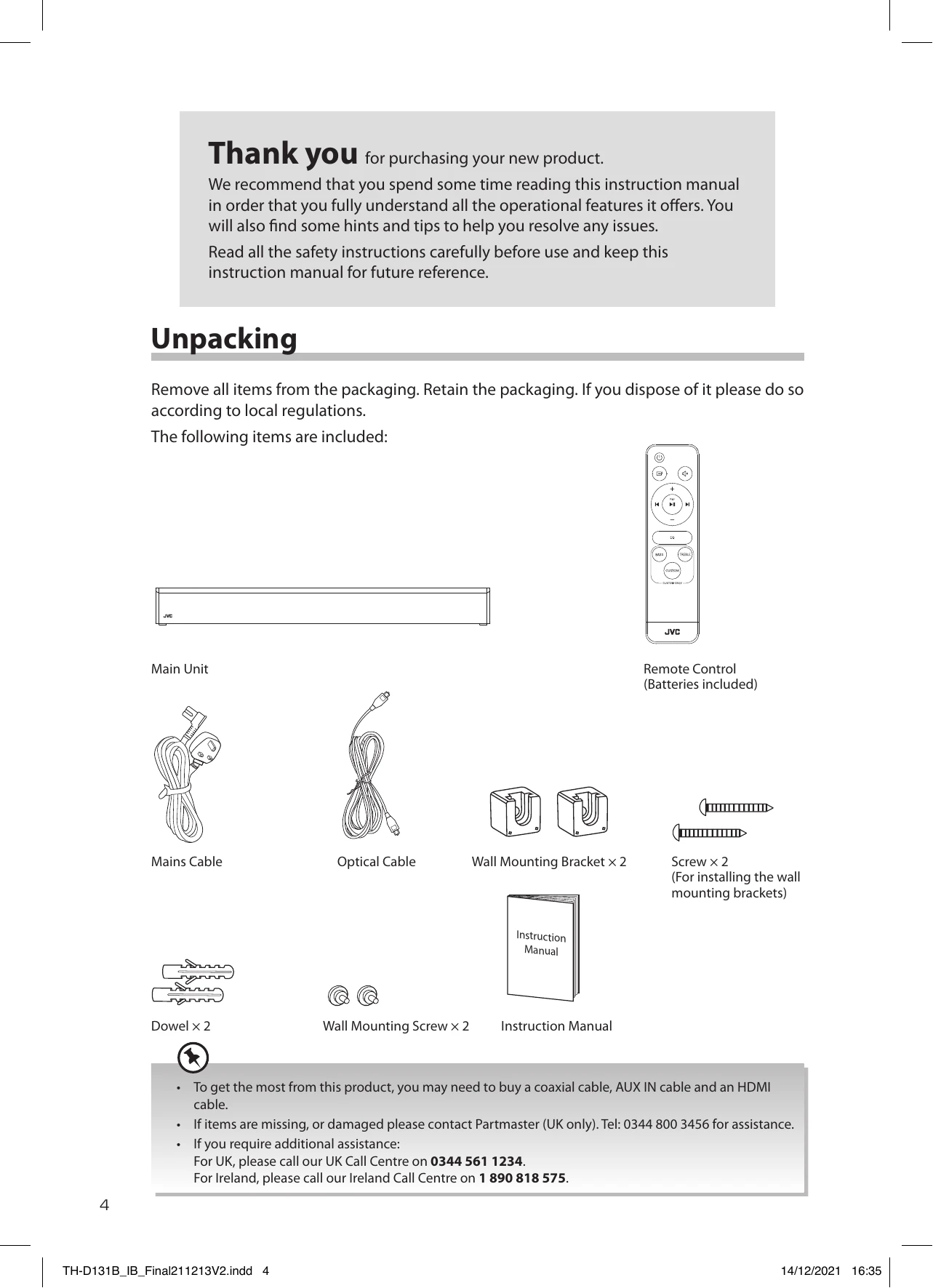
  • Unpacking: Remove all items from packaging and retain for disposal according to local regulations.
  • Main Unit Overview: Identify the remote control sensor, display, power button, source selection button, and volume +/- buttons.
  • Connections: Learn to connect via Optical/Coaxial, HDMI ARC, or AUX IN cables. Connect to the mains supply using the supplied cable.
  • General Operation: Switch between Standby and ON modes. The unit features an automatic power-off function. Select input modes and adjust volume, bass, and treble levels.
  • USB Operation: Connect a USB mass storage device to play MP3 files.
  • Bluetooth® Operation: Pair your device for music playback and control playback using the remote.
  • Maintenance: Clean the unit with a slightly moist, lint-free cloth.

Troubleshooting and error codes

Problem Solution
No power.
  • Ensure the mains plug is connected.
  • Make sure that you select the On mode.
The remote control does not function.
  • Use the remote control near the unit.
  • Point the remote control at the remote sensor on the unit.
  • Replace the battery in the remote control with a new one.
  • Remove any obstacles between the remote control and the unit.
Loud hum or noise is heard.
  • The plugs and sockets are dirty. Wipe them with a cloth slightly moistened with alcohol.
No sound from the soundbar and subwoofer.
  • Make sure that the unit is not muted. Press MUTE or +/- button to resume normal listening.
  • Press ☊ button on the unit or on the remote control to switch the soundbar to standby mode. Then press the button again to switch the soundbar on.
  • Unplug the soundbar from the mains socket, then plug it in again. Switch on the soundbar.
  • Ensure the audio setting of the input source (e.g. TV, game console, DVD player, etc.) is set to PCM or Dolby Digital mode while using digital (e.g. HDMI, OPTICAL, COAXIAL) connection.
  • The unit may not be able to decode all digital audio formats from the input source. In this case, the unit will mute. This is NOT a defect.
The unit does not respond when pressing any buttons.
  • The unit may freeze up during use. Switch the unit off and then on again at the mains socket to reset the unit.
Cannot use the TV remote control to switch on/off or adjust the volume of the soundbar.
  • Make sure that your TV is HDMI-CEC and ARC compatible.
  • Use the correct HDMI cable to make the connection between the unit and TV. For details, please refer to "Method 2: HDMI Hub Connection" section.
TV has display problem while viewing HDR content from HDMI source.
  • Some 4K HDR TVs require the HDMI input or picture settings to be set for HDR content reception. For further setup details on HDR display, please refer to the instruction manual of your TV.
Unable to insert USB device.
  • Insert the USB device the other way round.
  • USB Supported format: FAT/ FAT32 (The unit does not support exFAT, NTFC format.)
I cannot find "TH-D131B" on my Bluetooth® device
  • Ensure that the unit is switched on.
  • Ensure that the Bluetooth® function is activated on your Bluetooth® device.
  • The unit has a Bluetooth® function that can receive a signal within 8 metres. Keep a distance within 8 metres between the unit and your Bluetooth® device.
Privacy Policy