Brand: JVC
Category: Camcorder
Document Type: Manual
Language: EN
Brand: JVC
Category: Camcorder
Document Type: Manual
Language: EN
Uploaded: Nov. 21, 2025, 8:31 p.m.
Manual Publish Date: 1990-01-01
None
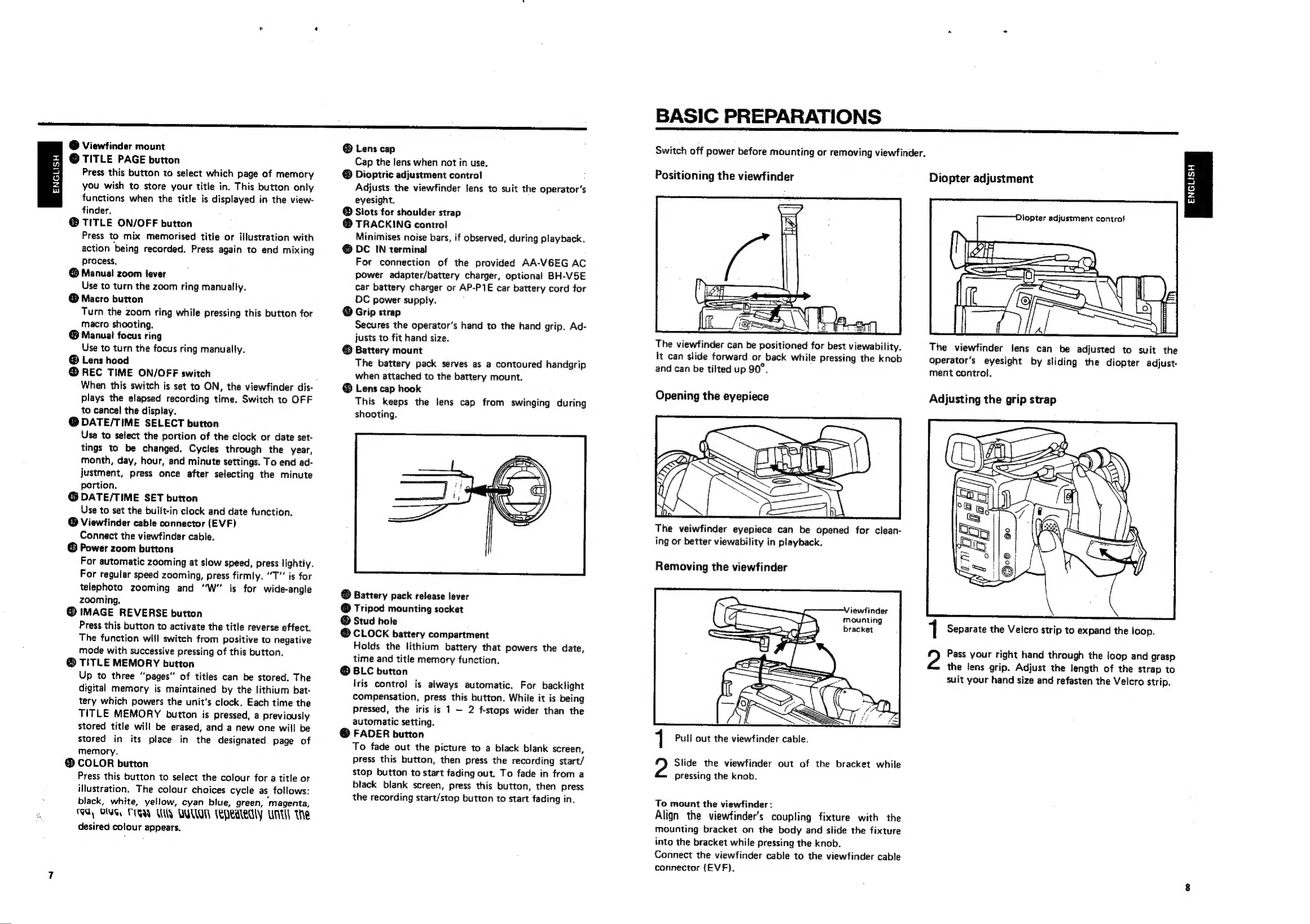
Switch off power before mounting or removing the viewfinder.
Positioning the viewfinder: The viewfinder can slide forward/back and tilt up 90° for optimal viewing.
Opening the eyepiece: The eyepiece can be opened for cleaning or better viewability.
Adjusting the grip strap: Adjust strap length for a comfortable grip.
1. Power On: Slide the POWER switch to ON.
2. Load Cassette: Insert VHS-C cassette correctly.
3. Recording Standby: Press the REC Standby button.
4. Full Auto/Manual Override: Press FULL AUTO for automatic focus, exposure, and white balance. Use W. BALANCE and FOCUS buttons for manual control.
5. Composition: Use the viewfinder and zoom to compose the shot.
| Symptoms | Check points |
|---|---|
| Power: No power is supplied. | Is the battery pack correctly installed? Is the battery pack charged? Is the power supply unit correctly connected? Is the POWER switch of the connected AC adapter set to ON? |
| Recording: Recording is impossible. | Check to see if the cassette safety tab is in place. See page 3. If in the manual white balance mode, check the setting of the button. Is the microphone's switch set to ON? Have you pressed the REC standby button first? |
| Picture colours greatly differ from actual subject colours | If in the manual white balance mode, check the setting of the button. |
| No sound is recorded with an external microphone. | Is the microphone's switch set to ON? |
| Recording does not start. | Have you pressed the REC standby button first? |
| Playback: Tape is running, but no playback picture appears. | Is the VIDEO/TV switch of the RF unit set to VIDEO? Is the TV receiver set to your video channel? |
| Noise bars appear in the playback picture. | Use the TRACKING control to reduce noise bars. |
| Tape transport: Tape stops during fast forward or rewind. | Is the "M" indication visible in on the LCD? If so, press the MEMORY button to cancel the memory function. |
| Rewinding or fast forwarding is impossible. | Check to see if the tape has already been fully wound on one reel or the other. |
| Other: No function is available with more than two mode indicators lit. | If this should happen when using power supply units other than the battery pack, turn their POWER switch on and off. With a battery pack, replace it with another charged one. |
| Vertical white lines appear when shooting a very bright object. | This may occur when the background contrasts very much with the object. This is normal. |