Brand: JVC
Category: Camcorder
Document Type: Manual
Language: EN
Brand: JVC
Category: Camcorder
Document Type: Manual
Language: EN
Uploaded: Nov. 21, 2025, 8:17 p.m.
Manual Publish Date: 1999-11-01
No warranty information is available in the provided pages.
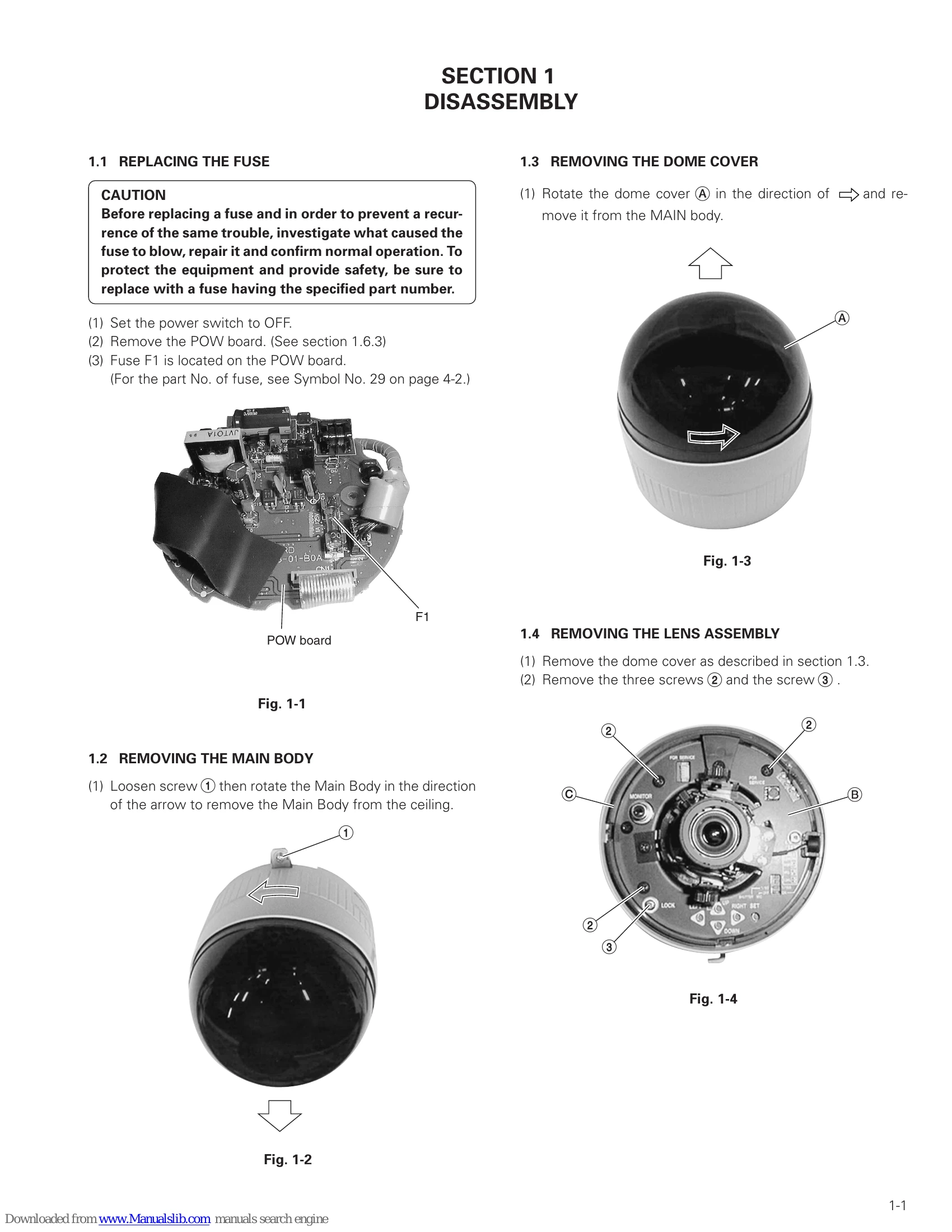
This service manual provides detailed instructions for the JVC TK-C553U/TK-C553E color dome camera. It covers disassembly procedures for various components, including the fuse, main body, dome cover, lens assembly, and major circuit boards. It also details electrical adjustments, including standard setup, adjustment modes, wide-angle limit position, and video signal adjustments like FSC, FH, Y GAIN, ALC LEVEL, BURST, White Balance, and C GAIN. The manual includes diagrams and circuit board schematics, exploded views, and parts lists. Setup menus for video adjustments, mode selection, communication, and function settings are explained, along with camera text settings, auto start demonstrations, and auto patrol operations. Finally, specifications for the camera, lens, and general components are provided.
| No. | Item | Measuring instrument & Input signals | Mode | Measuring point (●) Adjustment points (○) Adjustment level (★) | Adjustment steps |
|---|---|---|---|---|---|
| 1 | FSC adjustment | Frequency indicator | ADJUST mode FSC |
⚫ TP305 [SW] ● LEFT or RIGHT button ☆ 3.579545 MHz <U model> 4.433618 MHz <E model> |
(1) Move the ADJUST Menu cursor to "FSC". (2) Press the "LEFT" or "RIGHT" button to ad- just FSC to the specified value. |
| 2 | FH adjustment | Digital Voltmeter | ADJUST mode FH |
⚫ TP301 [SW] ● LEFT or RIGHT button ☆ 3.5 V |
(1) Move the ADJUST Menu cursor to "FH". (2) By using the left and right buttons, adjust the voltage to 3.5V. |
| 3 | Y GAIN adjustment | Oscilloscope 75 Ω resistor terminated | ADJUST mode Y GAIN |
⚫ VIDEO OUT ● LEFT or RIGHT button ☆ 790 mVp-p (111 IRE) <U model> 780 mVp-p (111%) <E model> |
(1) Move the ADJUST Menu cursor to "ALC LEVEL". (2) Press the "LEFT" or "RIGHT" button to set the maximum value. (3) Move the ADJUST Menu cursor to "Y GAIN”. (4) Press the "LEFT" or "RIGHT" button to ad- just the level to the specified value. |
| 4 | ALC LEVEL Adjustment | Oscilloscope (H-rate 10: 1) or W, F, M grayscale chart | ADJUST mode ALC LEVEL |
⚫ VIDEO OUT 75 Ω resistor terminated ● LEFT or RIGHT button ☆ 714 mVp-p (100 IRE)- <U model> 700 mVp-p (100%) <E model> |
(1) Attach the ND50 filter over the lens. (2) Move the ADJUST Menu cursor to the "ALC LEVEL". (3) Press the "LEFT" or "RIGHT" button to ad- just the level to the specified value. |