Brand: JVC
Category: Television
Document Type: Manual
Language: EN
Brand: JVC
Category: Television
Document Type: Manual
Language: EN
Uploaded: Nov. 21, 2025, 9:14 p.m.
This limited warranty covers parts and labor for 1 year in the US, DC, and Puerto Rico, excluding abuse and normal wear.
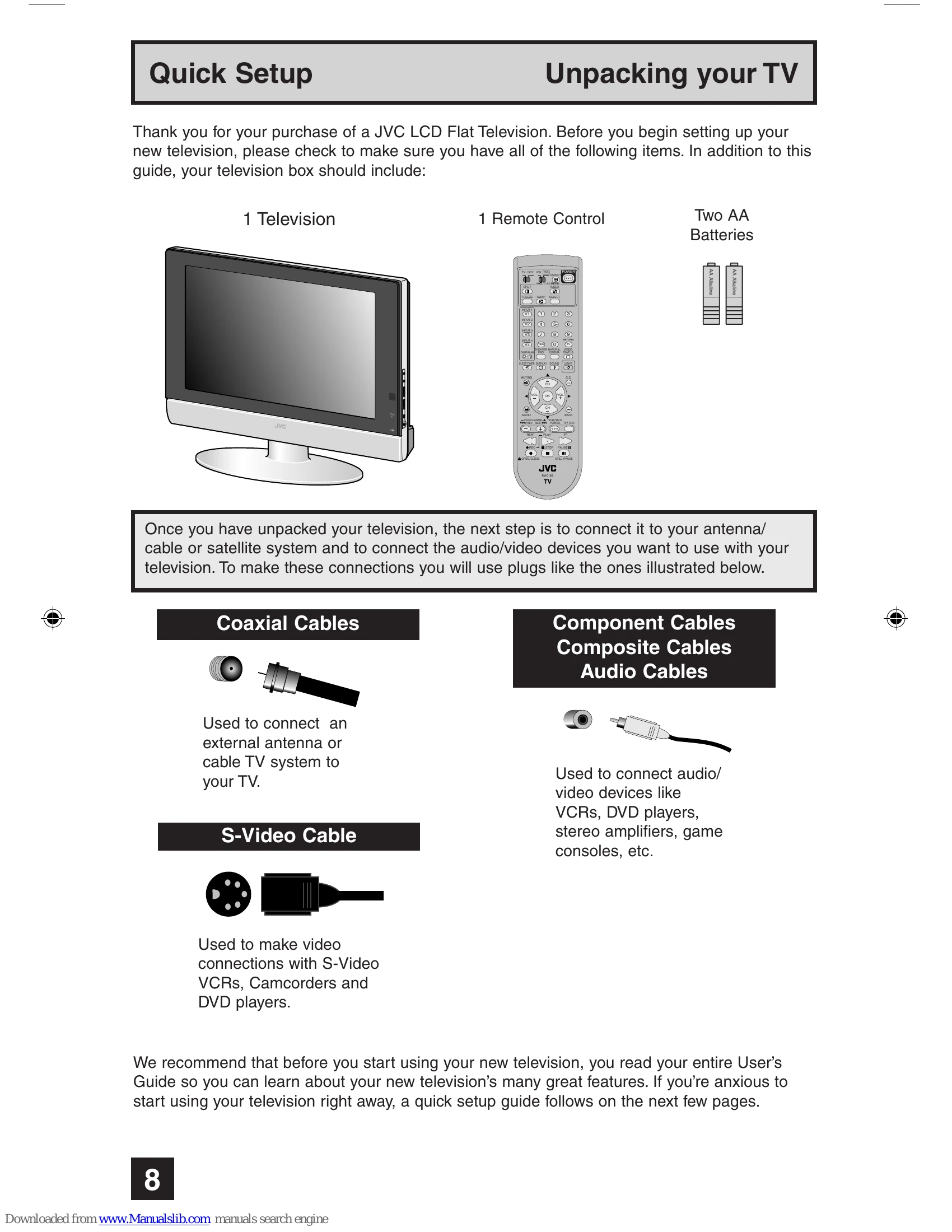
Verify all items are present: 1 Television, 1 Remote Control, Two AA Batteries.
Connect to antenna/cable/satellite and audio/video devices using appropriate cables (Coaxial, Component, Composite, S-Video).
First-time setup involves selecting language, setting the clock (AUTO or MANUAL), and auto tuner setup.
Familiarize yourself with remote control buttons for channel selection, volume, input source, menus, and special features like Muting, Sleep Timer, and Aspect Ratio adjustment.
Specific sections detail operations for TV/CATV, VCR/DVD control, and accessing device functions.
| PROBLEMS | CHECK |
| There is no power | • See if the power cord became unplugged. • Check for a blown fuse or circuit breaker or a power outage. |
| There is no picture or sound | • The antenna could be disconnected. • The input mode could be set improperly. See page 49. • The tuner (Auto Tuner Setup) could be set improperly. See page 30. • The TV station may be having difficulties. Check to see if other stations are working. |
| Remote control is not operating properly or at all | • Check to see that the batteries are still working and properly installed. • Check that the TV/CATV switch is in the proper position. • Make sure the remote has a clear sight path to the TV. • You may be too far from the TV. You must be within 23 feet (7 meters). |
| You cannot select a certain channel | • Make sure the channels have been programmed. See "Channel Summary", page 30. • Check to see if the channel is locked. See "Channel Summary - Lock" page 31. |
| The power turns off by itself | • Make sure the set did not become unplugged. • Perhaps the On/Off Timer is set. See page 46. • Check to see if the Sleep Timer was set. See page 52. |
| The clock is wrong | • The power was interrupted and the clock was not reset. See page 45. |
| The color quality is poor | • Tint and Color may be improperly adjusted. See page 42. • The Video Status mode may be turned to the wrong setting. See page 51. |
| There are lines across the picture | • There could be interference from another electrical appliance, such as a computer, another TV or VCR. Move any such appliances further away from the TV. |
| The picture is spotted | • There could be interference from a high-wattage appliance, like a hairdryer or vacuum, operating nearby. Move the antenna away from the appliance or change to a coaxial cable connection which is less prone to interference. |
| There are double pictures (ghosts) | • A building or passing airplane can reflect the original signal and produce a second, slightly delayed one. Adjust your antenna position. |
| Picture is snowy (image noise) | • Your antenna may be damaged, disconnected or turned. Check the antenna connection. If the antenna is damaged, replace it. |
| Screen is 40% black | • The Closed Caption Text mode is on. Turn it off in the Closed Caption Menu, page 38. |
| Stereo or bilingual programs can't be heard | • Make sure the MTS settings are correct. See "MTS" on page 44. |
| Static electricity | • It is normal to feel static electricity if you brush or touch the screen. |
| You hear occasional crackling sounds | • It is normal for the TV to make crackling sounds when first turned on or off. Unless the sound or picture become abnormal, this is fine. |
| The AUTO DEMO finished automatically | • The On Timer that you programmed has started. • The channel that the AUTO DEMO is using is a channel that is blocked by V-Chip. • The Auto Shut Off that you programed has occured. |