Brand: KENWOOD
Category: Audio System
Document Type: Manual
Language: EN
Brand: KENWOOD
Category: Audio System
Document Type: Manual
Language: EN
Uploaded: Nov. 21, 2025, 7:54 p.m.
KENWOOD adheres to continuous advancements, and specifications may change without notice.
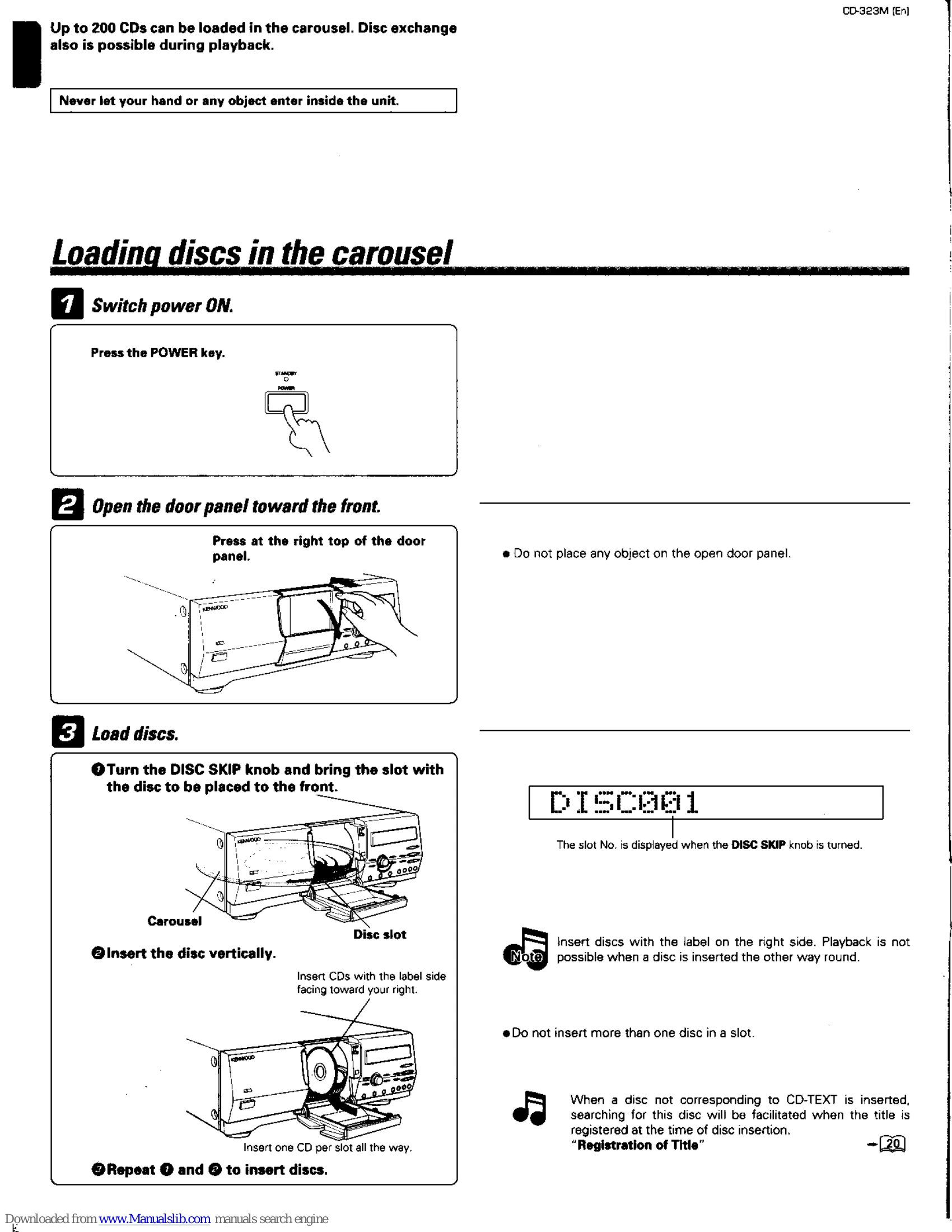
Loading Discs: Open the door panel, turn the DISC SKIP knob to bring a slot to the front, and insert one CD vertically with the label facing right. Up to 200 CDs can be loaded.
Playing a CD: Select the disc and press the Play/Pause key. You can pause and resume playback by pressing this key again. Press the Stop key to stop playback.
Selecting Tracks: To play from track 1, select the disc and press Play. To play a specific track, select the disc, then select the track number using the search keys and confirm with SET. You can also skip forward or backward through tracks.
Programming Tracks: Enter program mode, select the disc and track, then set. Up to 32 tracks can be programmed. You can also program entire discs.
Repeat Playback: To repeat all programmed tracks or a single selected disc, switch REPEAT ON. Press the REPEAT key twice to cancel.
Assigning Titles: Switch to title input mode, select the disc, and enter the title using the keys. Titles can also be changed or deleted.
User File Set: Create custom files by registering discs for a favorite artist or your favorite discs. You can clear registered music types or user files.
Disc Search by Title: Activate disc search mode, input the initial letter of the disc title, and the unit will search for discs starting with that character.
Best Selection File: Register favorite tracks to create a best selection file. You can play, register, and delete tracks from this file.
| Problem | Possible Cause | Solution |
|---|---|---|
| Operation not possible or erroneous display | Microcomputer malfunction | Reset the microcomputer by referring to "In case of difficulty" on page 31. |
| No sound or noise produced | Loose connections | Connect all cords firmly. |
| Malfunction or damage to the unit | Plugging/unplugging connection cords without removing the power cord | When plugging/unplugging cords, first remove the power cord from the AC outlet. |