Manual for DNX5350BT

Manual for DNX5350BT

Brand: KENWOOD

Category: Audio System

Document Type: Manual

Language: EN
Uploaded: Nov. 21, 2025, 8:10 p.m.

Warranty Information

None

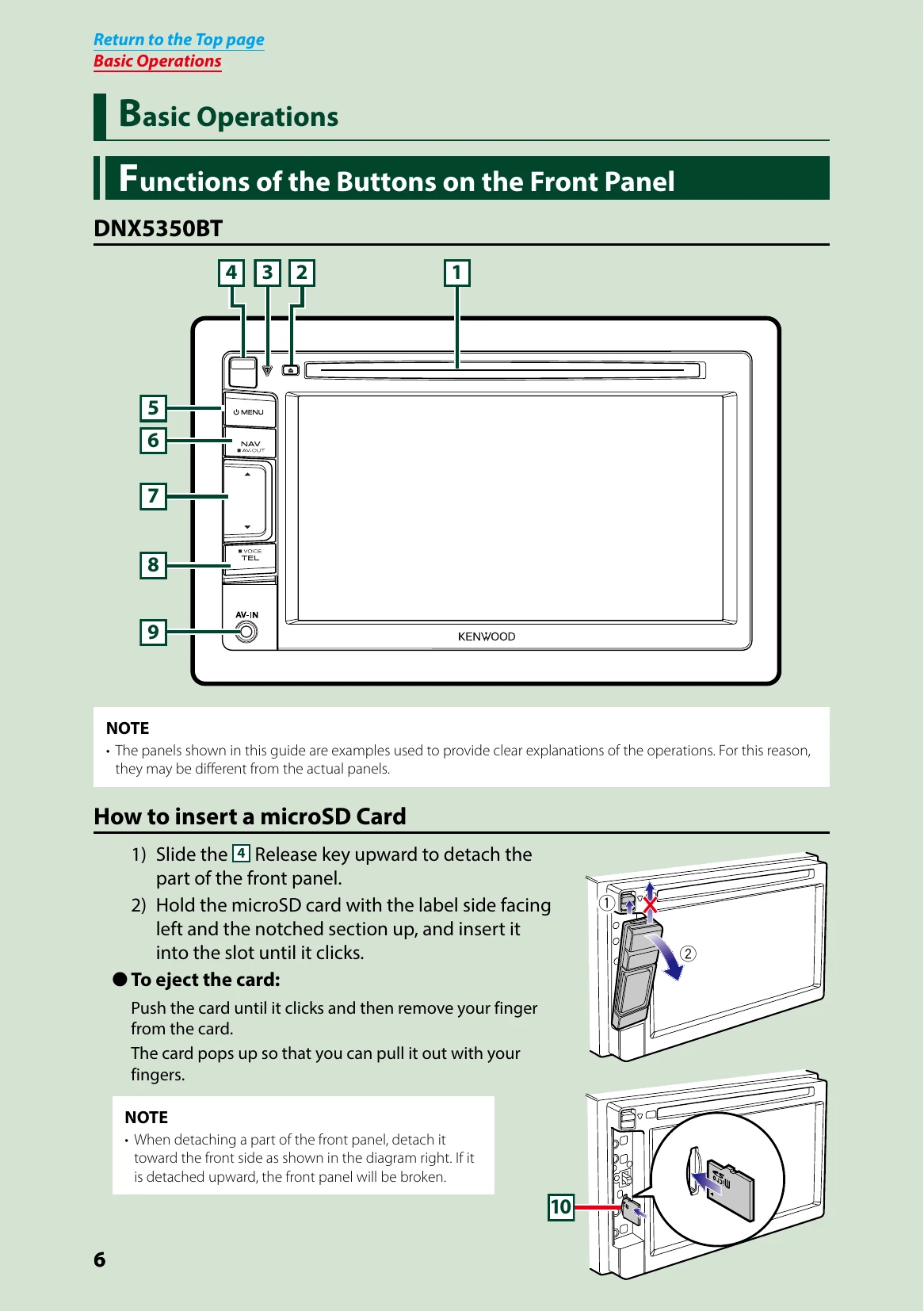
  • Basic Operations: Learn about button functions, turning the unit on/off, detaching the front panel, and common operations.
  • Media Playback: Instructions for playing DVD/Video CD, CD/Audio/Visual files, iPod, and USB devices. Includes details on search operations and multi-function menus.
  • Radio Operation: Covers basic radio functions, digital radio, memory operations, and tuner setup.
  • Bluetooth Control: Guide to registering and connecting Bluetooth units, playing audio, and using the hands-free unit.
  • Setting Up: Details on monitor screen setup, system setup (user interface, touch panel, security), display setup, navigation, camera, and software information.
  • Controlling Audio: Information on setting audio, controlling general audio, equalizer control, zone control, sound effects, and listening position.
  • Troubleshooting: A table with common problems, their causes, and solutions. Includes error messages and how to reset the unit.
  • Appendix: Lists playable media and files, connectable iPod/iPhone models, usable USB devices, status bar indicators, region codes, DVD language codes, and specifications.

Troubleshooting and error codes

Problem Reason Solution
Cannot set up the subwoofer. Cannot set up subwoofer phase. No output from the subwoofer. Cannot set up the low pass filter. Cannot set up the high pass filter. Subwoofer is not set to on. The dual zone function is enabled. Set the subwoofer to on. See Speaker setup (P.95). Set the dual zone function to off. See Zone Control (P.100).
Cannot select the output destination of the subsource in the dual zone. Cannot adjust the volume of the rear speakers. The dual zone function is disabled. Set the dual zone function to on. See Zone Control (P.100).
Cannot set up the equalizer. Cannot set up the crossover network. The dual zone function is enabled. "DSP Select" is set to "Bypass". Set the dual zone function to off. See Zone Control (P.100). Set "DSP Select" to "Through". See DSP select (P.98).
Privacy Policy