HTB-300 System Box Contents:
1 KR-300HT Audio/Video Receiver
2 KS-300HT Front (Left & Right) Speakers
1 KS-300HT Center Speaker
2 KS-300HT Surround Speakers
1 SW-3HT Powered Subwoofer
1 Black audio cord (10 foot)
5 Speaker wires (1 blue 15ft, 1 red 15ft, 1 green 10ft, 1 gray 20ft, 1 orange 20ft)
HTB-200 System Box Contents:
1 KR-200HT Audio/Video Receiver
2 KS-200HT Front (Left & Right) Speakers
1 KS-200HT Center Speaker
2 KS-200HT Surround Speakers
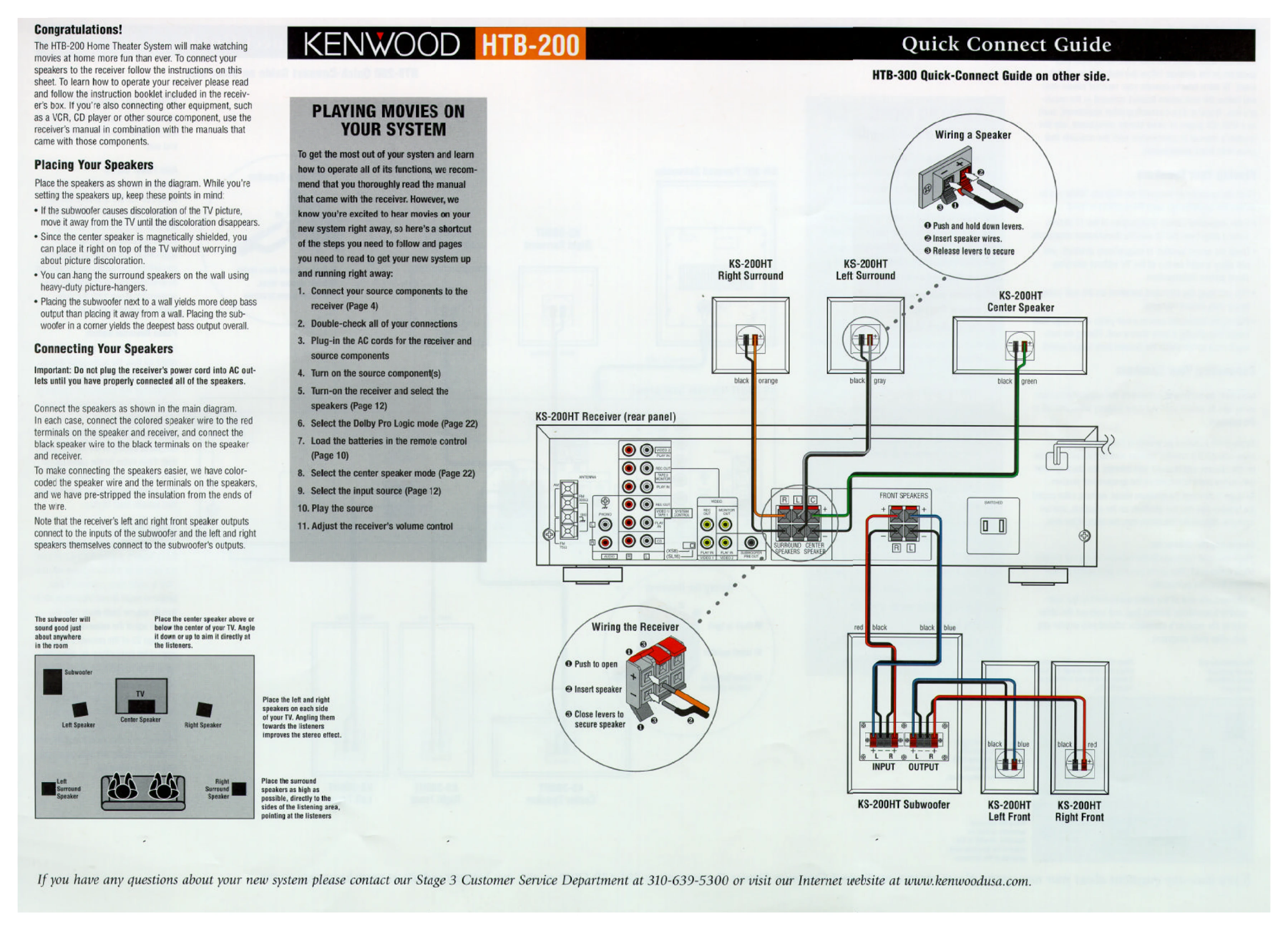
1 KS-200HT Subwoofer
7 Speaker wires (2 blue 15ft, 2 red 15ft, 1 green 10ft, 1 gray 20ft, 1 orange 20ft)
Unpacking:
Carefully unpack and examine all components for shipping damage. Notify your Kenwood dealer or the shipping company immediately if any damage is found.
Keep original cartons and packing materials for future transport or shipping.
Connecting Speakers:
1. Connect colored speaker wire to red terminals and black wire to black terminals on both speakers and receiver.
2. Receiver's left and right front speaker outputs connect to the subwoofer inputs.
3. Left and right speakers connect to the subwoofer's outputs.
Operation Quick Steps for HTB-200:
1. Connect source components to receiver.
2. Double-check connections.
3. Plug in AC cords.
4. Turn on source components.
5. Turn on receiver and select speakers.
6. Select Dolby Pro Logic mode.
7. Load remote control batteries.
8. Select center speaker mode.
9. Select input source.
10. Play source.
11. Adjust receiver volume.