Brand: KENWOOD
Category: Audio
Document Type: Manual
Language: EN
Brand: KENWOOD
Category: Audio
Document Type: Manual
Language: EN
Uploaded: Nov. 21, 2025, 7:05 p.m.
Operating your SPECTRUM system is easy if you follow the step-by-step instructions in this manual. Spend a little time with the manual to familiarize yourself with the system's capabilities.
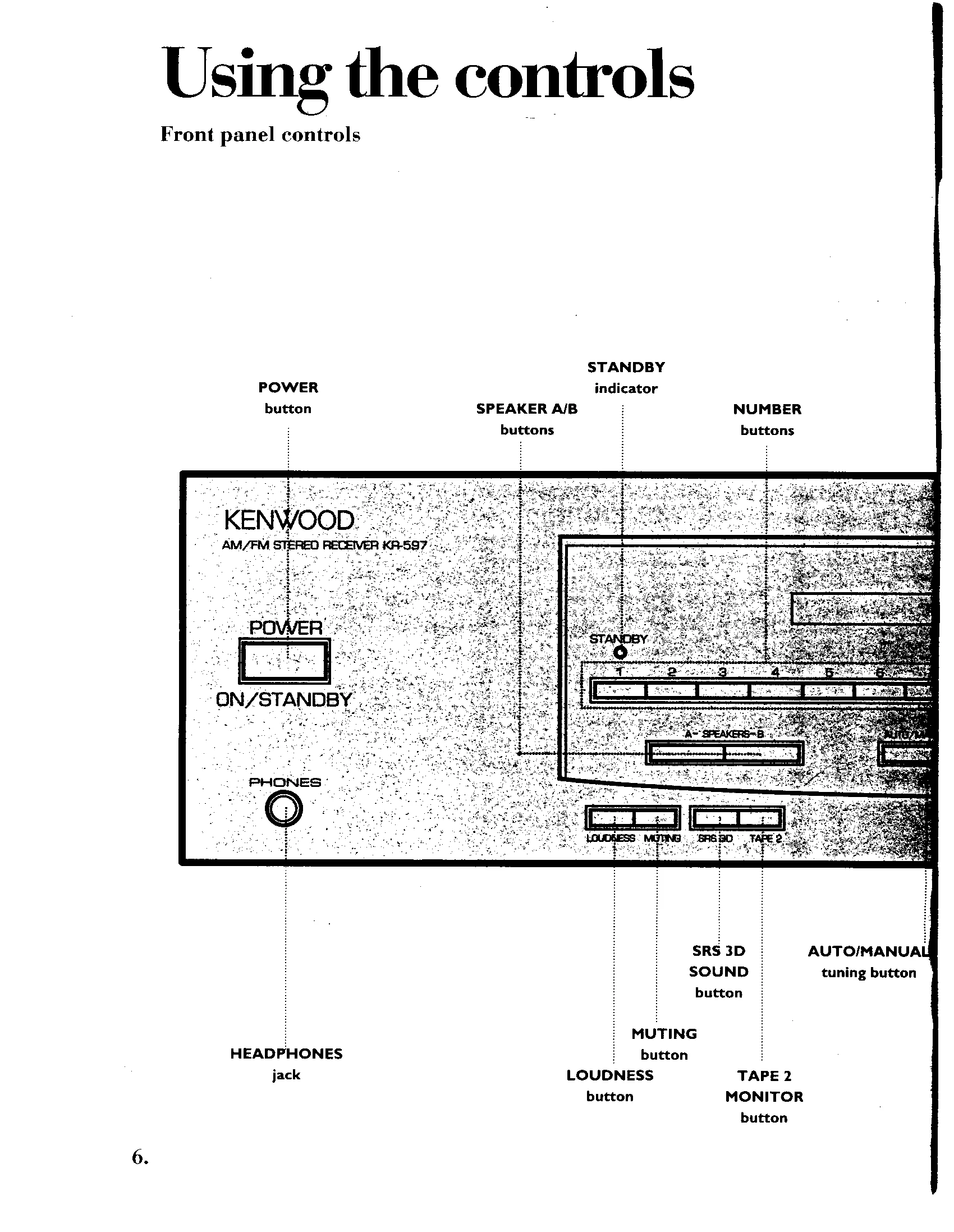
This section covers front panel controls and the remote. Learn how to power the system on/off, adjust volume, tone, and speaker balance. You can also activate speakers, mute the sound, and enhance audio with Loudness and SRS 3D sound.
Tune in radio stations automatically or manually. Store your favorite stations as presets for quick access. You can also scroll through presets using the front panel or remote.
Fine-tune your audio experience by adjusting tone quality at 7 different frequencies. Each slider controls a specific tonal range, allowing for precise sound customization.
Learn how to handle CDs, including cleaning and storing them. This section details how to play CDs from the beginning, from a specific track, or in a programmed sequence. Explore repeat play and random play options.
Instructions for playing tapes, fast-winding, and recording. Learn how to set recording levels, copy tapes (dubbing), and maintain the cassette deck by cleaning and demagnetizing the heads.
Provides solutions for common issues with the receiver, CD player, and cassette deck. Includes checks for power, sound, reception, and operation problems.
Detailed technical specifications for the Receiver (KR-597), AM/FM tuner, CD player (DP-R797), Cassette deck (KX-W597), Equalizer (KE-597), and Speakers (JL-507).
| When this happens: | What to check: |
|---|---|
| Receiver | |
| Remote doesn't operate | Check batteries; ensure remote is within range and angle; verify source is placed properly; check audio and control cables. |
| No sound from the system | Check volume level; ensure speakers are ON; verify power cords are connected; check speaker cables; confirm input cable is connected; check ADAPTER loop jacks. |
| No sound from one of the speakers | Check speaker balance; ensure audio and speaker cables are connected properly. |
| No sound from the "B" speakers | Check if "B" speakers are turned ON; verify speaker impedance selector switch position. |
| The STANDBY light blinks, but there is no sound | Ensure speaker cables are not short-circuited. |
| A hum when you select the PHONO input | Check PHONO jack connections; verify turntable grounding wire connection. |
| None of the functions operate, or the display shows wrong information | Reset the receiver's microcomputer by unplugging and replugging the power cord while holding the POWER button. |
| You can't receive radio stations | Check station tuning; verify TUNER input selected; check antenna connection. |
| You can't receive a preset station by pressing the corresponding number buttons | Check TUNER input selected; verify preset station frequency; check if preset memory has been cleared. |
| Interference with reception | Check for interference from electrical appliances, TV sets, or automobiles. |
| CD player | |
| Power light doesn't come on | Check power cord connection to AC outlet. |
| Player doesn't play a loaded CD | Check CD loading orientation; verify CD is not cracked or dirty; check for condensation on the lens. |
| No sound | Check CD loading; verify CD is not cracked or dirty; ensure PLAY mode is active; check audio cables. |
| Skipping (mis-tracking) | Check CD condition; ensure player is not subjected to strong vibrations. |
| CD automatically plays when power is turned on | Remove all CDs before turning the unit OFF. |
| Cassette deck | |
| No sound when the PLAY button is pressed | Check if tape is blank; verify tape is wound properly; check audio cables; ensure tape heads are clean. |
| None of the operation buttons work | Ensure tape is inserted; check cassette well door is closed; verify tape is not fully wound to the end; check tape winding in the cassette case. |