Manual for PS-430

Manual for PS-430

Brand: KENWOOD

Category: Other

Document Type: Manual

Language: EN
Uploaded: Nov. 21, 2025, 6:25 p.m.

Warranty Information

Contact your authorized dealer for quick and reliable repair. Warranty claims require proof of purchase.

Powering On: Ensure the transceiver's power switch is OFF before turning on the PS-430. Turn the PS-430 ON first, then the transceiver.
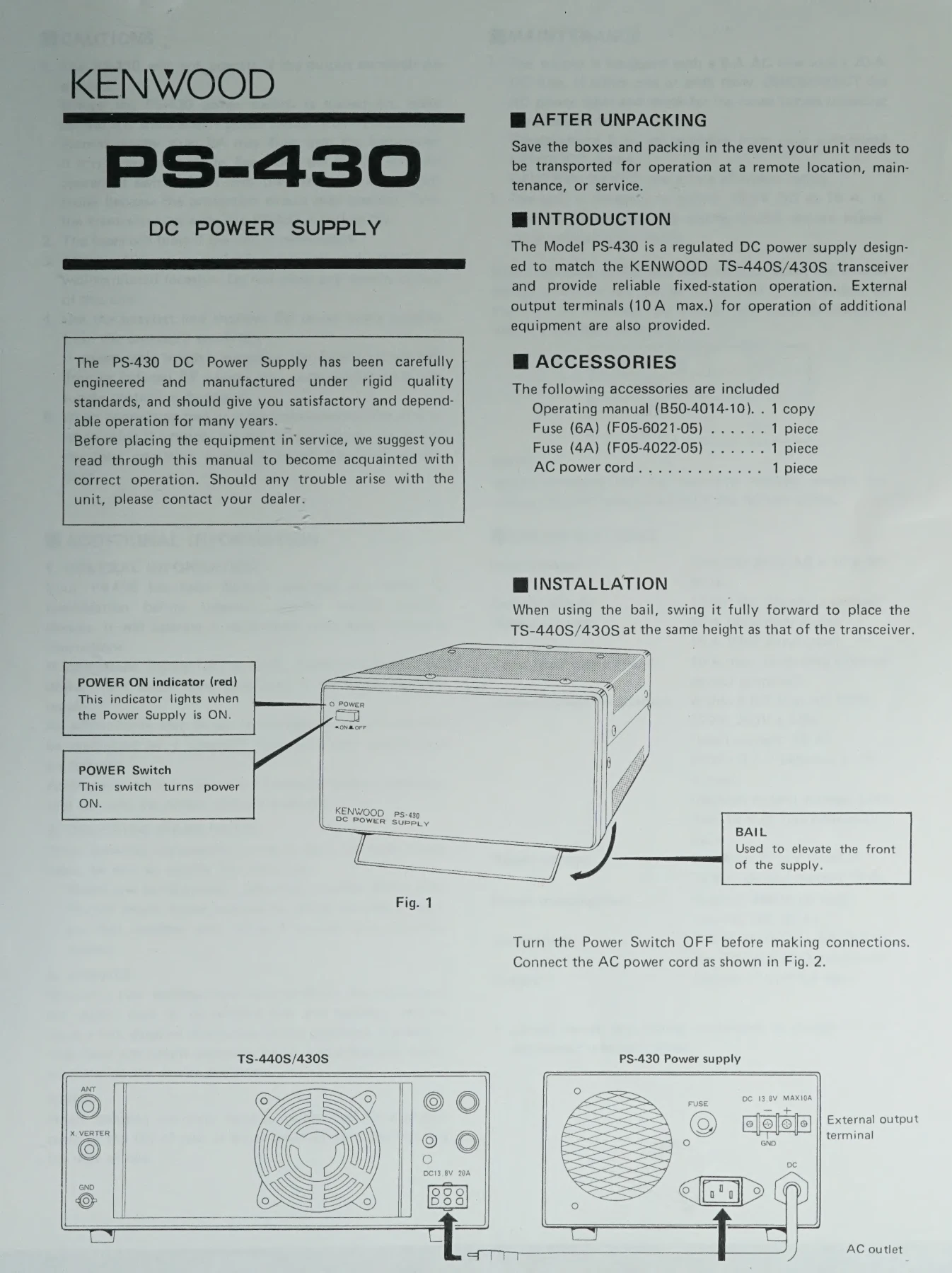
Connections: Turn the Power Switch OFF before making any connections. Connect the AC power cord securely.
Operation: The POWER ON indicator (red) lights up when the power supply is ON.
Ventilation: Install in a well-ventilated location, leaving sufficient space behind the unit. Do not place objects on top.
Cable Usage: Use the shortest and heaviest DC power cable possible to prevent voltage drop or premature shutdown.
Current Limit: When connecting multiple transceivers or for other purposes, ensure the total operating current stays below the rated limit.

Troubleshooting and error codes

Problem Possible Cause Remedy
PS-430 will not operate Output terminals are shorted. Disconnect any short.
Transceiver may not operate or protection circuit may activate. PS-430 switched ON with transceiver in transmit mode. Turn transceiver power switch OFF before turning PS-430 ON. Turn transceiver ON after PS-430 is ON.
Fuses blow. Unit is overloaded. Reduce the load.
Privacy Policy