Manual for PWR series

Manual for PWR series

Brand: KENWOOD

Category: Other

Document Type: Manual

Language: EN
Uploaded: Nov. 21, 2025, 6:52 p.m.

MASTER Operation

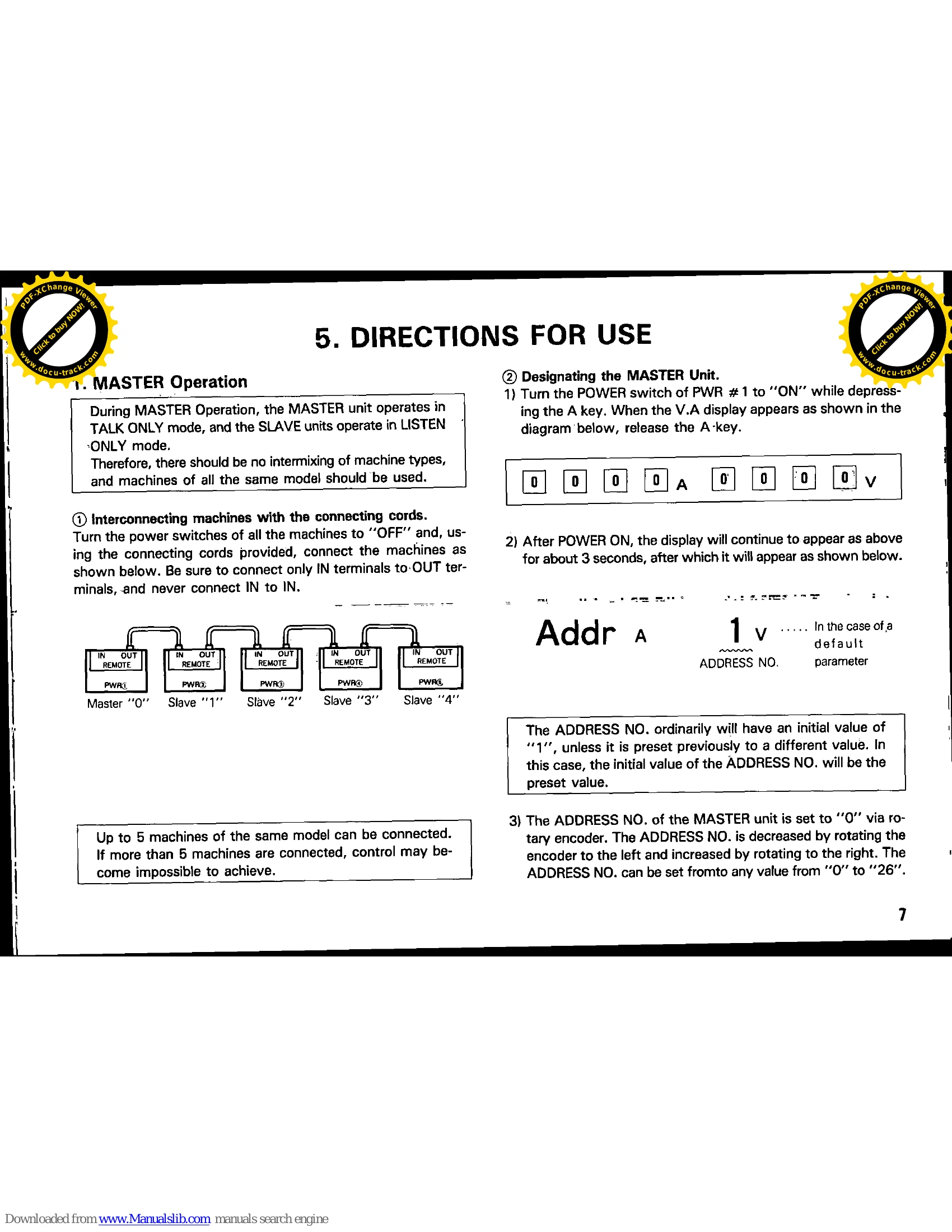
The MASTER unit operates in TALK ONLY mode, and SLAVE units operate in LISTEN ONLY mode. Ensure all machines are of the same model when connecting.

  1. Interconnect machines using provided cords, connecting only IN to OUT terminals.
  2. Designate the MASTER Unit: Turn on PWR #1 while pressing the 'A' key. Set the ADDRESS NO. to "0" using the rotary encoder. The KEY LOCK LED will turn green.
  3. Designate SLAVE units: Turn on a SLAVE unit while pressing the 'A' key and set its ADDRESS NO. (1-26) using the rotary encoder. Avoid duplicate addresses.
  4. Initial setting of SLAVE units: Match all SLAVE unit settings to the MASTER unit.
  5. Switching from REMOTE to LOCAL mode: Press the KEY LOCK key to switch a SLAVE unit to LOCAL mode.

Computer Control (RS-232C)

Connect machines with provided cords. Turn all units OFF before connecting. Refer to the diagram for connections.

Privacy Policy