Manual for 7135

Manual for 7135

Brand: KYOCERA

Category: Cell Phone

Document Type:

Language: EN
Uploaded: Aug. 10, 2025, 12:08 a.m.

Warranty Information

Follow guidelines to optimize phone performance and care. Use only approved accessories.

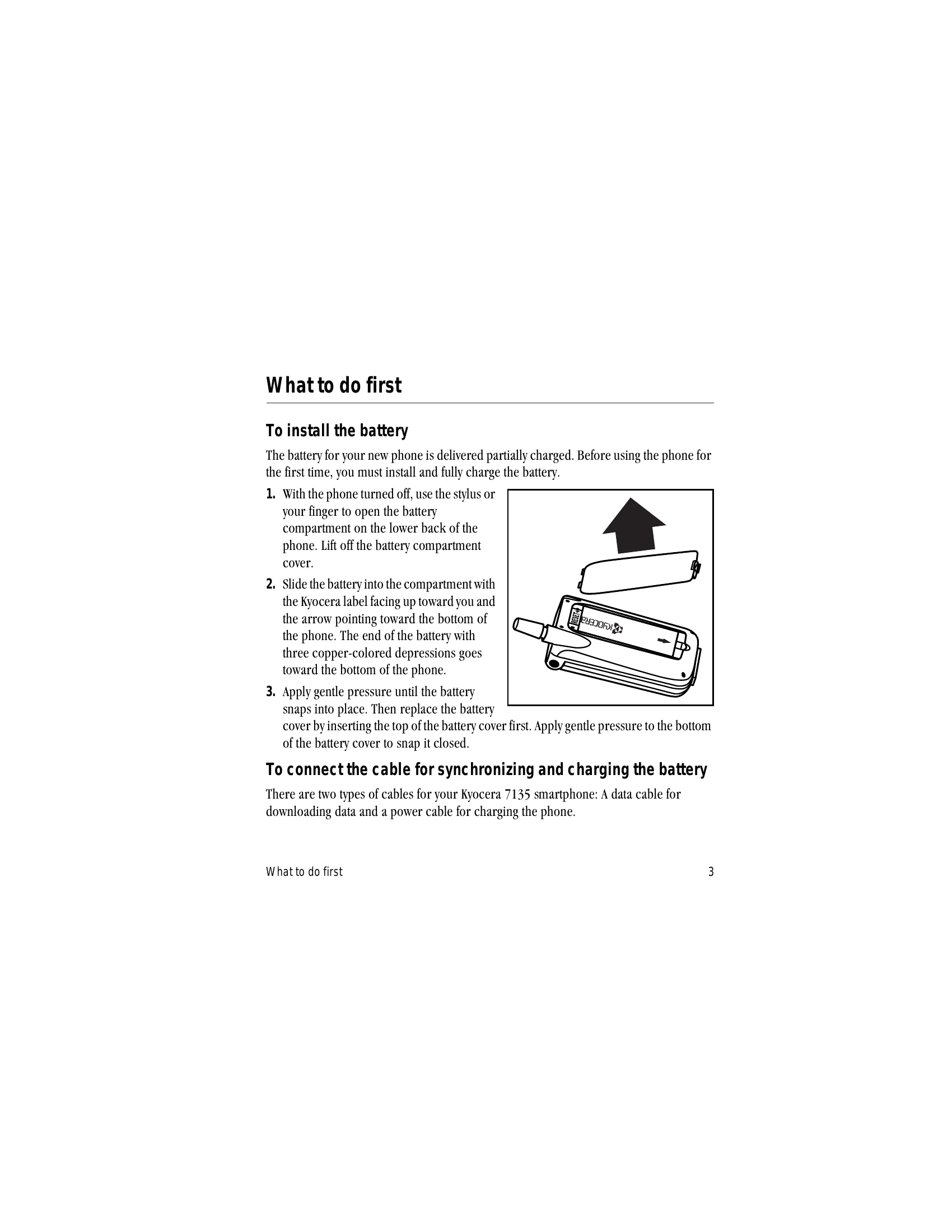
  • Installing the battery: Turn the phone off, open the battery compartment, slide the battery in with the Kyocera label facing up, and snap it into place.
  • Charging the battery: Connect the power cable to the sync cradle and a wall outlet. Connect the data cable to your computer and phone. Turn on the computer and wait for the charging completion message.
  • Turning the phone on and off: Press and hold the Power/End key for a few seconds.
  • Checking phone status: Observe icons on the screen indicating signal strength, battery level, service mode, and call status.
  • Making calls: Dial on the keypad, select from the Address Book or recent calls, or use speed dial.

Troubleshooting and error codes

Problem Solution
Phone does not turn on Recharge the battery immediately.
Phone screen stays blank Press any key, the backlight, or close and open the flip to activate the screen.
No signal Wait longer or move to an open area.
Privacy Policy