Manual for Slider™ Remix KX5

Manual for Slider™ Remix KX5

Brand: KYOCERA

Category: Cell Phone

Document Type:

Language: EN
Uploaded: Aug. 10, 2025, 12:08 a.m.

Warranty Information

This manual provides information on the Kyocera KX5 phone. Specific warranty details are not provided in this section.

Getting Started

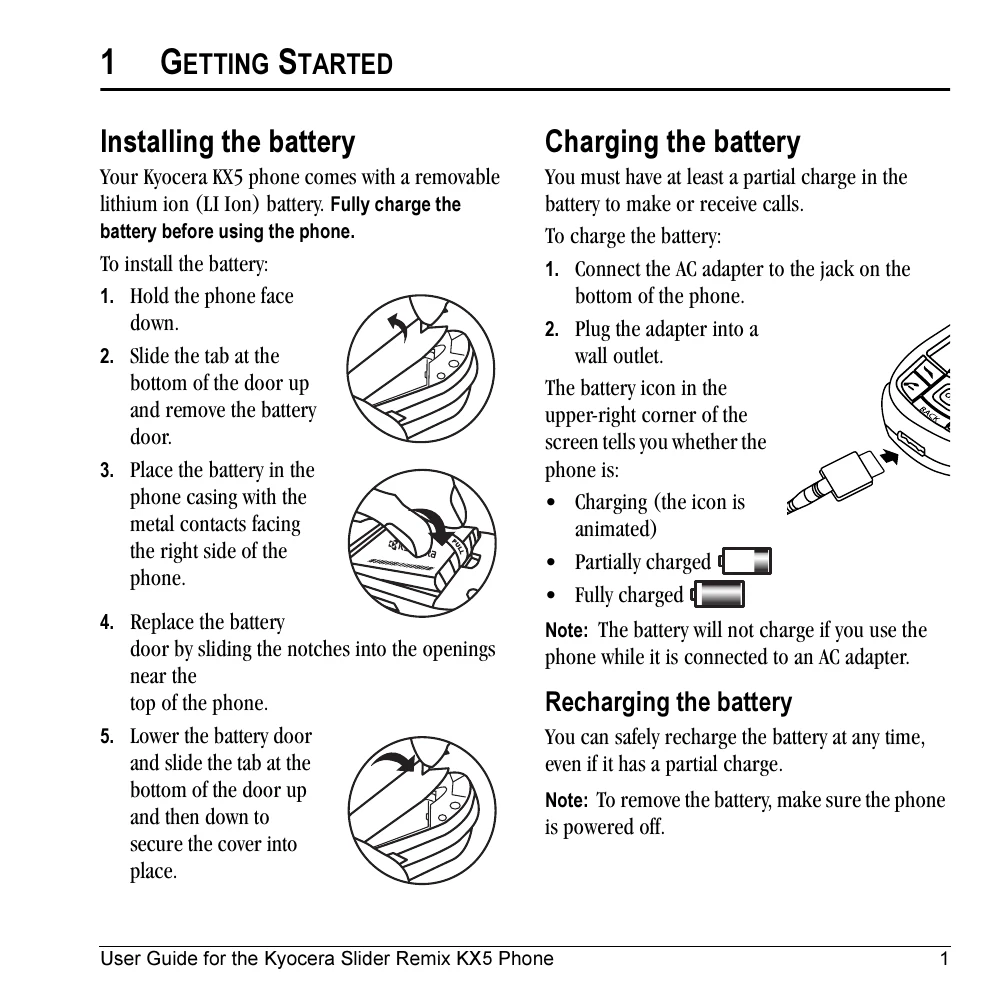
  • Installing the battery: Fully charge the removable lithium-ion battery before use. Follow steps to insert the battery and secure the cover.
  • Charging the battery: Connect the AC adapter to the phone and a wall outlet. The battery icon indicates charge status.
  • Caring for the battery: Avoid puncturing, short-circuiting, or exposing the battery to extreme temperatures. Recharge if not used for over a month.
  • Common causes of battery drain: Playing games, music, using the flash, keeping backlighting on, operating in analog mode, or being far from a base station.

Making and Answering Calls

  • Making a call: Ensure a signal is available. Open the slide, enter the number, and press to call.
  • Answering a call: Press to answer or to answer and use the speakerphone.
  • Ending a call: Press to end.
  • Using the speakerphone: Open the slide and press to turn on/off.
  • Voice Dialing: Press and hold to initiate voice dialing.

Understanding Screen Icons

  • Various icons indicate phone status such as digital/analog mode, signal strength, call status, battery charge, alarm clock, privacy mode, data service status, roaming, message alerts, camera modes, and position location settings.

Troubleshooting and error codes

ProblemSolution
Screen frozen, keypad unresponsive Reset the phone by removing and replacing the battery. If persists, contact dealer.
Phone not charging Ensure the AC adapter is properly connected. Note: The battery will not charge if the phone is used while connected to AC power.
Battery drains quickly Minimize use of games, music, flash, keep backlighting off, operate in digital mode, and be closer to a base station.
Interference with pacemaker Keep phone at least six inches away, do not carry near heart, use opposite ear. Turn off phone immediately if interference suspected.
Phone unable to make/receive calls Check signal strength. Move to an area with better signal. Check if phone is in Airplane Mode or if service is interrupted.
Privacy Policy