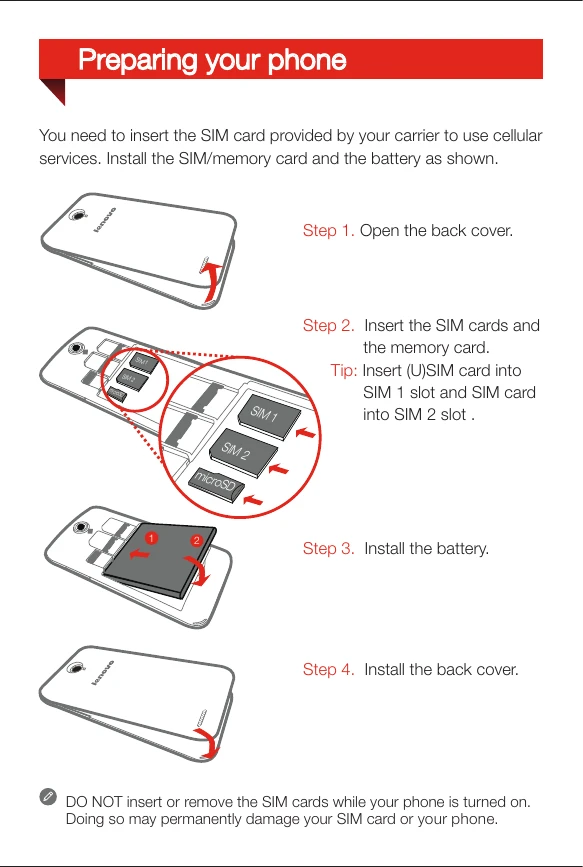
Preparing Your Phone 1. Open the back cover. 2. Insert SIM cards and memory card. Tip: Insert (U)SIM card into SIM 1 slot and SIM card into SIM 2 slot. 3. Install the battery. 4. Install the back cover. Charging the Battery Method 1: Connect your phone to a power outlet using the included cable and USB power adapter. Method 2: Charge the battery using a computer.