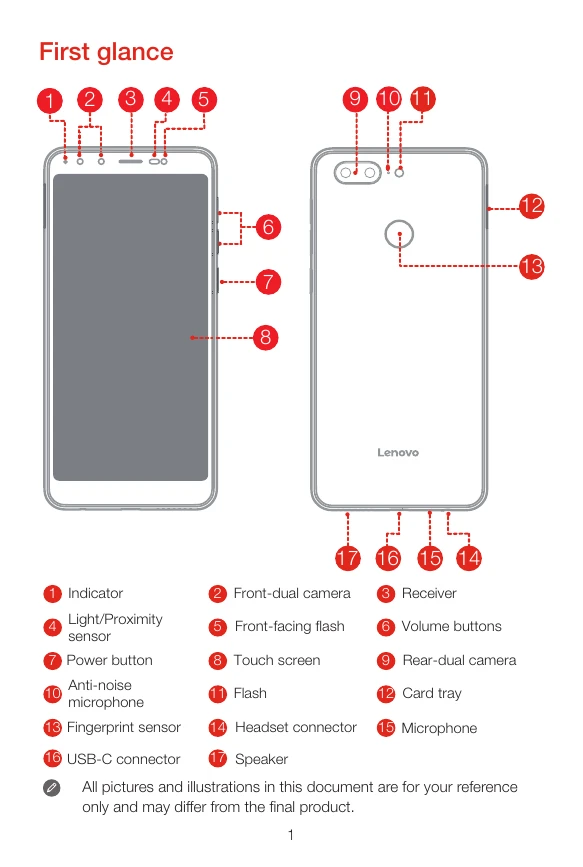
First glance: Familiarize yourself with the indicator, cameras, receiver, sensors, flash, screen, power button, volume buttons, microphone, card tray, headset connector, USB-C connector, and speaker.
Installing the Nano-SIM & microSD cards: Insert the eject tool into the card tray hole, pull out the tray, and position a Nano-SIM card in Slot 1 and either a microSD card or another Nano-SIM card in Slot 2. Carefully reinsert the tray.
Charging the battery: Connect your smartphone to a power outlet or computer using the provided cable and USB power adapter. The battery icon indicates charging status.
Turning on or turning off your smartphone: Press and hold the Power button until the Lenovo logo appears to turn on. To turn off or restart, press and hold the Power button and select the appropriate option.