Initial Setup Procedure
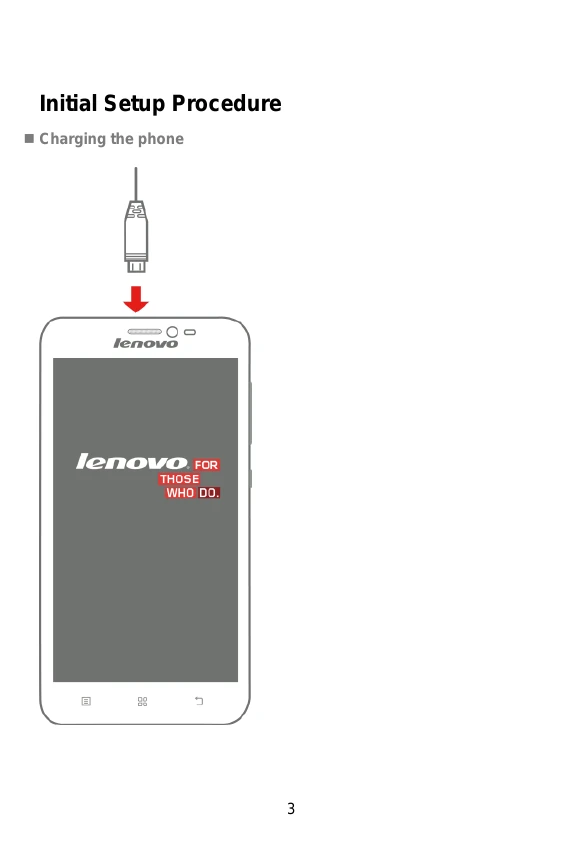
- Charging the phone: Connect the charger to the phone to charge it.
- Inserting the SIM card: Use the SIM card tray ejector tool to open the tray and insert the SIM card.
Port Assignment and Button Layout
- 1 MENU KEY: Can enter the commonly used, the characteristic and more menus.
- 2 HOME KEY: Can return to the idle interface.
- 3 BACK KEY: Can return to the superior menu.
- 4 VOLUME KEY: According to the volume switch increase or decrease volume.
- 5 POWER ON/OFF: Short click this button to lock screen function, long press the key to power on/off the phone.
Applications Overview
- Browser: Browses websites and accesses the Internet via WIFI.
- Email: Receives/Sends and views emails.
- Gallery: Browses and edits images, supports slideshow functions.
- Contacts: Allows adding/deleting contacts and editing contact details.
- Calendar: Creates new events, toggles different views, and enables event reminders.
Gravity sensor
Auto-rotates the screen based on device orientation. To unlock, navigate to Menu > Settings > All Settings > Display > Auto-rotate screen.