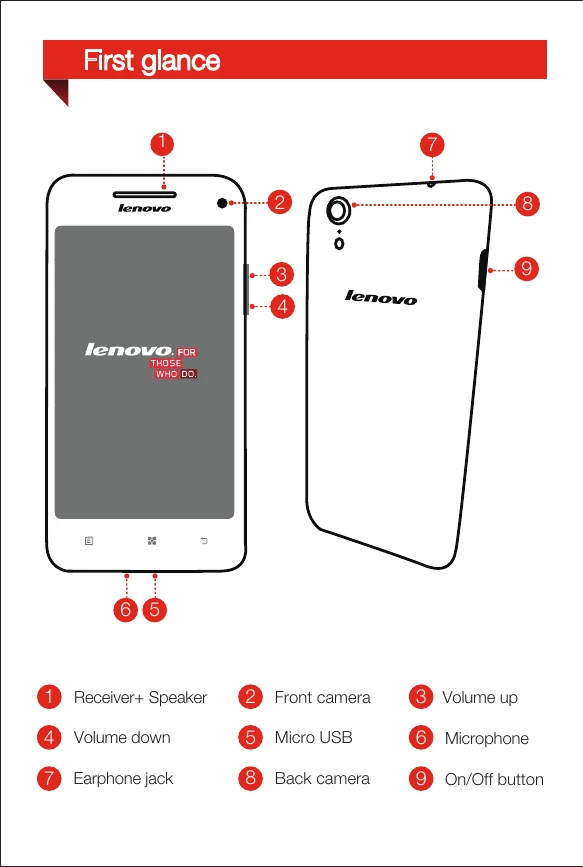
First glance: Familiarize yourself with the buttons and ports of your Lenovo S960. Key components include the receiver/speaker, front and back cameras, volume buttons, micro USB port, microphone, earphone jack, and the on/off button.
Installing the Micro SIM card: Insert the Micro SIM card provided by your carrier to use cellular services. Ensure you use the correct SIM eject tool and handle the SIM card and tray with care. Do not insert or remove the SIM card while the phone is powered on.
Charging the battery: Before initial use, charge the battery. You can connect your phone to a power outlet using the included cable and USB power adapter, or charge it via a computer using the USB cable.