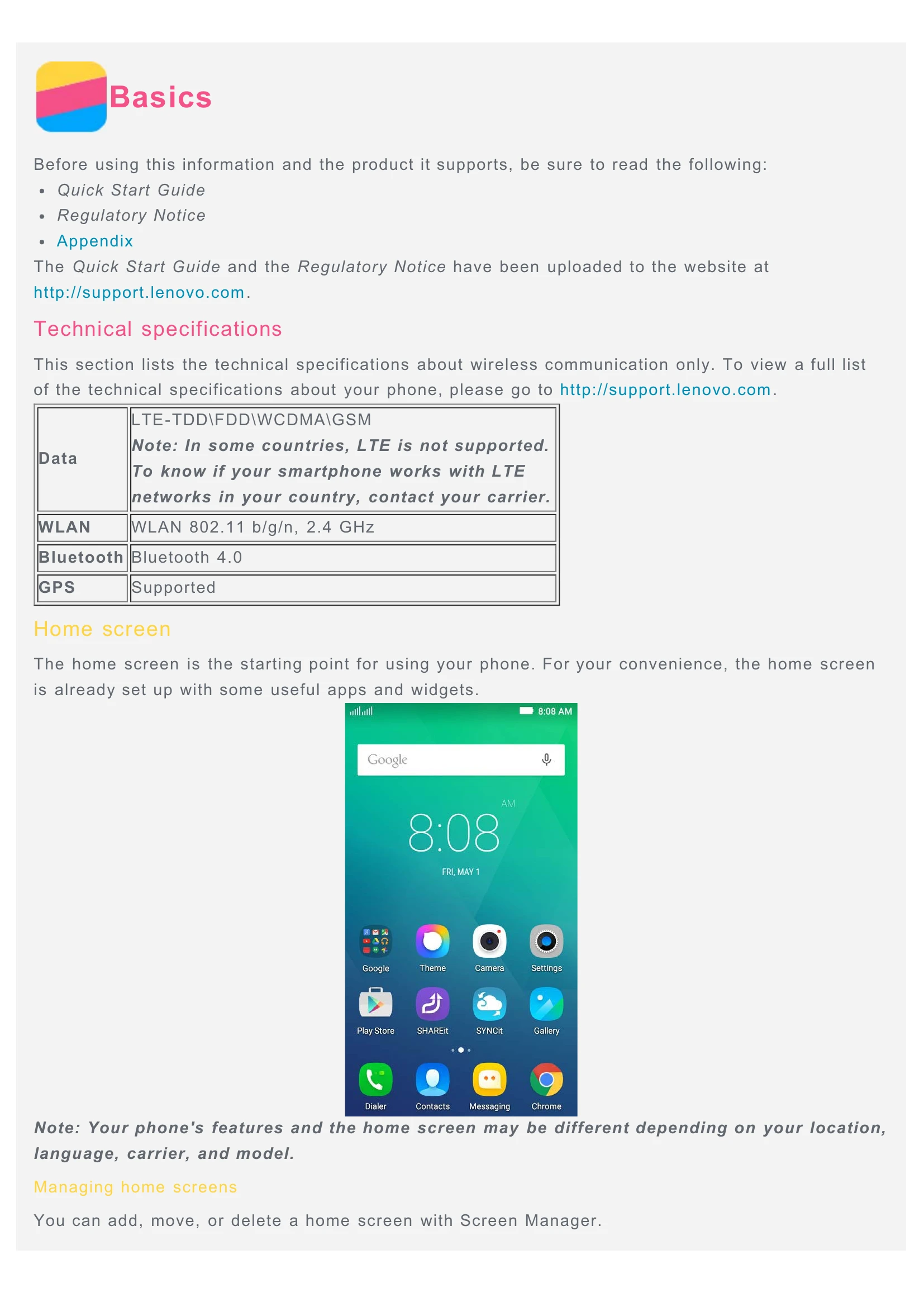
Basics: Learn about the phone's features, technical specifications, and home screen management, including adding, moving, and deleting screens, using edit mode for apps and widgets, and changing the wallpaper.
Screen Buttons and Lock: Understand the functions of the multitask, home, and back buttons. Learn how to manually lock the screen using the power key.
Notifications and Quick Settings: Access notifications for calls, messages, and downloads. Use Quick Settings for frequently used functions like WLAN.
USB Connection: Connect the phone to a computer via USB to transfer files or charge the battery, choosing between MTP, PTP, Charge only, or USB debugging modes.
Calls: Make calls manually, from the call log, or from contacts. Learn how to answer, reject, silence calls, and use options during a call like hold, mute, record, and speakerphone.
Contacts: Create, search, edit, and delete contacts. Recognize business cards and import/export contact information.
Messaging: Send text and multimedia messages, add recipients, and search for messages. Delete individual messages or entire conversations.
Camera: Take photos and record videos using various camera modes, flash settings, and HDR. Learn to take screenshots by pressing the Power and Volume down buttons simultaneously.
Gallery: View photos and videos, zoom, and play videos. Share media via Bluetooth or multimedia messages, and delete photos and videos.
Network: Connect to WLAN hotspots, manage mobile data, and set up a personal hotspot to share your internet connection.
Chrome: Browse the internet, visit websites, refresh pages, go back or forward, save images, add bookmarks, and clear browsing history.
Settings: Configure date and time, language, input methods, screen lock, and ringtones. Learn how to enable app installation from unknown sources and perform a factory reset.
Appendix: Important safety information regarding handling, repairing, charging, distraction, choking hazards, explosive atmospheres, radio frequency interference, medical devices, cleaning, operating temperature, and protecting data and software.