Manual for L6323 series

Manual for L6323 series

Brand: LG logo LG

Category: Camera

Document Type: Manual

Language: EN
Uploaded: Nov. 21, 2025, 6:48 p.m.

Warranty Information

No specific warranty period mentioned in the provided pages.

Features: This Color Video Camera is designed for installation in a video surveillance system. It offers high resolution and sensitivity with a 6 mm CCD, Day & Night function, BLC for various light conditions, excellent signal-to-noise ratio (50 dB), Weather Proof (IP66 Rating), and a Vandal-Proof Dome Cover.

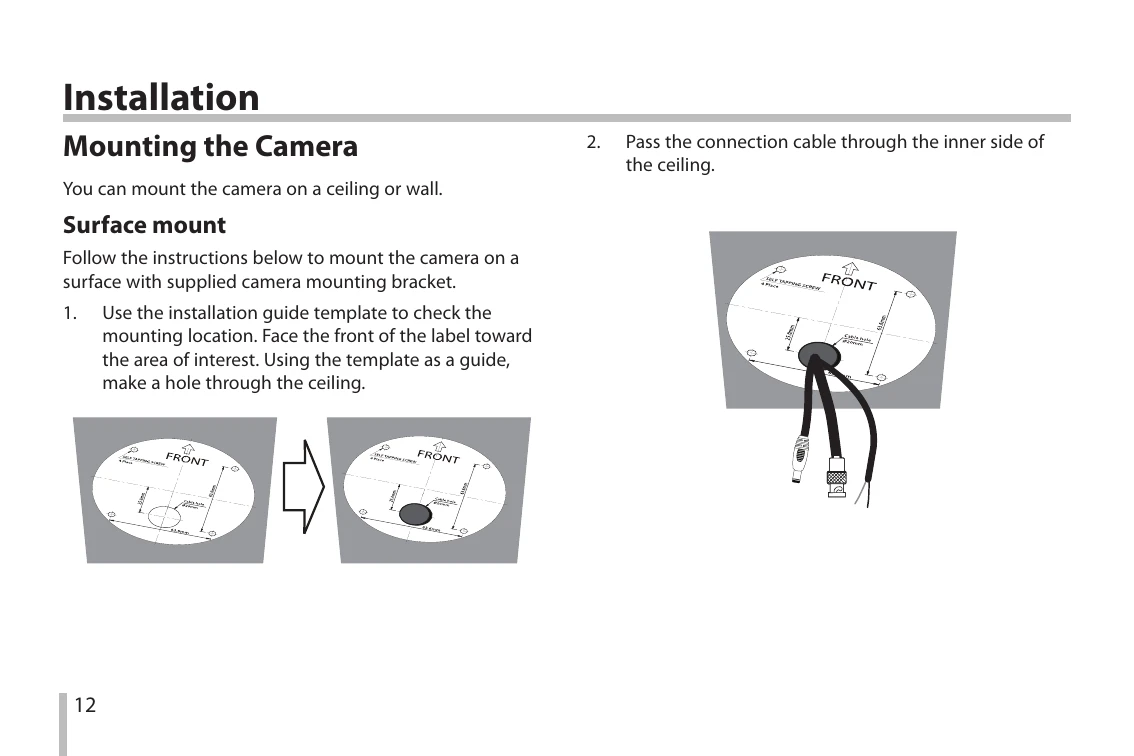
Installation: The camera can be mounted on a ceiling or wall using the provided mounting bracket. For ceiling mounting, use the installation guide template to mark the location, drill holes, pass cables through, install the bracket, and connect cables to the camera body. For wall mounting, follow specific steps involving the wall mount assembly and connecting cables. Pendant mount is also an optional installation method.

Image Adjustment: Manual adjustment of pan/tilt/azimuth angles, focus, and zoom can be done while observing a connected portable monitor. Disassemble the dome cover, connect the monitor, adjust angles and focus using lock screws and levers, and then reassemble the covers.

Menu Operation: The camera features a comprehensive menu system for setting various parameters including 3D-DNR, Privacy, D-ZOOM, D-EFFECT, SHARPNESS, COLOR, STABILIZER, SYNC, USER TITLE, LANGUAGE, and RESET options. Navigation is done using [LEFT], [RIGHT], [UP], [DOWN], and [SET] buttons.

Troubleshooting and error codes

Item Troubleshooting
No Image - Check if the camera and monitor are powered on.
- Check if the video cables are connected properly.
Poor Image Quality - Adjust focus and zoom.
- Check lighting conditions.
- Adjust settings like Brightness, WDR/BLC, AGC, or 3D-DNR.
Camera Unresponsive - Check power supply.
- Reboot the camera system (CAMERA REBOOT).
RS-485 Communication Error - Verify RS-485 cable connection.
- Ensure correct Baud rate and communication format.
- Check Camera ID and commands sent.
Privacy Policy