Manual for LVC-SX701PC/OC/MC

Manual for LVC-SX701PC/OC/MC

Brand: LG logo LG

Category: Camera

Document Type: Manual

Language: EN
Uploaded: Nov. 21, 2025, 7:43 p.m.

Manual Publish Date: 2005-05-27

  • Basic Connection: Connect the monitor to the camera via the video signal. Use a commercially available AC 24V adaptor and plug it into a wall outlet.
  • Mounting the Lens: Remove the lens mount cap. Install the auto-iris lens by aligning and turning it. Connect the lens plug to the camera's lens iris output connector.
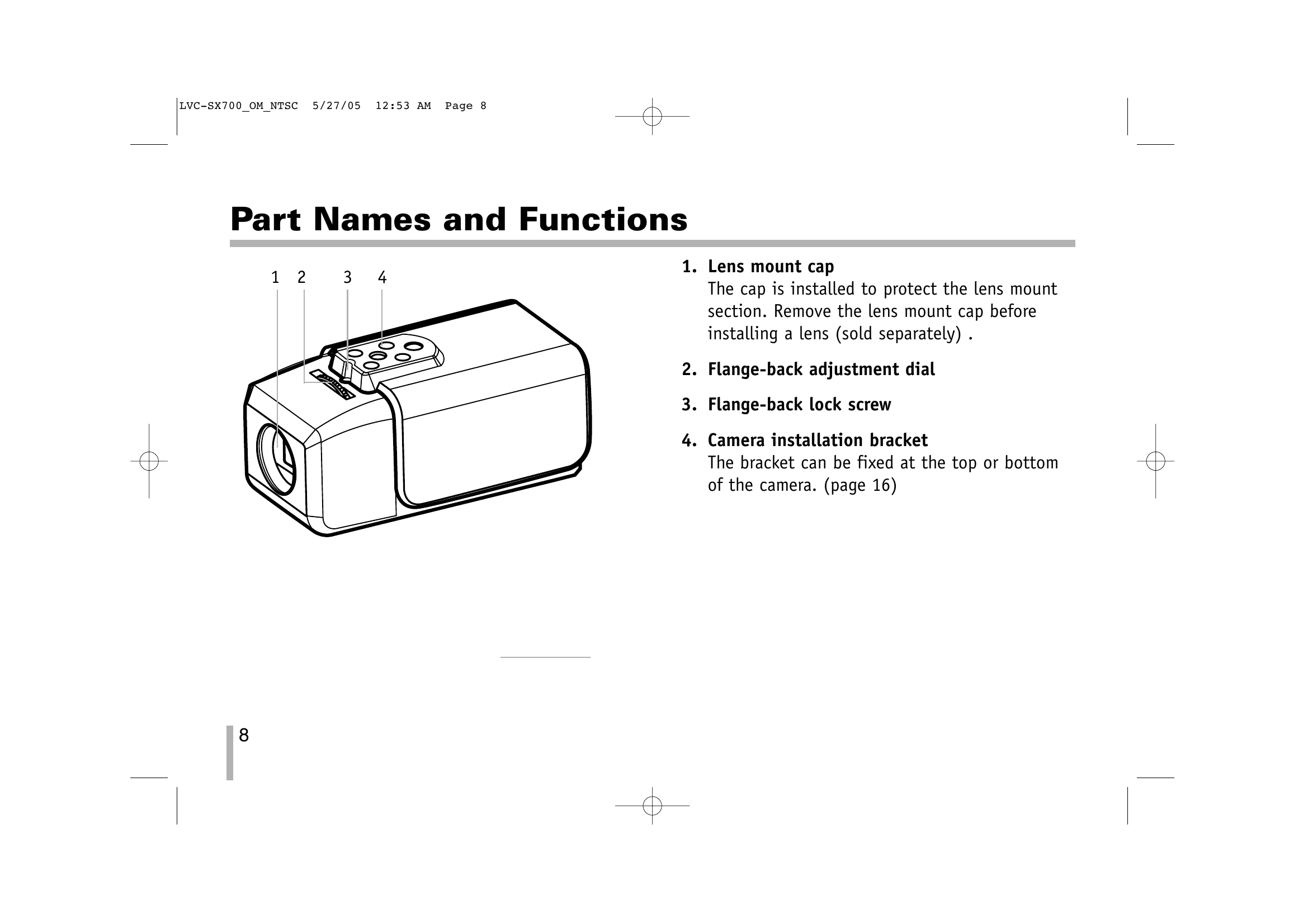
  • Flange-back Adjustment: Loosen the flange-back fixing screw, turn the adjusting ring to obtain a focused point while watching the monitor, then tighten the screw.
  • Installation of Camera: The bracket can be installed on the top or bottom of the camera. Ensure the mounting location is strong enough.
  • Menu Operation: Use the side panel buttons (Up, Down, Left, Right, Set) to navigate and set items on the on-screen MENU.
  • Exposure Settings: Access the EXPOSURE menu to adjust Brightness, AGC MAX, Shutter Speed, and Flickerless settings.
  • Day/Night Setting: Select AUTO, EXT, NIGHT, or DAY mode for optimal image quality in different lighting conditions.
  • Motion Detector Setting: Configure the sensitivity and detection area for motion detection.
  • Privacy Masking Setting: Select areas on the screen to mask in black for privacy protection. Adjust the position and size of the mask.
  • Special Menu Settings: Adjust EFFECT (digital effects like NEGA, B/W, V-FLIP, MIRROR, ROTATE, FREEZE), D-ZOOM, USER TITLE, TITLE DISP, SYNC, and PHASE SHIFT.
  • RS-485 Protocol: Details on data communication format and commands for external control.
  • Specifications: Technical details of the camera including pixels, pickup device, lens, signal process, resolution, illuminance, power, temperature, weight, and dimensions.

Troubleshooting and error codes

Function Command (external device → camera)
OSD Menu ON/OFF 0xC5, 0x5F, 0x25, 0x00, ID, C.S.
LEFT Button 0xC5, 0x5F, 0x38, 0x00, ID, C.S.
Right Button 0xC5, 0x5F, 0x39, 0x00, ID, C.S.
Up Button 0xC5, 0x5F, 0x02, 0x00, ID, C.S.
Down Button 0xC5, 0x5F, 0x04, 0x00, ID, C.S.
Menu Button 0xC5, 0x5F, 0x24, 0x00, ID, C.S.
Privacy Policy