Brand:
LG
Category: Monitor
Document Type: Manual
Language: EN
Brand:
LG
Category: Monitor
Document Type: Manual
Language: EN
Uploaded: Nov. 21, 2025, 7:40 p.m.
Refer to the Declaration of Conformity for specific warranty information.
Powering On/Off: Press the joystick button once to turn the monitor on. Press and hold the joystick button to turn it off.
Volume Control: Move the joystick button left/right to adjust the volume.
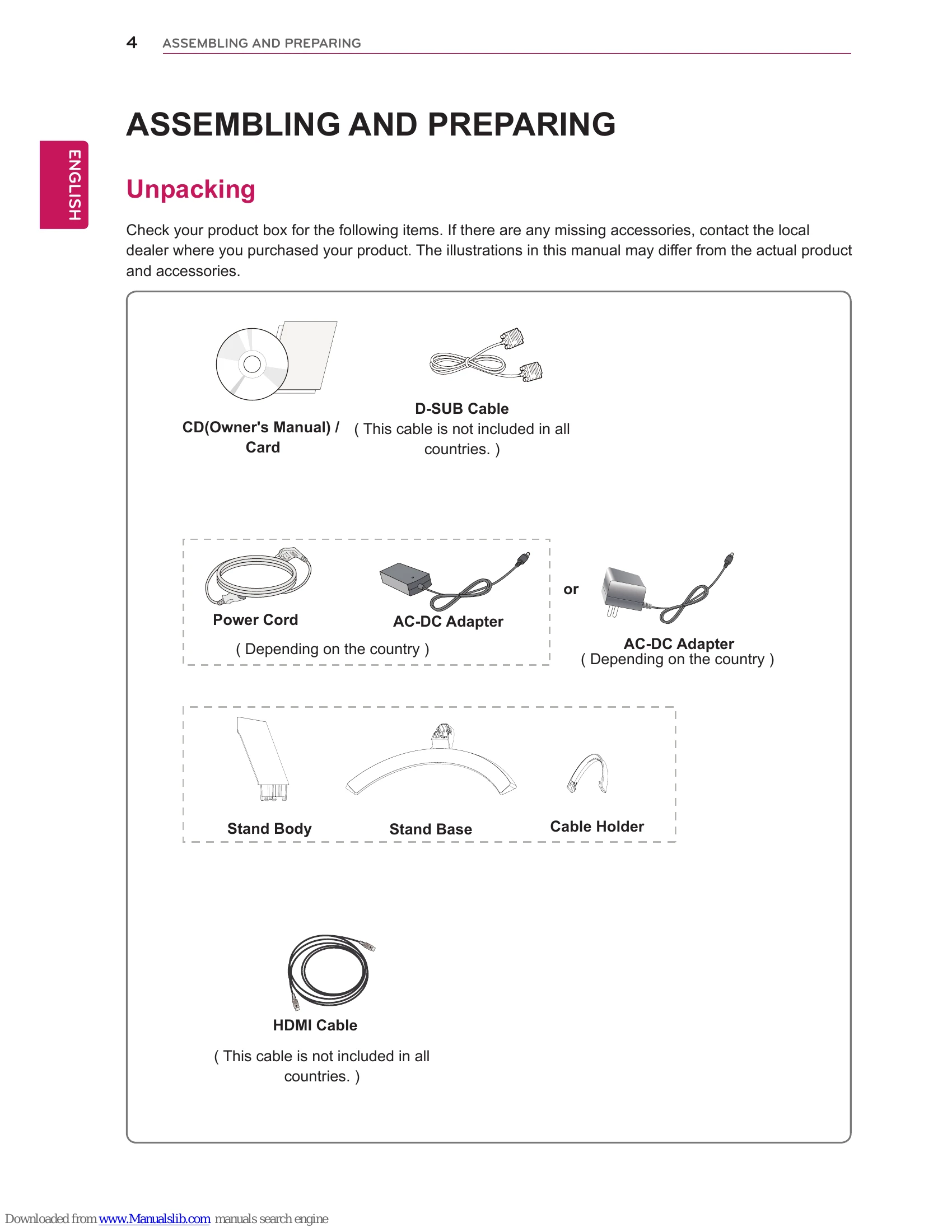
Basic Setup: Assemble the stand by attaching the stand body to the stand base and then mounting it to the monitor. Connect the power cord and necessary cables to your PC or AV devices.
Customizing Settings: Use the joystick button to navigate the On-Screen Display (OSD) menu. Adjust settings like Brightness, Contrast, Volume, Picture Mode, and General settings to optimize your viewing experience.
Troubleshooting: Before calling for service, check basic connections and power. Refer to the troubleshooting section for common issues like "No image appears," "OUT OF RANGE" message, "NO SIGNAL" message, and display image problems.
| Issue | Possible Cause | Solution |
|---|---|---|
| No image appears | Is the power cord of the display connected? |
|
| Is the power indicator light on? |
|
|
| Is the power indicator flickering? | ||
| Do you see an "OUT OF RANGE" message on the screen? |
|
|
| Do you see a "NO SIGNAL" message on the screen? |
|
|
| Can 't you control some functions in OSD? | Can't you select some menu in OSD? |
|
| Display image is incorrect | Display Position is incorrect. |
|
| On the screen background, vertical bars or stripes are visible. |
|
|
| Any horizontal noise appearing in any image or characters are not clearly portrayed. |
|