Manual for VC001GL

Manual for VC001GL

Brand: Makita

Category: Power Tool

Document Type: Manual

Language: EN
Uploaded: Nov. 21, 2025, 8:41 p.m.

Warranty Information

Refer to the product manual for specific warranty details.

Getting Started:

  • Ensure the appliance is switched OFF and battery cartridges are removed before any adjustments or checks.
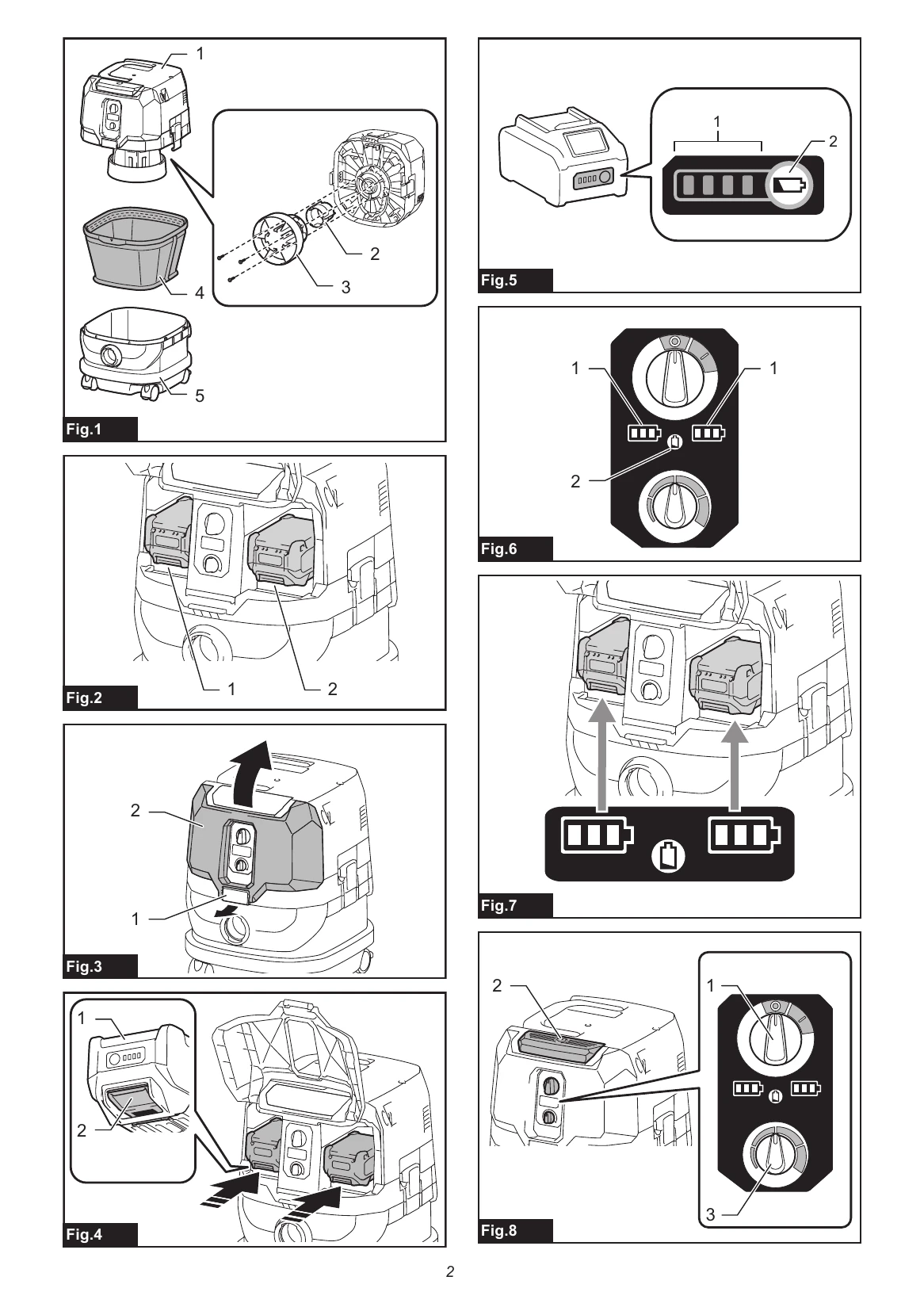
  • Installing/Removing Battery: Switch off the appliance, open the battery cover, align battery tongues with housing grooves, and insert until it clicks. To remove, press buttons and slide out.
  • Indicating Battery Capacity: Press the check button on the battery to view remaining capacity via indicator lamps.
  • Turning Cleaner On/Off: Turn the stand-by switch to 'I' (ON), then press the power button. To turn off, press the power button to stand-by mode, then switch to 'O' (OFF), or simply turn the stand-by switch to 'O' (OFF).
  • Adjusting Suction Power: Turn the suction force adjusting knob left to reduce power, right to increase.
  • Wet Suction: Use the float mechanism. If foam appears, switch off. If the tank is full, stop and empty.

Maintenance:

  • Clean filters regularly. Wipe and shake dust off the cloth filter. Wash powder filter occasionally (hand wash only).
  • Store accessories on the multi hook.

Troubleshooting and error codes

Condition Remedy
Appliance stops due to overload Turn appliance OFF, stop the application causing overload, then turn ON to restart.
Battery overheated Appliance stops automatically, indicators blink. Let battery cool down before turning ON again.
Battery overdischarged Appliance stops automatically. Remove batteries and recharge.
Other causes leading to temporary halt Turn OFF and ON to restart; charge/replace batteries; let appliance and batteries cool down. If unresolved, contact service center.
Privacy Policy