Brand: Mamiya
Category: Camera
Document Type:
Language: EN
Brand: Mamiya
Category: Camera
Document Type:
Language: EN
Uploaded: Aug. 9, 2025, 11:44 p.m.
Powering On/Off: Use the small lever beside the shutter release button. Align the white dot on the lever with the white dot on the camera body for ON, and with the red dot for OFF.
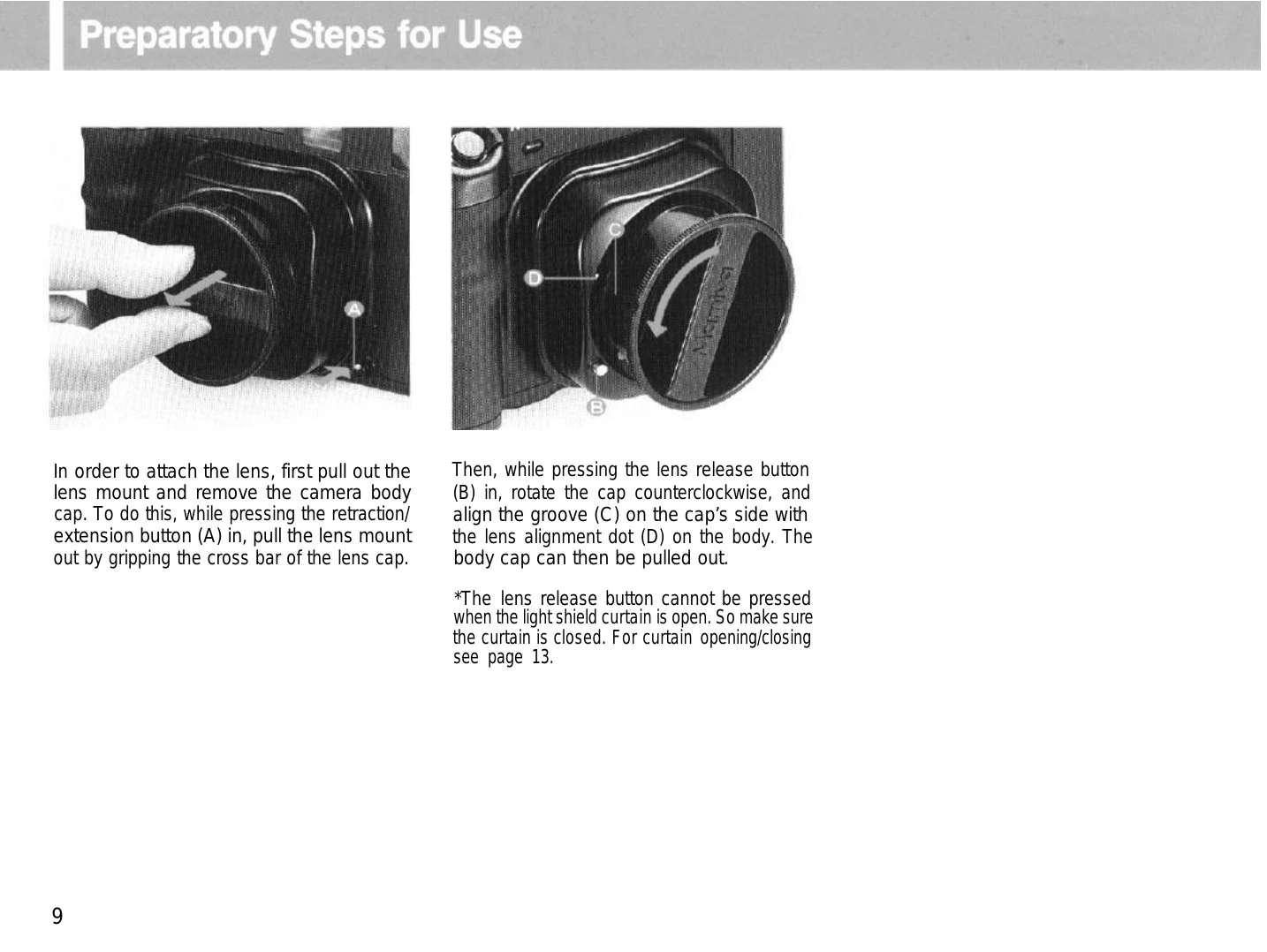
Lens Mount: To extend for use, press the retraction button and pull out the lens mount. To retract for storage, press the button and push the lens straight in. The camera will not function if the lens mount is retracted.
Loading Film: Open the back cover, push the spool release lever, insert the film spool, and then pull out the backing paper, inserting the tip into the take-up spool. Wind the film advance lever until the starting indicator aligns with the camera's film starting indicator.
Taking a Picture: Focus the lens using the rangefinder. Compose your shot. Press the shutter release button lightly for metering and then fully to release the shutter.
Unloading Film: Open the back cover, push the spool stud release lever, and remove the film spool. Ensure the exposed film is sealed immediately.
| When the shutter will not function |
| Is the power on/off lever set to the ON position? |
| Has the film been completely advanced to the next frame? Have all the exposures already been made (12 with 120, 24 with 220)? |
| Has the film advance lever been wound until it stops? |
| Is the lens mount retracted? |
| Is the light shield curtain closed? (In the case of examples 2, 5, the red LED will flash a warning on the upper right side of the viewfinder.) |
| When the lens cannot be removed: |
| Is the light shield curtain open? |
| Is the lens mount retracted or stored in the body? |