Brand: Mamiya
Category: Camera
Document Type:
Language: EN
Brand: Mamiya
Category: Camera
Document Type:
Language: EN
Uploaded: Aug. 9, 2025, 11:44 p.m.
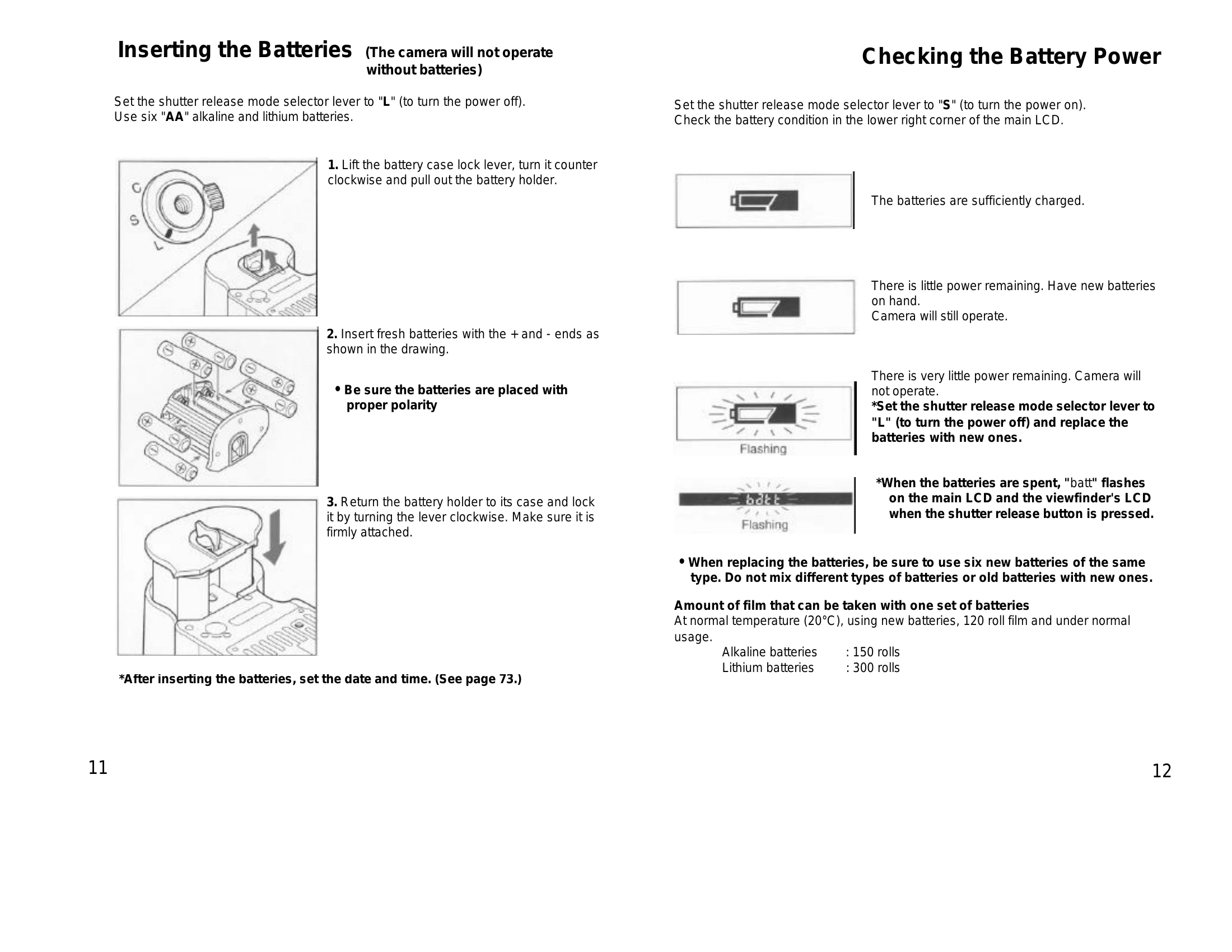
Inserting Batteries: Set the shutter release mode selector lever to 'L' (power off). Use six 'AA' alkaline and lithium batteries. Lift the battery case lock lever, insert batteries with correct polarity, then lock the holder. Check battery power on the main LCD when set to 'S' (power on).
Diopter Adjustment: Look through the viewfinder and adjust the focus frame. Turn the diopter adjustment dial for nearsightedness (-) or farsightedness (+). Use optional corrected lenses if needed.
Attaching/Removing Lens: Push the lens release button 'A' and rotate the lens counter-clockwise to remove. Align red dots to attach and rotate clockwise until it clicks.
Setting Film Speed: Press the "up" button, then press and hold both "up" and "down" buttons to lock the film speed.
Loading Film: Open magazine back cover, remove insert, set film type (120/220), attach empty spool, set film, attach leader paper, insert loaded film insert, close back cover. Advance to frame 1 by half-pressing the shutter release.
| Error Message | Description |
|---|---|
| End | Film end reached during 'C' (continuous advance) mode. |
| "-no-" RE | Shutter release pressed with mirror up in P, Av, or Tv modes. |
| "-no-" | Auto bracketing not functioning: shutter release pressed in M, X, T modes; or fewer than 3 frames left in film with Av, Tv, P modes. |
| "-no-" | Multiple exposure mode canceled due to magazine removal. |
| batt | Batteries discharged; camera inoperable. Replace batteries. |
| Err-01, Err-02, Err-03 | Problem detected during shooting. If persistent, insert dark slide, wind film manually, and contact service. |