Brand: Mamiya
Category: Camera
Document Type:
Language: EN
Brand: Mamiya
Category: Camera
Document Type:
Language: EN
Uploaded: Aug. 9, 2025, 11:44 p.m.
Loading Film: Open the back cover, insert the film roll, align leader paper, and wind until the first frame is ready. Refer to film loading section for detailed steps.
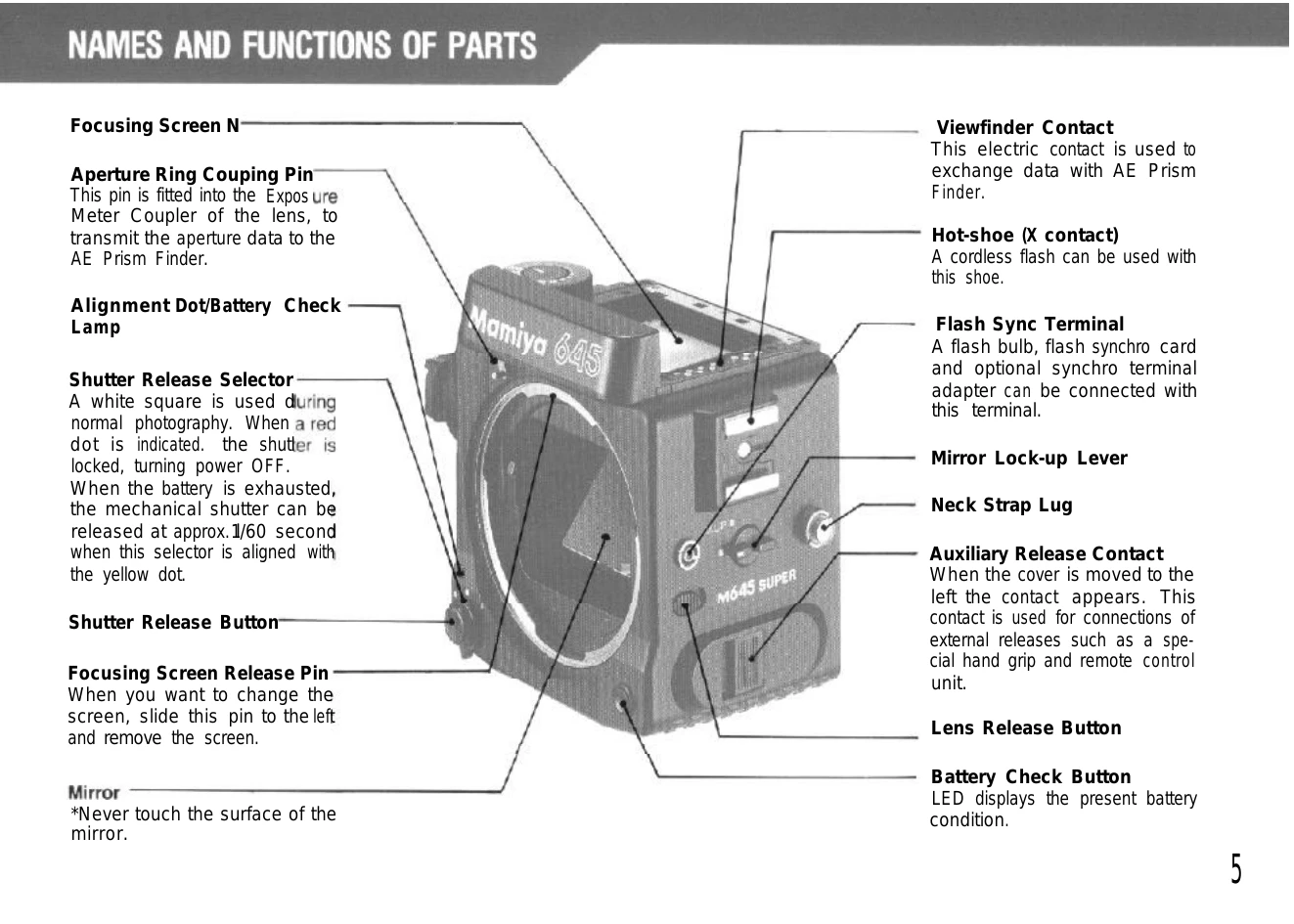
Attaching Lens: Align the lens alignment dot with the camera's dot, insert the lens, and turn until it clicks. Ensure the aperture ring coupling pin is engaged.
Setting Shutter Speed: Align the desired shutter speed with the white index mark. For specific settings, release the lock and turn the dial.
Focusing: Look through the viewfinder and adjust the focusing ring until the subject is sharp. Utilize the split-image rangefinder and microprism collar for precision.
Taking a Picture: Press the shutter release button halfway to check exposure, then fully to take the picture. Ensure the film is advanced for the next shot.