Brand: Mamiya
Category: Camera
Document Type:
Language: EN
Brand: Mamiya
Category: Camera
Document Type:
Language: EN
Uploaded: Aug. 9, 2025, 11:44 p.m.
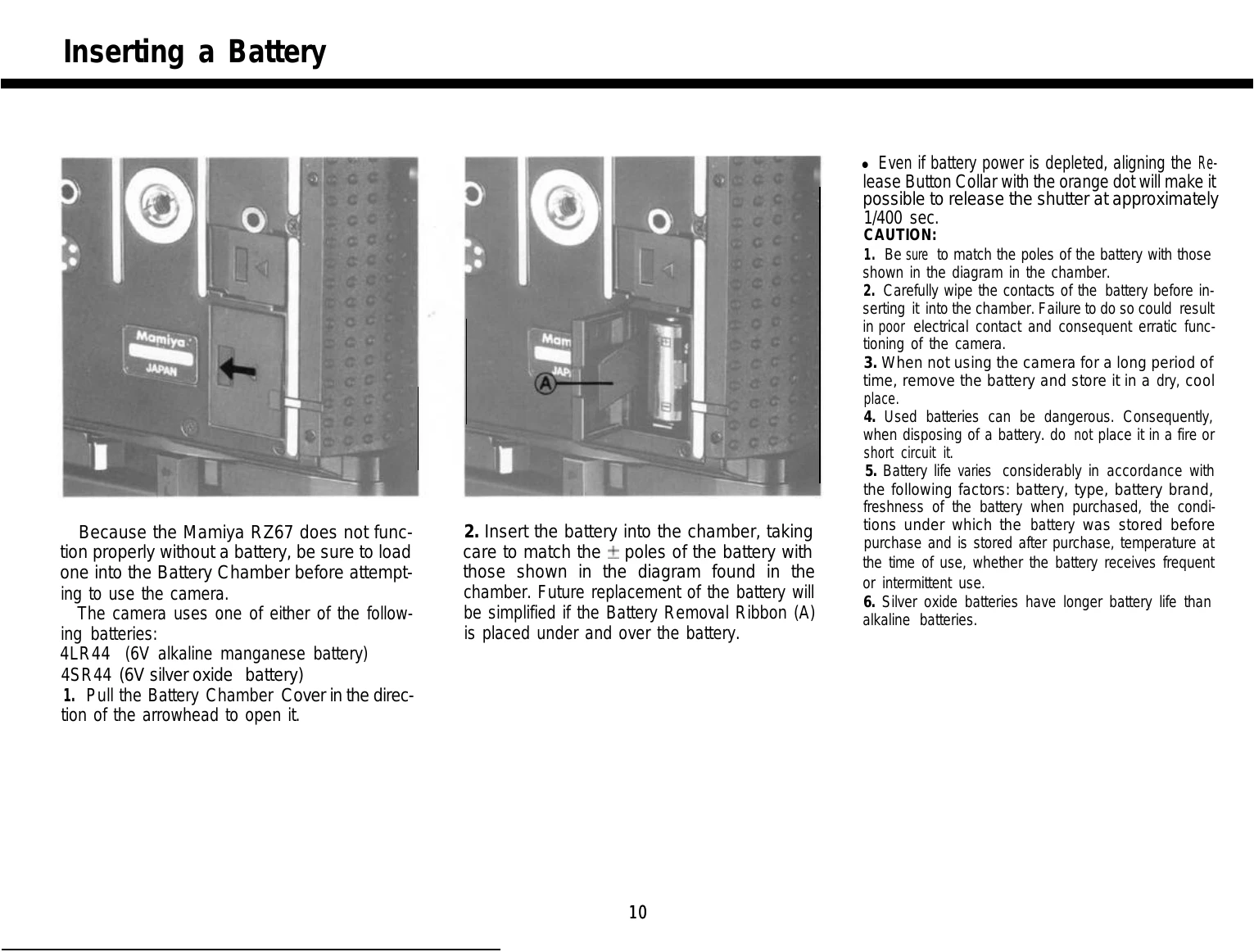
Loading the Battery: Ensure the battery is correctly inserted into the Battery Chamber, matching the poles as indicated. This is crucial for camera function.
Attaching Lenses: Set the mirror to the lowered position and cock the lens shutter. Align the lens with the camera's alignment dot and rotate the bayonet ring clockwise to secure.
Focusing: Depress the cocking lever to set the mirror and project an image onto the focusing screen. Adjust focus using the focusing knobs until the image is sharp.
Taking Photos: Ensure the Dark Slide is removed. Set the R-M Lever to the desired position (normal or multiple exposure). Cock the lever fully and press the shutter release button.
Changing Format: Rotate the revolving back to switch between horizontal and vertical orientations. The viewfinder masks adjust automatically.
| Problem | Check Points |
|---|---|
| When the shutter can not be released |
1. Has the film been completely advanced to the first frame?
Have all the exposures already been made (10 with 120, 20 with 220)? 2. Has the Cocking Lever been advanced as far as it will go? 3. Has the Dark Slide been removed? 4. Have you locked the Shutter Release Button and forgotten? 5. Is there a battery in the Battery Chamber? Is the battery still good? • In the case of examples 1-3, an orange lamp will illuminate in the viewfinder if an error has been made. |
| When the lens can not be removed |
Have you pressed the Cocking Lever completely forward?
|
| When the Film Holder can not be removed |
Have you inserted the Dark Slide into the holder?
|