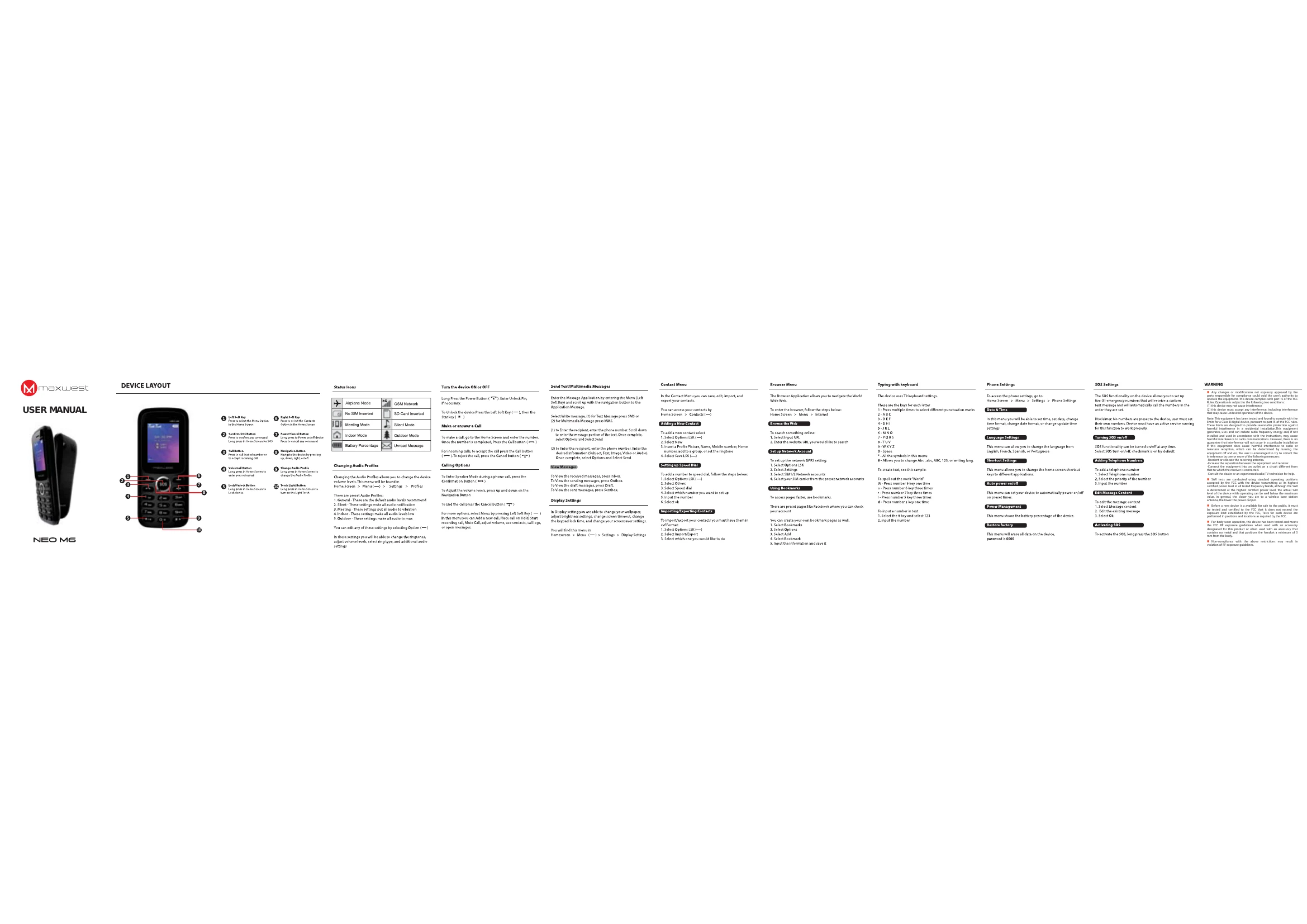
DEVICE LAYOUT: The manual details the buttons and their functions: Left Soft Key (Menu), Confirm/SOS Button, Call Button, Navigation Button, Voicemail Button, Right Soft Key (Contacts), Power/Cancel Button, and the Send Light Button.
Basic Operations:
- Turn Device ON or OFF: Long press the Power Button.
- Make or Answer a Call: Go to Home Screen, enter number, press Call Button. For incoming calls, press Call Button.
- Send Text/Multimedia Messages: Navigate to Menu > Message Application. Choose SMS or Multimedia Message, enter recipient and message, then Send.
- View Messages: Access Inbox, Outbox, Draft, or Sentbox.
- Browser Menu: Navigate to Menu > Internet to browse the web.
- Contact Menu: Save, edit, import, and export contacts.
- Phone Settings: Access via Home Screen > Menu > Settings > Phone Settings to adjust Date & Time, Language, Auto Power on/off, etc.
- SOS Settings: Activate SOS by long pressing the SOS button.