Powering: The MV93 requires 802.3at PoE+ and has a 1000BASE-TX Ethernet port. Maximum PoE cable length is 300 ft (100 m).
Network Configuration: The camera must be added to a Meraki network via the Meraki Dashboard using the order or serial number. Ensure the network is configured for DHCP. Firewall settings must allow outgoing connections to specific ports and IPs found in "Help>Firewall Info".
DNS Configuration: For LAN streaming, ensure that *.devices.meraki.direct resolves to the camera's private IP address. Use a conditional forwarder if using an on-site DNS server.
IP Addressing: The MV93 series does not support static IP assignment; it requires DHCP.
Firmware Update: During initial setup, the camera will automatically update to the latest firmware, which may take up to 5 minutes. LED status indicates progress.
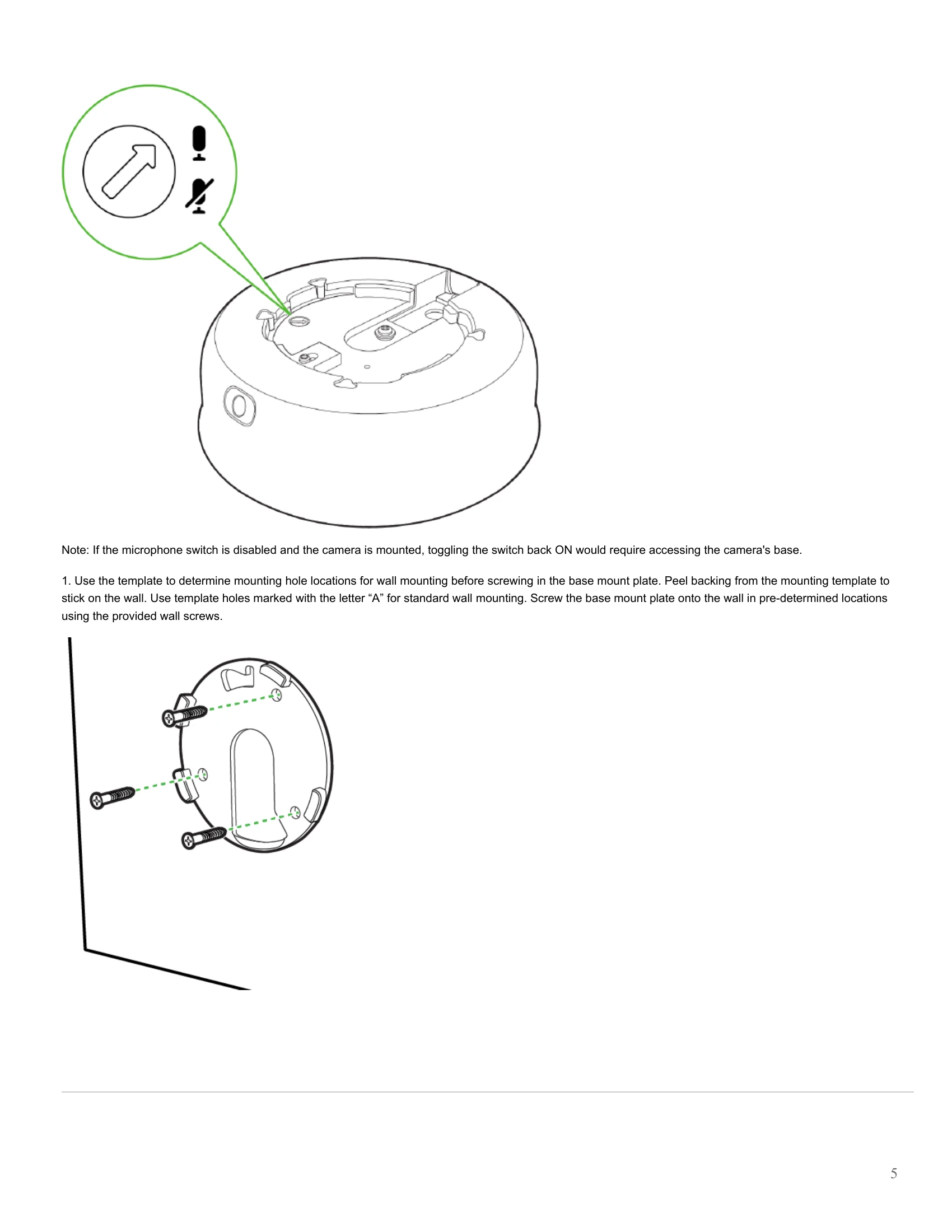
Mounting: Use the provided base plates (small or large) and template for wall mounting. Secure the base plate with screws and anchors. Attach the camera to the base plate by aligning it and pressing the button to engage the locking mechanism, then twist until a click is heard.
Cable Gland: Connect the PoE cable to the camera's cable gland, ensuring a water-tight seal.
Conduit Adapter: If using conduit, attach the terminal adapter to the conduit adapter and route the conduit over the cable gland assembly.
Decorative Cover: If using the large base plate, a decorative cover can be attached.
LED Status: Indicates camera status: booting up (rainbow), searching for WiFi (flashing blue), upgrading/initializing (flashing green), connected via Ethernet (solid green), connected via WiFi (solid blue), audio recording enabled (solid violet), or unable to connect to Dashboard (solid amber).