Manual for Lumia with Windows 10 Mobile

Manual for Lumia with Windows 10 Mobile

Brand: Microsoft

Category: Mobile Phone

Document Type:

Language: EN
Uploaded: Aug. 10, 2025, midnight

Manual Publish Date: 2015-01-01

Warranty Information

None

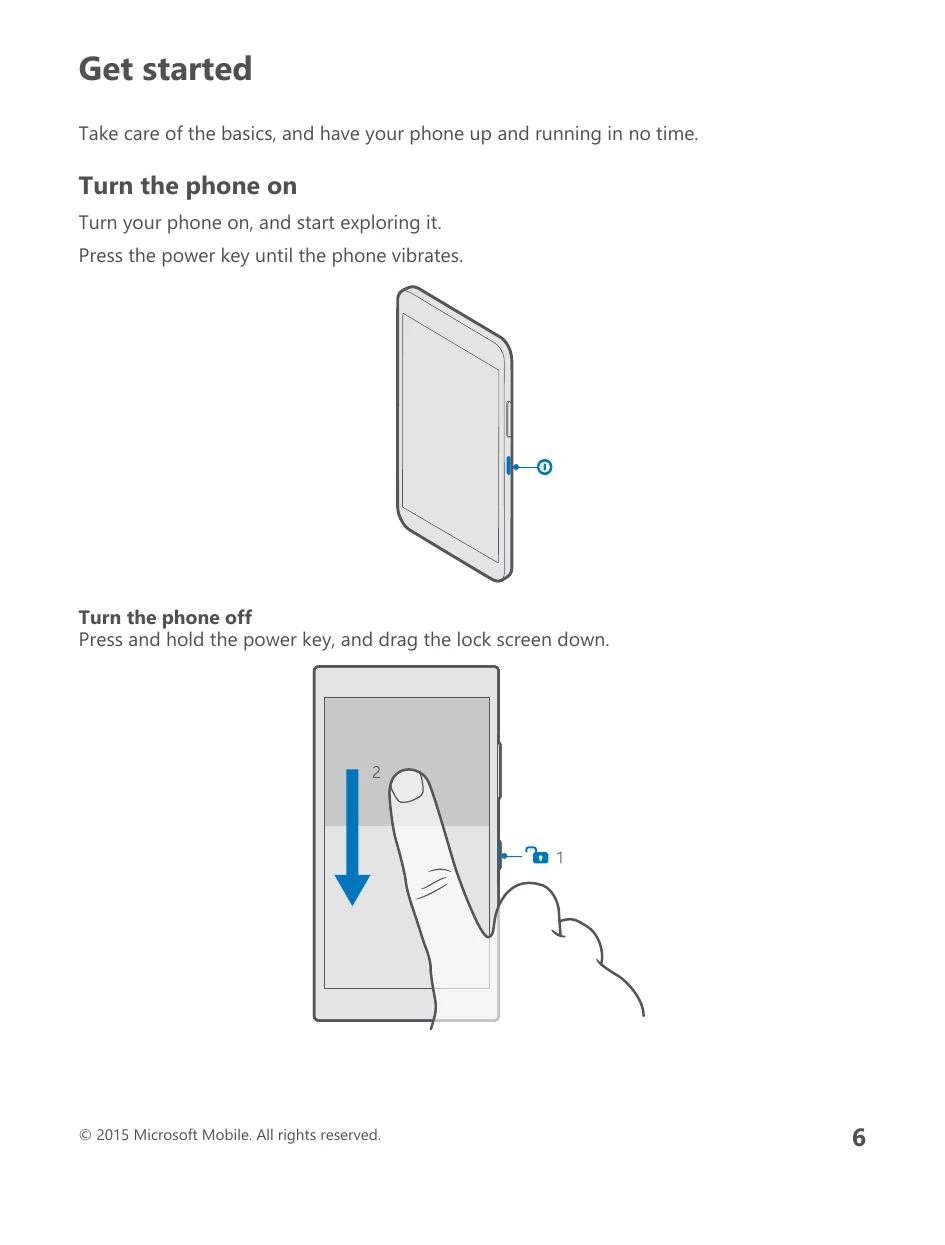
  • Turn the phone on: Press the power key until the phone vibrates.
  • Turn the phone off: Press and hold the power key, and drag the lock screen down.
  • Lock the keys and screen: Press the power key.
  • Unlock the keys and screen: Press the power key, and drag the lock screen up.
  • Charge your phone: Plug a compatible charger into a wall outlet and connect the cable to your phone.
  • Charge your phone wirelessly: Place your phone on a wireless charger.
  • Set up your phone: Follow the on-screen instructions when turning the phone on for the first time to set up network connections, phone settings, and a Microsoft account.
  • Explore your tiles, apps, and settings: Swipe left from the start screen to see all apps. Swipe right to return to the start screen.
  • Navigate inside an app: Swipe left to find more views in an app. Use the options menu to discover more actions.
  • Use the touch screen: Tap, swipe, or drag items on the screen.
  • Back, start, and search keys: Use these keys to navigate your phone.

Troubleshooting and error codes

Issue Solution
Internet connection doesn't work Check cellular data connection (Settings > Network & wireless > Cellular & SIM, ensure Data connection is On). Check Wi-Fi connection (Settings > Wi-Fi, ensure Wi-Fi networking is On and connected). Ensure battery saver mode is not on (Settings > System > Battery saver). Check data roaming options if abroad. Uninstall any newly installed settings from a text message.
Phone doesn't respond Try a 1-key restart (hold power key for 10 seconds). Try a 2-key restart (hold volume down and power key for 10 seconds). Update phone software or reset the phone (Settings > System > About > Reset your phone). Contact service provider or manufacturer if issues persist.
Privacy Policy