Brand: Midea
Category: Air Conditioners
Document Type: Manual
Language: EN
Brand: Midea
Category: Air Conditioners
Document Type: Manual
Language: EN
Uploaded: April 20, 2026, 8:12 p.m.
No specific warranty information is present in the manual.
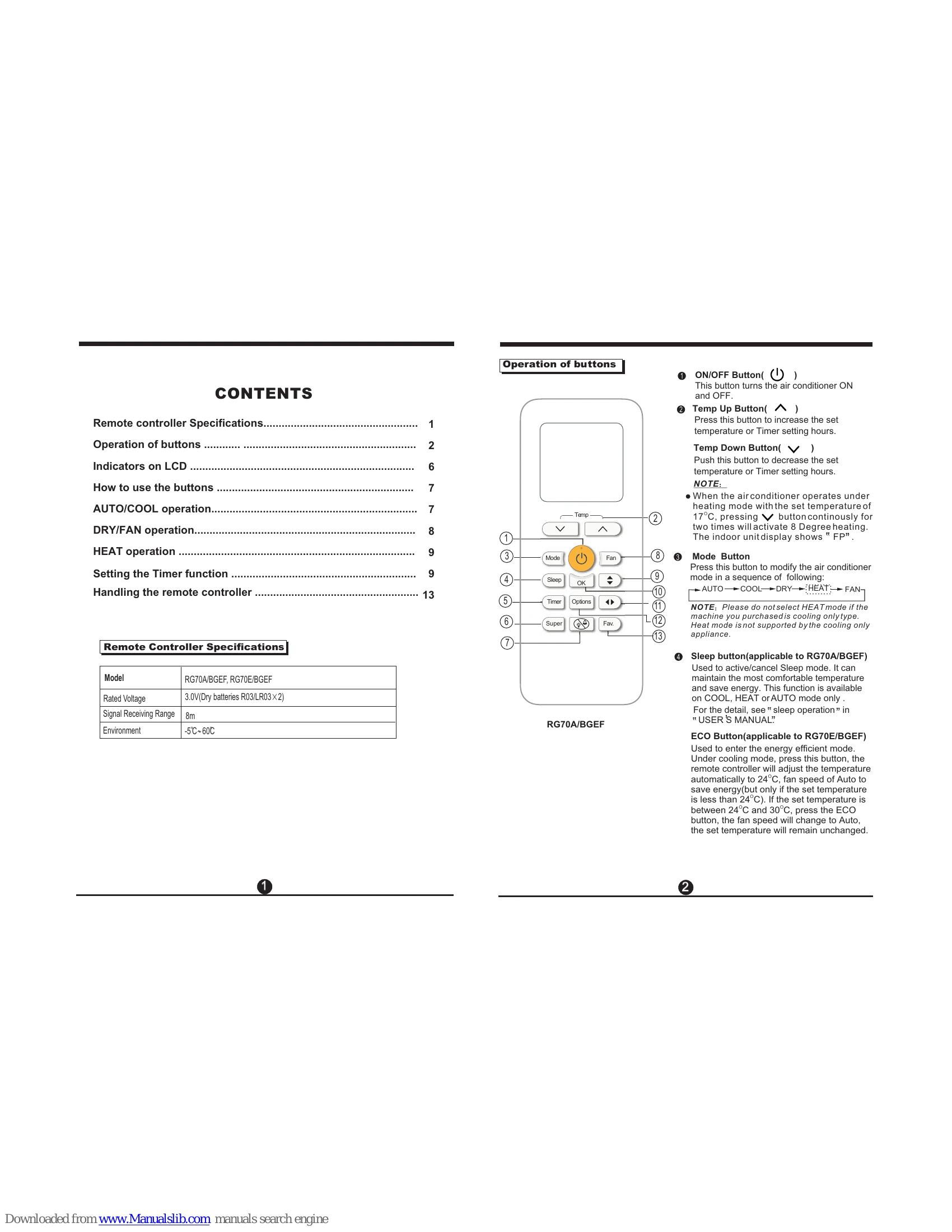
NOTE: FAN SPEED can't be set in Auto mode.
NOTE: FAN SPEED can't be changed in DRY mode.
NOTE: You can't set temperature in FAN mode. As a result, your remote control's LCD screen will not display temperature.
NOTE: As outdoor temperature drops, the performance of your unit's HEAT function may be affected. In such instances, we recommend using this air conditioner in conjunction with other heating appliance.
| Problem | Possible Cause | Solution |
|---|---|---|
| The air conditioner does not start. | The power cord is not plugged in. | Plug the power cord into the outlet. |
| The power is turned off. | Turn the power on. | |
| The fuse is blown or the circuit breaker tripped. | Replace the fuse or reset the circuit breaker. | |
| The remote controller is not working. | Replace the batteries. | |
| The ON/OFF button on the remote controller was not pressed. | Press the ON/OFF button. | |
| The ON/OFF button on the unit was not pressed. | Press the ON/OFF button on the unit. | |
| The Timer function is set. | Turn off the Timer function. | |
| The air conditioner does not cool or heat properly. | The set temperature is incorrect. | Set the temperature to a lower setting for cooling or a higher setting for heating. |
| The air filter is dirty. | Clean the air filter. | |
| The room temperature is too high or too low. | Adjust the set temperature. | |
| The doors or windows are open. | Close doors and windows. | |
| There is an obstruction blocking the air intake or outlet. | Remove the obstruction. | |
| The outdoor unit is exposed to direct sunlight. | Use curtains to shade the outdoor unit. | |
| The air conditioner makes noise. | Normal operating sounds. | This is normal. Consult the manual for details. |
| The unit is not installed on a level surface. | Ensure the unit is installed on a level surface. | |
| Water is leaking from the unit. | The drain pan is full or clogged. | Clean the drain pan. |
| The unit is not installed on a level surface. | Ensure the unit is installed on a level surface. | |
| The remote controller does not work. | The batteries are exhausted. | Replace the batteries. |
| The remote controller is not pointed at the receiver. | Point the remote controller at the receiver. | |
| There is an obstruction between the remote controller and the receiver. | Remove the obstruction. |