Manual for ER210 - Troubleshooting and error codes + PDF Download

Manual for ER210 - Troubleshooting and error codes + PDF Download

Brand: MIDLAND

Category: Receiver

Document Type: Manual

Language: EN
Uploaded: April 8, 2025, 1:49 p.m.

Warranty Information

Midland will repair or replace any ER210 failing due to a defect within one year of purchase.

Turning the ER210 On/Off & Selecting a Band:
  • To turn the radio on, press the BAND button. To cycle through AM, FM, or Weather radio bands press the band button again.
  • To turn the radio OFF, press and hold the BAND button for 2 seconds.
Adjusting the Volume:
  • To adjust the volume, press the PLUS/MINUS VOLUME control buttons to adjust the audio.
Tuning the Radio:
  • Press the BAND button to cycle through AM, FM, and Weather radio bands.
  • Once you are on the desired radio band, you can tune to the desired station with the UP/DOWN TUNE buttons. For best FM and Weather reception, fully extend the telescopic antenna and rotate until reception is clear.
Using the Weather Radio:
  • Press the BAND button to select the weather band.
  • Then use the TUNE buttons to select the strongest weather channel in your area.
Weather Alert Function:
  • To enable the NOAA Weather Alert function, press the WX ALERT button.
  • When enabled, the "WX" icon on the LCD screen will flash.
  • When a weather alert is received, the ER210 will sound an audible siren and the flashlight will flash on and off along with the LCD backlight for 1 minute.
  • Pressing any button during an alert on the ER210 will stop the siren and flashlight and the radio will switch to your selected weather channel.
LED Flashlight:
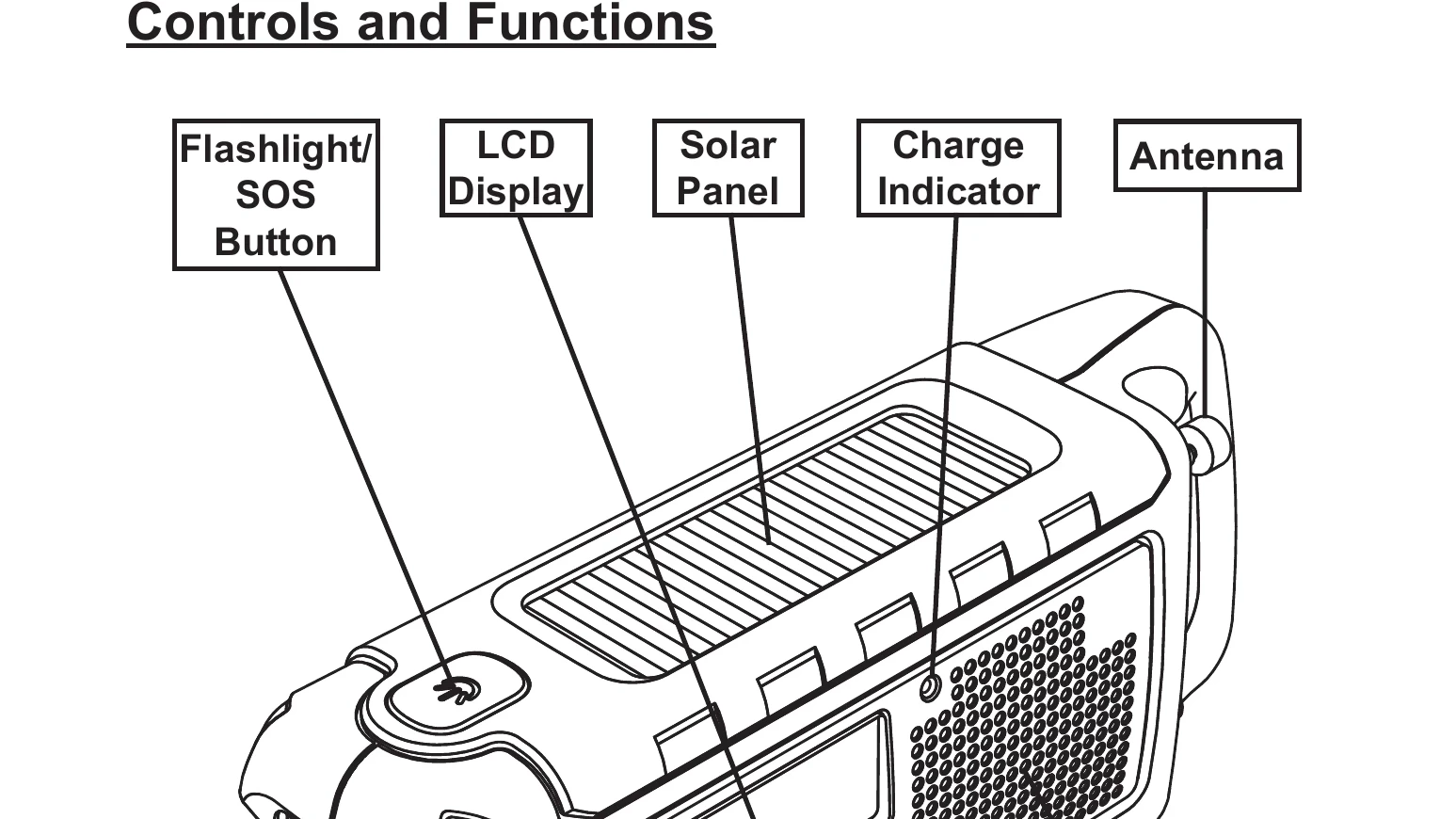
  • Dim: The first press of the flashlight button will enable the dim setting.
  • Bright: The second press of the flashlight button will enable the bright setting.
SOS Morse Code Flashlight Beacon:
  • To enable the SOS feature, press the flashlight button 3 times. The SOS Morse code is: 3 short flashes, 3 long flashes, and 3 short flashes.
  • To turn off the SOS feature, press the flashlight button.
Privacy Policy